Framekit templates
Start from a designer-made template
 Use template
 Use template
 Use template
 Use template
 Use template
 Use template
 Use template
 Use template
Most video review platforms are built for teams and then reluctantly sold to individuals, which is why so few Wipster alternatives fit a single editor properly.
Wipster is one of the few that does the opposite: Light is 9.95 dollars a month billed annually, 50GB, one person, with annotation and the Adobe extensions included rather than withheld.
That is a complete tool, not a crippled tier, and it is why people who use it tend to like it.
The reason to look elsewhere is almost always one of two things. Either you grew, and discovered Wipster Team is 19.95 dollars per user monthly, so three people cost 718.20 dollars a year, more than Frame.io Pro for the same three.
Or you need 250GB and found the storage ladder starts there and climbs through add-ons.
We re-verified Framekit's entry in September 2026 and moved it up, since its review tool now draws on the frame and lets you tick notes off, two of the three things Wipster users say they would miss.
A Wipster alternative is a video review platform that collects timestamped client feedback on a cut, judged here on what it costs one person rather than what it costs a department, since that is the position Wipster occupies.
The best Wipster alternative in 2026 is Framekit, because it keeps drawing on the frame and a tick-off list of notes, adds version stacks and client approval on a branded page, and costs 9 dollars a month for a solo editor with no charge per client reviewer.
The trade-offs are Adobe and headcount: Framekit has no Premiere Pro or After Effects extension and no seats for a second editor, so Frame.io is the better pick if notes must land on your timeline or several editors upload.
SyncSketch suits animation, and Krock.io is the answer if you simply ran out of storage.
Full disclosure: Framekit is our own product and we rank it first, judged on what it ships today, and every alternative is linked so you can check them. Wipster users who live in the Premiere Pro or After Effects panel lose that with us, and Frame.io, which keeps a Premiere panel, is the right answer for them.
How We Tested 8 Wipster Alternatives
We rebuilt a solo editor's actual month rather than a team workflow: four separate client jobs running at once, each with two versions, roughly 12GB of review exports in total, and clients who comment by link without accounts.
That shape matters, because a solo editor's constraint is almost never seats. It is project count, storage, and whether the tool costs more than the jobs are worth.
Then we priced each alternative at one user and again at three, because the crossover is where most switching decisions actually get made. August 2026, fresh accounts, tested from a European connection.
Measured means we ran the four jobs through it. Verified means the figure was read at the vendor's own published pricing page and linked inline.
What Wipster gets right that you should not lose casually
Three things, and they are worth naming before you shop. Pinpoint annotation with shapes, arrows and freehand drawing means a client marks the frame rather than describing it.
The Premiere Pro and After Effects extensions bring that feedback next to your timeline, which is the only feature in this whole category that removes work rather than relocating it.
And comments become tasks you check off, so forty notes across three versions become a list rather than a thread. No alternative below keeps all three.
Framekit keeps the pen and something close to the checklist and drops the extensions; Frame.io keeps the pen and a Premiere Pro panel and drops the checklist.
What One Editor Actually Pays
Every figure below was read at the vendor's own published pricing page in August 2026 and priced for a single editor first, then for three, so the crossover is visible rather than implied.
- Wipster Light is 119.40 dollars a year for one person with 50GB, which is mid-range rather than cheap: Framekit is 108, SyncSketch Indie is 108, Kollaborate Basic is 84.
- Wipster Team at 19.95 dollars per user monthly is 718.20 dollars a year for three, the most expensive per-person option in this comparison and 178 dollars more than Frame.io Pro.
- 2 of 8 alternatives charge per account rather than per seat: Framekit, which has no editor seats at all, and Kollaborate.
- Only 1 alternative keeps annotation and editor integration together: Frame.io, which adds Final Cut Pro where Wipster covers After Effects.
- 3 of 8 have a free tier a solo editor could run real jobs on: Framekit, ReviewStudio and Krock.io, with Krock.io's limited to 1 user and 2GB.
- The cheapest paid storage near Wipster Light is Kollaborate Basic at 7 dollars a month for 30GB. Framekit Starter is 9 dollars for a 50GB pool shared with your site, of which 15GB can be video, and Pro at 19 dollars allows 150GB of video.
- 0 of 8 alternatives model comments as a task list the way Wipster does. In Framekit each note can be ticked complete, the list filters to what is still open, and finished notes sink to the bottom.
| Alternative | One editor, 1 year | Three people, 1 year | Annotation | Notes reach an NLE |
|---|---|---|---|---|
| Wipster (for reference) | 119.40 dollars, 50GB | 718.20 dollars | Yes | Premiere Pro, After Effects |
| Framekit | 108 dollars, 15GB of video | Not sold, no editor seats | Yes, pen and shapes | No |
| Frame.io | 180 dollars, 2TB | 540 dollars | Yes | Premiere Pro, Final Cut |
| SyncSketch | 108 dollars, 50GB | 324 dollars | Yes, brushes | No |
| Krock.io | 120 dollars, from 2TB | 360 dollars | Yes | No |
| ReviewStudio | 144 dollars, 25GB | 432 dollars | Yes | No |
| Kollaborate | 84 dollars, 30GB | 180 dollars | No | No |
| Vimeo | About 96 euros, 2TB | About 228 euros | Not confirmed | No |
| Dropbox Replay | From 120 dollars plus storage | From 360 dollars | Yes, live | No |
Jump to the decision tree if you already know which Wipster feature you cannot lose.
The Best Wipster Alternatives in 2026: Our Rankings
Ranked on how much of Wipster's actual value each one preserves at a price that fixes the reason you are leaving, since a cheaper tool that drops the good parts is not a saving. The first four get full reviews.
1. Framekit: Best Overall Wipster Alternative

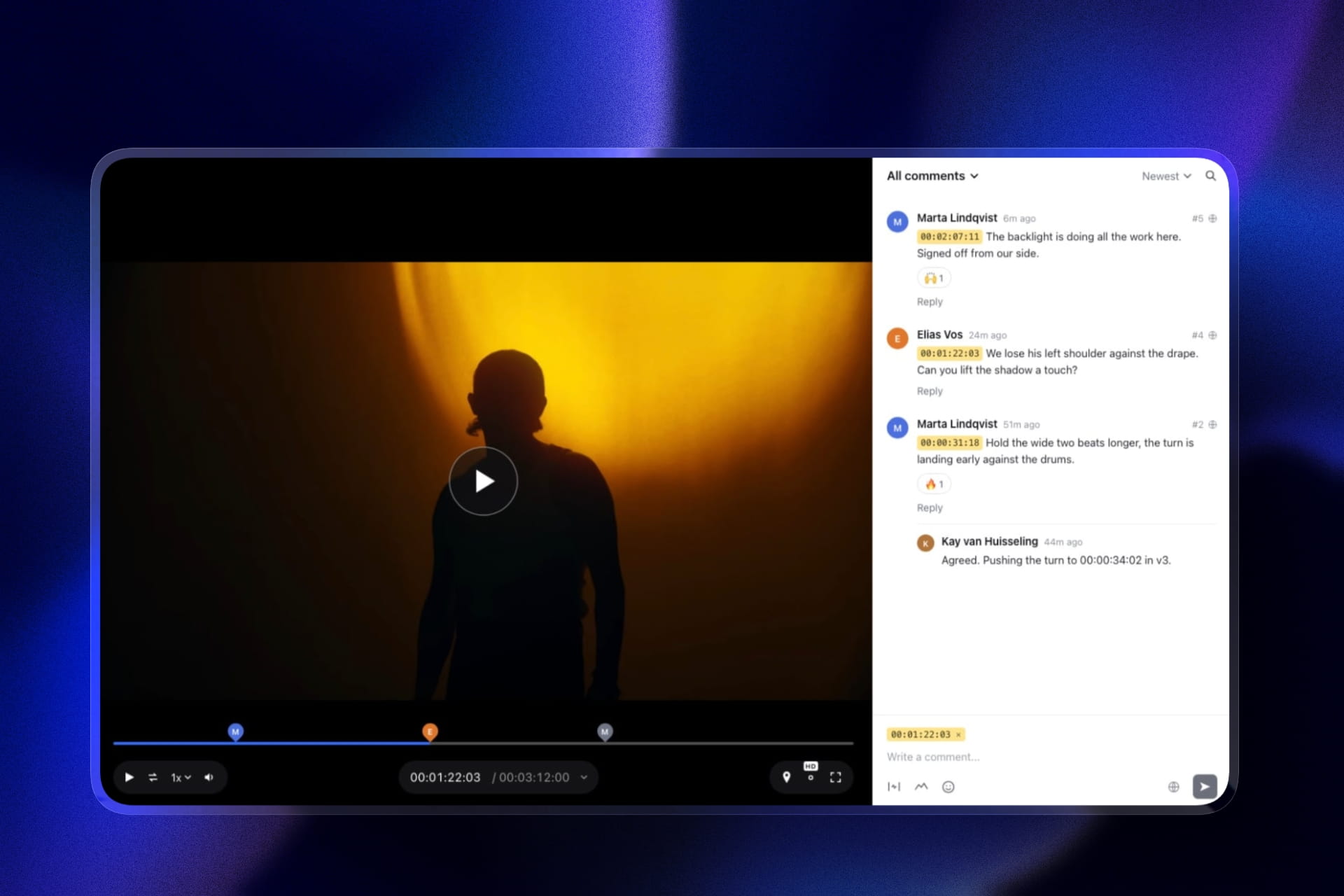
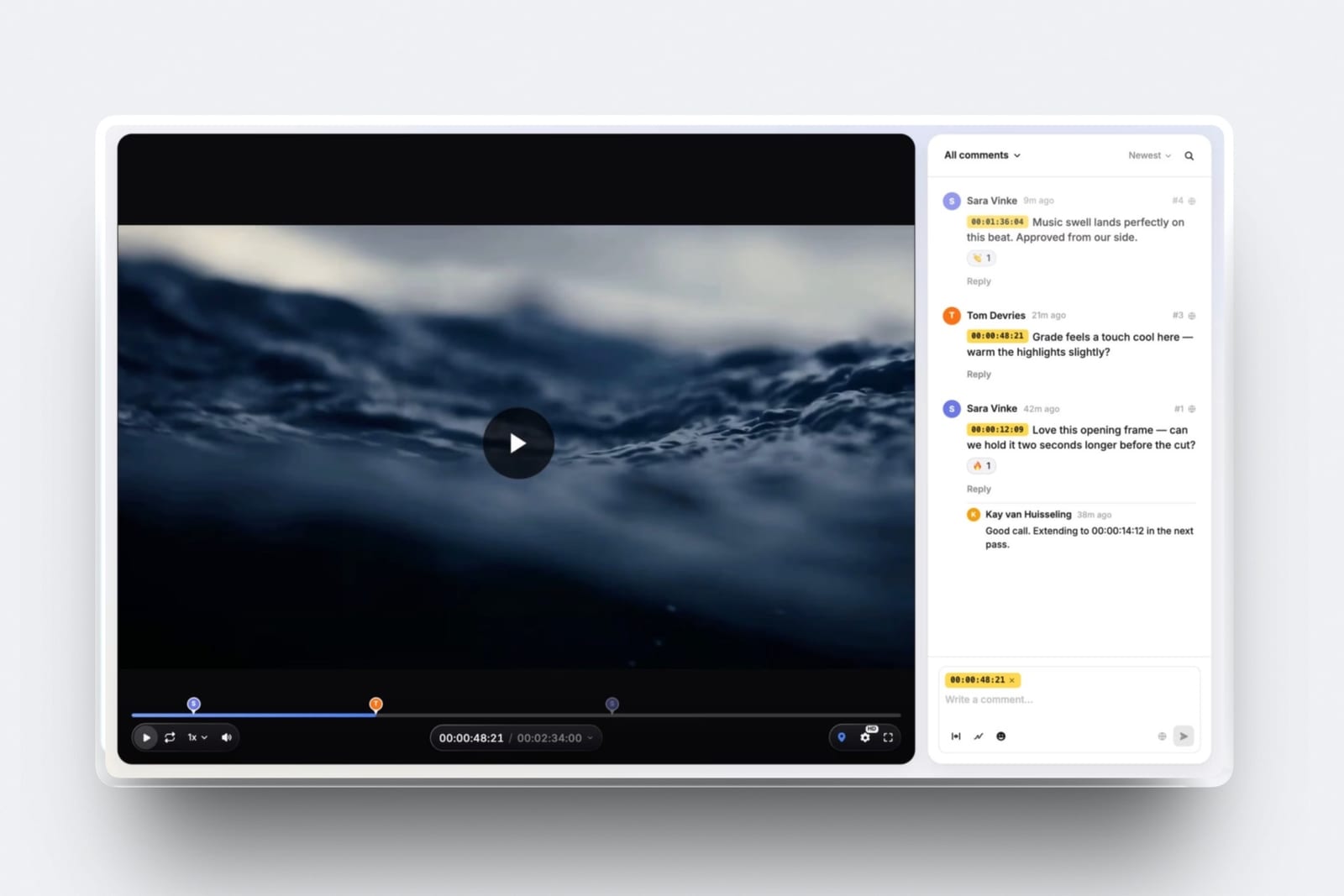
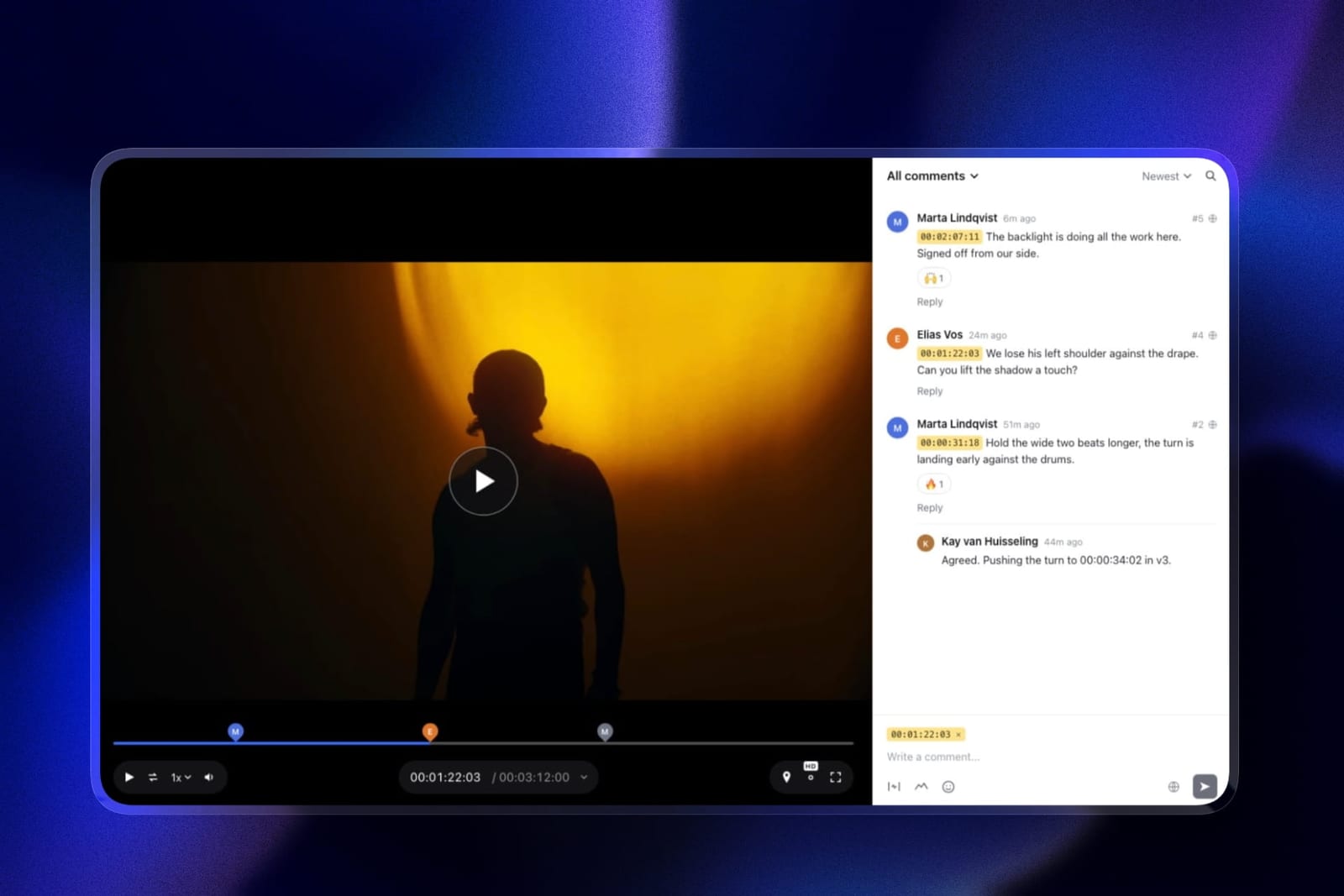
Framekit is an AI website builder with video review built in, and for a Wipster user it now keeps more than it drops. The pen survives: reviewers draw freehand or with arrows, lines, boxes and circles on the paused frame.
Something close to the checklist survives too: every note can be ticked complete, the sidebar filters to unresolved, and finished notes sink to the bottom, so forty comments across three versions still end as a list you finish rather than a thread you reread.
A solo editor's month of four jobs at about 12GB of exports fits inside Starter's 15GB of video, and review projects have no count limit on any plan.
Clients open a link without an account, can leave range comments across a slow section, and set the cut to "needs changes" or "approved" themselves. New versions stack on the old ones with every note kept.
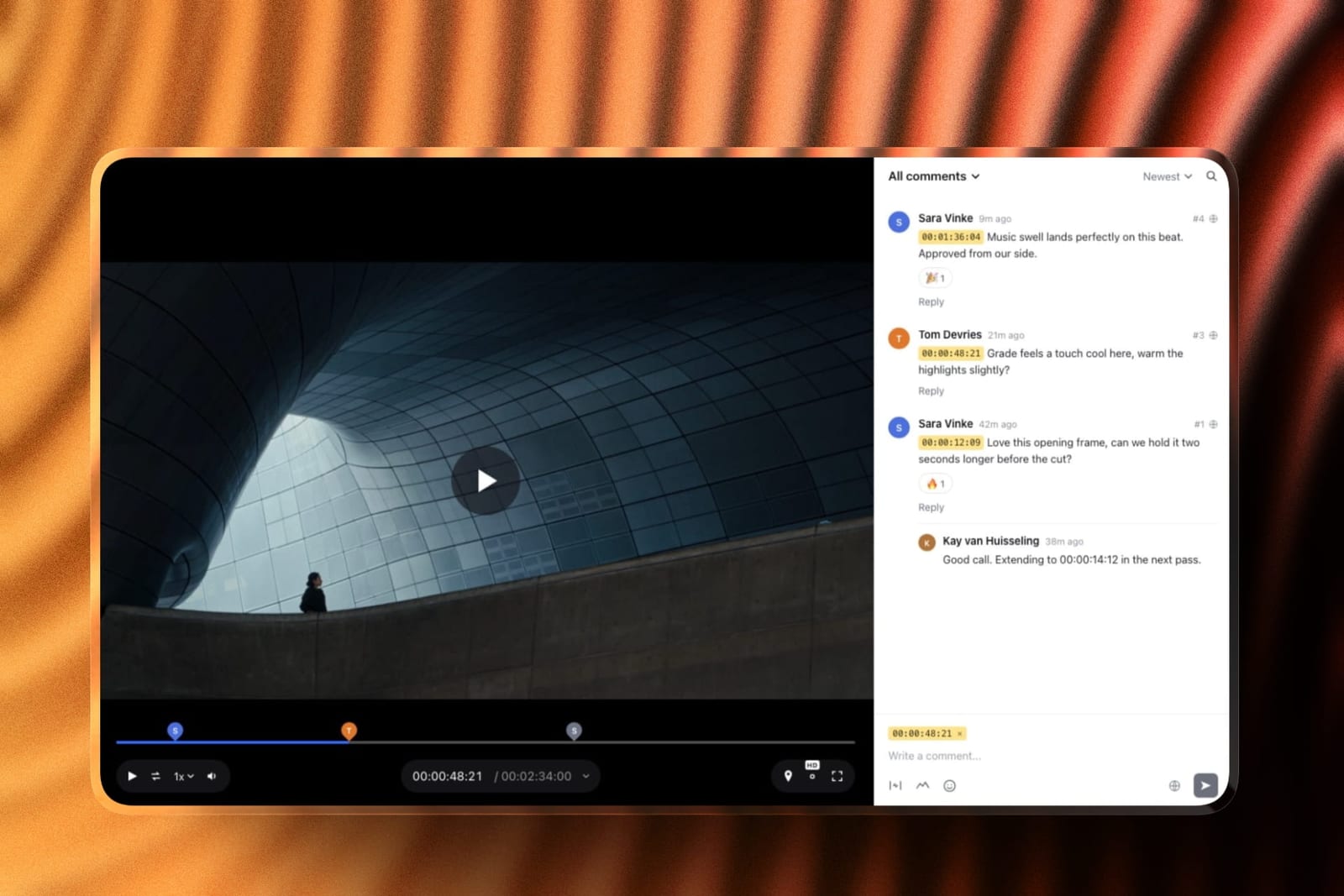
The real numbera solo editor pays 108 dollars a year on Starter against Wipster Light's 119.40, and clients comment as free guests. There are no review seats for a second editor, so a team of three is Frame.io's customer, not ours.
Storage is the honest catch at the entry tier: Starter's 50GB pool allows 15GB of video, less than Wipster Light's 50GB, and Pro lifts it to 150GB.
The standout detailthe privacy controls are on every plan, including free: a password, an email gate, an expiry date with a reminder, a download switch, and your logo, a choice of twelve type pairings and your colours on the page.
Owner comments can also be set to Team, visible to you and hidden from the client.
The honest gotchano Premiere Pro or After Effects extension. Notes live in the browser, and you jump to each timecode by hand in your editor. For an After Effects artist that panel is the product, and nothing replaces it.
Skip it ifthe Adobe panel is why you chose Wipster. Stay, or move to Frame.io for Premiere.
Verdict: the best Wipster alternative for solo editors who used the pen and the list, for slightly less than Wipster Light, with a portfolio and client galleries on the same account.
2. Frame.io: Keeps the Premiere Pro Panel
Frame.io is the only alternative here that preserves both of Wipster's defining features and extends them.
Annotation is on every tier including free, comments are frame-accurate and range-based so a note can span several seconds rather than sitting on one frame, and the editorial panels cover Premiere Pro and Final Cut Pro where Wipster covers Premiere Pro and After Effects.
The real numberPro is 15 dollars per member per month, so 180 dollars a year for one editor against Wipster Light's 119.40. You pay about 61 dollars a year more and get 2TB instead of 50GB, range comments, Final Cut support and Camera to Cloud.
At three people the comparison inverts in Frame.io's favour outright: 540 dollars against 718.20.
The standout detailCamera to Cloud is included on the free plan, moving footage from a supported camera or recorder into a project during the shoot. Wipster has no equivalent, and neither does anything else in this comparison.
The gotchayou lose the task list. Wipster turns each comment into something you tick off, and Frame.io's version stacks and comment threads do not replace that discipline.
Several editors we spoke to during testing described this as the thing they missed most, which is not what you would predict from a feature comparison.
Skip it ifyou work exclusively in After Effects and never in Premiere Pro or Final Cut. Wipster's After Effects extension has no Frame.io equivalent, so that specific workflow is a genuine reason to stay.
Verdict: the correct upgrade rather than the cheap escape. More expensive for one person, cheaper for three, and better at almost everything except the checklist.
3. SyncSketch: Better If You Animate
Indie is 9 dollars per user monthly billed yearly with up to 15 users, 50GB storage and 100GB of uploads. That is the same storage as Wipster Light for slightly less money, with drawing tools that are considerably better.
The real numberthree people cost 324 dollars a year against Wipster Team's 718.20, less than half, with the same per-seat model rather than a flat one.
The standout detailthe PDF summary. A review session exports as a document with screenshots, annotations and comments that anyone can open without an account. For a solo editor sending notes on to a freelance animator or a sound designer, that artifact is more useful than any in-app integration.
The gotchathe free Light tier is under 1GB with a 2GB monthly upload allowance, so unlike ReviewStudio there is no viable free landing spot.
Verdict: cheaper than Wipster at every headcount, better at drawing, and built for shot-based work. A clear upgrade for animation and a mismatch for live-action commercials.
4. Krock.io: Most Storage per Pound
Pro is 10 dollars per user per month with unlimited team size and from 2TB of storage, extra terabytes at 10 dollars, and unlimited reviewers on every plan including free.
It reviews video, image, audio and PDF, and names 4K playback explicitly.
The real numberroughly the same monthly price as Wipster Light and forty times the storage. If the reason you are shopping is that 50GB filled up, this is the most direct answer on the page.
The gotchathe free tier is 1 user on 2GB, and the jump above Pro goes to an Enterprise plan from 400 dollars with 100 users included, so there is little in between.
Verdict: the storage answer. Includes a storyboard tool that neither Wipster nor Frame.io offers, which is an odd but genuine bonus for pre-production.
5. ReviewStudio: Best Free Landing Spot
Unlimited users and unlimited guests on a free 5GB tier, with drawing, versioning, compare mode, present mode and approvals included. Pro is 12 dollars per user annually with 25GB per user.
Verdict: the place to go if you want to stop paying entirely without losing annotation. 5GB is tight for a working month, but present mode and unlimited guests are more than Wipster gives away.
6. Kollaborate: Cheapest Paid Option
Basic is 7 dollars a month or 60 dollars a year for 30GB, with unlimited projects and unlimited bandwidth, rising through twelve published tiers to 539 dollars for 10TB.
Small Business is 25 dollars a month for 60GB and 5 team members.
Verdict: the lowest paid price here, flat rather than per seat, with no annotation and a visibly dated interface. Fine when clients never see it, awkward when they do.
7. Vimeo: If the Video Goes Public
Starter is about 8 euros a month billed annually with 1 user and 2TB, listing review and collaboration tools as included. The reviewed file can become the public embed without a second upload.
Verdict: cheaper than Wipster with vastly more storage and a shallower review tool. Worth it only if your finished work streams publicly from your own account.
8. Dropbox Replay: If Your Files Are Already There
Drawing on the frame with shared cursors in live sessions, frame-accurate comments and versions, as an add-on from 10 dollars a month on top of Dropbox, with no account required for reviewers.
The gotchathe Replay entitlement bundled into paid Dropbox plans is four file uploads in total, so treat it as a sample and budget the add-on.
Verdict: collapses two subscriptions into one if you already pay Dropbox. Not worth adopting Dropbox for.
The Solo Tier Is Rarer Than It Looks
In one linemost review platforms price a single user as a team of one and charge accordingly, which is why Wipster's 9.95 dollar plan attracted the people now looking to replace it.
Count how each vendor treats one person. Wipster sells Light as a deliberate individual plan with the full feature set. SyncSketch Indie at 9 dollars per user is genuinely aimed at freelancers.
Kollaborate's Basic, Freelance and Freelance Plus tiers explicitly carry no team members at all, which is unusually honest packaging. Vimeo Starter is one user by design.
Everything else is a team plan you happen to be alone on. Frame.io Pro at 15 dollars per member includes up to 5 members and 2TB, so a solo editor buys a five-person allowance. ReviewStudio Pro is per user with no individual tier.
Krock.io Pro is per user with unlimited team size, which is generous and still per user.
Framekit is the outlier in the other direction: one account per editor, clients commenting as free guests, and no editor seats to add at all, which is ideal alone and a dead end for a team.
The test you can runtake your current bill and divide by the number of people who actually opened the tool last month. If the answer is more than about 12 dollars per active person, you are paying for a shape you do not have, and this page has four cheaper options.
What Leaving Actually Costs You
In one linethe three features that make Wipster worth its price, annotation, Adobe extensions and the comment task list, never survive together, so every alternative is a choice about which one you can give up.
Be precise about the loss. Annotation survives on Framekit, Frame.io, SyncSketch, Krock.io, ReviewStudio and Dropbox Replay, and dies on Kollaborate and, as far as published material confirms, Vimeo.
The Adobe integration survives only on Frame.io, and only for Premiere Pro, since no alternative here offers an After Effects panel.
The task list survives nowhere in Wipster's exact form, though Framekit's tick-complete notes with an unresolved filter come close.
That last one is worth dwelling on because it does not appear in any feature grid. Wipster converts a client's comments into work items you tick off, and most alternatives here give you a comment thread instead.
On a job with forty notes across three versions, a thread is something you re-read and a checklist is something you finish.
If you have been using that feature without thinking about it, you will notice its absence in week two of any alternative.
Against that, what you gain is usually storage, price, or project count. Krock.io gives forty times the storage for about the same money. Framekit and Kollaborate charge per account rather than per head.
Frame.io gives range-based comments and Final Cut. Choose the gain that matches the reason you are leaving, and if you cannot name that reason precisely, staying is a legitimate answer.
Which Wipster Alternative Fits You? A Decision Tree
Work through these in order and stop at the first yes. The first three questions are about what you would lose, which is the part people underestimate, and only then does price enter.
- Do you work in After Effects and use the Wipster panel? Stay. No alternative here offers an After Effects integration.
- Do you cut in Premiere Pro and want notes on the timeline? Frame.io at 180 dollars a year for one editor.
- Do your clients draw on the frame and do you rely on ticking notes off? Framekit, which keeps both at 9 dollars a month flat. SyncSketch if the work is animation.
- Did you run out of 50GB? Krock.io Pro at 10 dollars per user from 2TB, or Framekit Pro at 19 dollars with 150GB of video.
- Did you become a team of three or more? Frame.io at 540 dollars a year or SyncSketch at 324. Framekit has no seats for a second editor.
- Do you want to stop paying entirely? Framekit's and ReviewStudio's free tiers both keep annotation; Framekit's also has no limit on projects.
- Does your finished work stream publicly from your own account? Vimeo Starter at about 8 euros.
- Do you also need a portfolio site and client photo galleries? Framekit, since they share one subscription. Our website builders for video editors guide covers the portfolio half.
Frequently Asked Questions
What is the best Wipster alternative in 2026?
Framekit is the best Wipster alternative in 2026 for most editors, because it keeps drawing on the frame and a tick-off list of notes, adds versions, approvals and a branded client page, and costs 108 dollars a year for one editor against Wipster Light's 119.40.
Frame.io is the better pick if your notes must reach Premiere Pro or several editors upload, at 180 dollars a year for one editor and 540 for three.
Is Wipster still active in 2026?
Yes. Wipster's pricing page publishes current plans with no acquisition, sunset or signup restriction notices: Light at 9.95 dollars a month billed annually, Team at 19.95 dollars per user, and a custom Enterprise tier.
It rates 4.8 out of 5 across 75 reviews on Capterra. People shop for alternatives because of the Team tier's per-user price or the 50GB storage ceiling, not because the product is going away.
What is the cheapest Wipster alternative?
Kollaborate Basic at 7 dollars a month or 60 dollars a year for 30GB is the cheapest paid option, with unlimited projects and unlimited bandwidth.
Framekit Starter is 9 dollars a month flat with unlimited review projects and drawing, and SyncSketch Indie is 9 dollars per user. If free is acceptable, Framekit's and ReviewStudio's free tiers both include drawing.
Which alternatives have annotation like Wipster?
Framekit, Frame.io, SyncSketch, Krock.io, ReviewStudio and Dropbox Replay all support drawing on the frame. Kollaborate does not, and Vimeo's drawing support is not confirmed in its published material.
Since annotation is one of the main reasons people choose Wipster in the first place, restrict your shortlist to the six that keep it unless you know you never use the pen.
Does any alternative work with After Effects?
No. Wipster's After Effects extension has no equivalent in this comparison. Frame.io covers Premiere Pro and Final Cut Pro, which is broader in one direction and narrower in another.
If your feedback loop runs through After Effects specifically, that is the single strongest reason to stay on Wipster rather than switch.
How much does Wipster cost for a team?
Wipster Team is 19.95 dollars per user per month billed annually, or 25 dollars monthly, with storage starting at 250GB and add-ons up to 1TB.
Three people cost 718.20 dollars a year, which is more than Frame.io Pro at 540 for the same three and more than double SyncSketch Indie at 324. This is the most common reason Wipster users start comparing alternatives.
Can I get more storage than Wipster's 50GB for the same price?
Yes, substantially. Krock.io Pro is 10 dollars per user per month and includes from 2TB, roughly forty times Wipster Light's 50GB for about the same monthly figure. Vimeo Starter is about 8 euros for 2TB.
Framekit Pro at 19 dollars allows 150GB of video inside a 300GB pool, with a 2GB per-file cap. Kollaborate publishes twelve storage tiers so you can match your actual footage volume.
Is there a free alternative to Wipster?
Yes, three worth using. ReviewStudio's free plan gives unlimited users and guests on 5GB with drawing, versioning and approvals.
Framekit's free plan allows unlimited review projects on 10GB of storage, 3GB of it video, with drawing, password protection and expiry. Krock.io's free plan is 1 user on 2GB with unlimited reviewers.
Wipster itself offers a trial rather than a permanent free tier.
Will I lose the comment task list if I switch?
Partly. Wipster converts comments into items you check off as you complete them, and no other tool here models feedback exactly that way.
In Framekit each note can be ticked complete, the sidebar filters to unresolved, and completed notes drop to the bottom. Frame.io, SyncSketch and the rest give you comment threads with a resolved or completed state.
On a job with many notes across several versions, this is a real workflow difference rather than a cosmetic one.
Framekit vs Wipster: which is better for a solo editor?
Framekit is better for most solo editors on price and client presentation, and Wipster is better if you use its Adobe panels.
Both offer timestamped comments, drawing, versions and approvals; Framekit adds a free password, email gate and expiry, unlimited projects and a flat 9 dollars a month that does not rise when you add client reviewers.
Wipster Light at 9.95 dollars has 50GB against Framekit Starter's 15GB of video, plus Premiere Pro and After Effects extensions Framekit does not have.
Which alternative is best for a solo editor?
Framekit at 108 dollars a year flat is the best fit for most solo editors, with drawing, a tick-off note list and a branded client page. Frame.io at 180 dollars a year if you cut in Premiere Pro or Final Cut and want notes on the timeline.
SyncSketch Indie at 108 dollars if your work is animation. Krock.io at 120 dollars if you need real storage. Kollaborate Basic at 84 dollars if price is the only consideration.
What happens to my Wipster review history if I cancel?
It stays with the subscription, as it does across this entire category. No alternative here can import Wipster's comment history or annotations, so export or screenshot anything you may need to reference before you downgrade.
The practical approach most editors take is running both tools in parallel for one billing cycle, finishing open jobs on the old one and starting new jobs on the new one.
Final Verdict
Framekit is the best Wipster alternative in 2026 because it keeps the pen and a list you can tick through, at 108 dollars a year for a solo editor.
Frame.io is the right pick for editors whose feedback loop runs through Premiere Pro and for teams, since it becomes cheaper than Wipster at three people and Framekit has no editor seats.
Krock.io is the answer if you ran out of storage, at roughly Wipster's monthly price for about forty times the space. SyncSketch is a genuine upgrade rather than a compromise if your work is animation.
Where Framekit loses, and who should not switch to it. Framekit has no Premiere Pro or After Effects extension, so notes stay in the browser instead of beside your timeline, and its Starter tier allows 15GB of video against Wipster Light's 50GB.
If the After Effects panel is the reason you chose Wipster, stay; if it is the Premiere panel, or you are a team of editors who each upload, Frame.io is the better fit.
Framekit is for the solo editor who used Wipster for drawn, timestamped notes and a tidy client page.
If you cannot name the specific Wipster feature that made you shop, the honest recommendation is to stay.
Related readingthe 12 best video review tools, the best Frame.io alternatives, the best video annotation tools, and the best free video review tools.
Competitor prices were read at each vendor's published pricing page in August 2026, Framekit's were re-verified in September 2026, and all were converted into annual figures at one user and at three, so the crossover points quoted above are directly comparable rather than taken from headline monthly rates.