Framekit templates
Start from a designer-made template
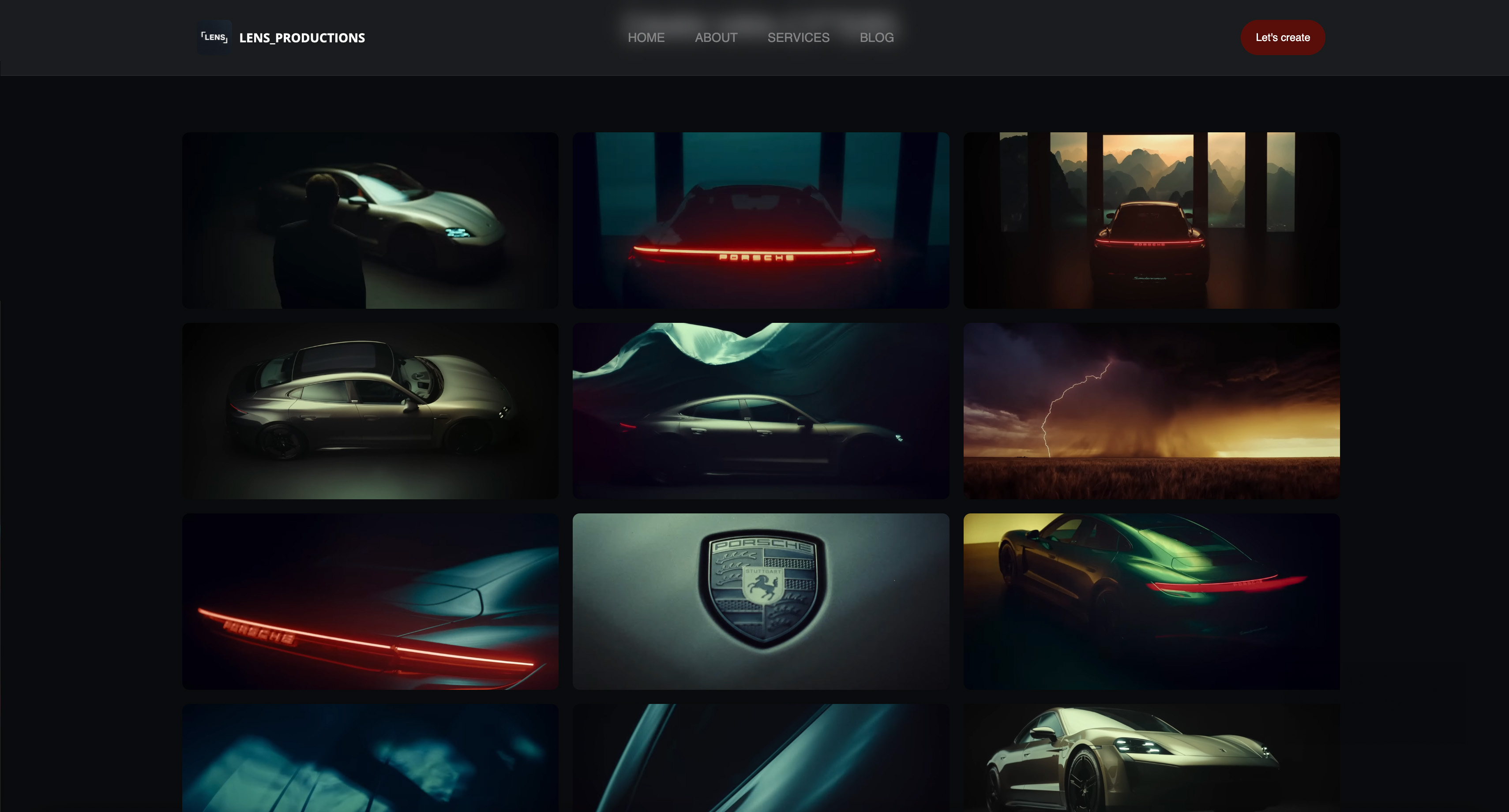 Use template
 Use template
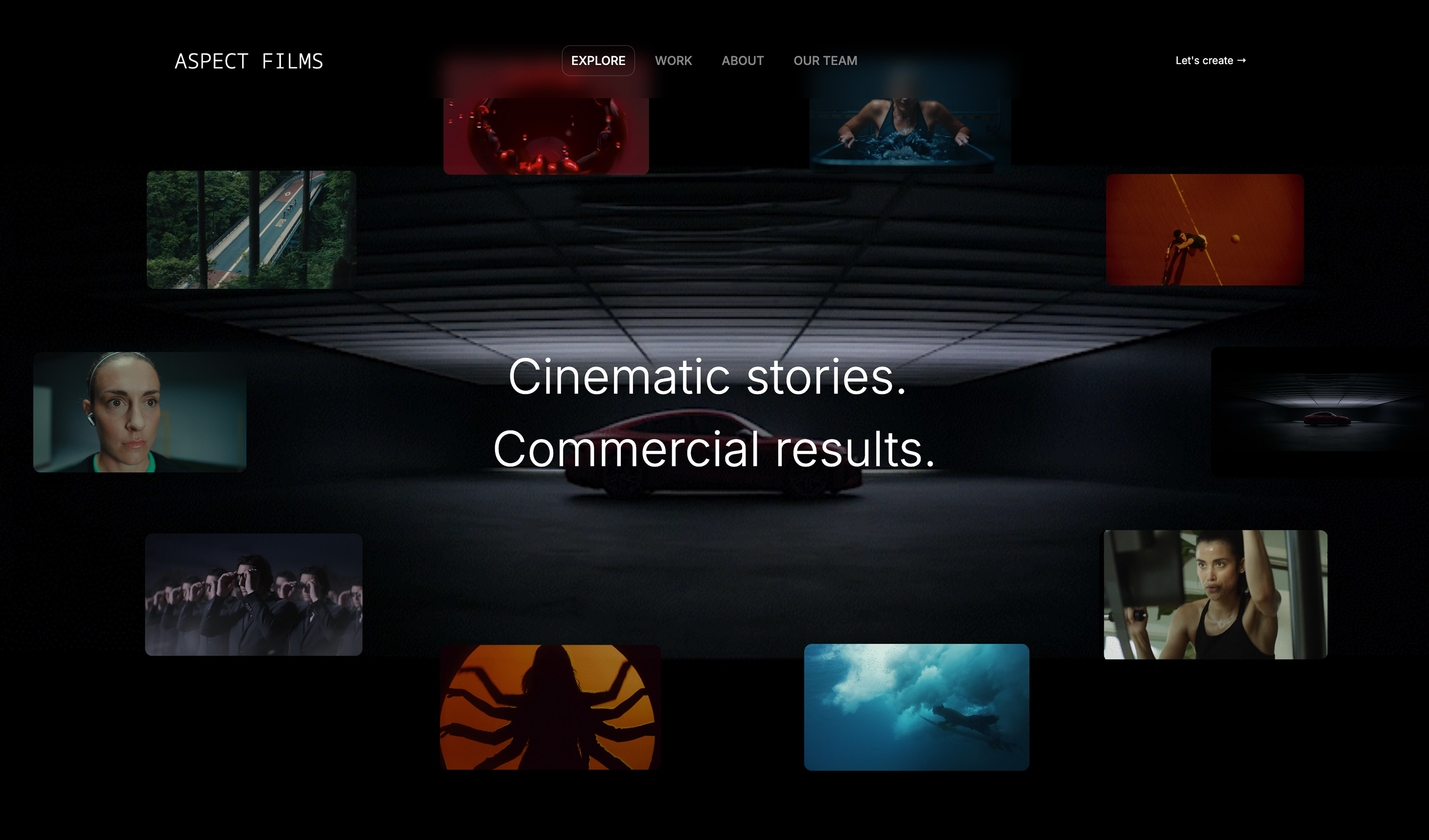 Use template
 Use template
 Use template
 Use template
 Use template
 Use template
Frame.io costs 15 dollars per member a month on Pro and 25 on Team. Krock.io costs 10 dollars per user. Ziflow costs 199 dollars a month. CineSend starts at 797.
All four describe themselves as video review and approval, and a buyer reading their homepages would struggle to explain the difference.
A video review tool is software that hosts a cut, gives reviewers a timestamped commenting layer over the player, and tracks versions and approvals so that feedback attaches to a specific frame of a specific cut rather than arriving as an email.
What varies between them is not that definition but who they assume is doing the reviewing and what has to happen after approval.
Framekit is the best Frame.io alternative for freelancers and small studios whose reviewers are clients, because every review feature (frame-accurate comments, drawing on the frame, version stacks, approval statuses, branded pages) is on every plan including the free one, reviewers need no account, and the approved cut can go straight into a client gallery or your site in the same account.
The trade-off is real: there is no Premiere or Resolve panel, no camera-to-cloud, and it reviews video only.
Krock.io at 10 dollars per user is the pick for a multi-editor team, Filestage and Ziflow at 199 a month are the answer when approvals must be provable, and Wipster at 9.95 a month billed annually is the cheapest dedicated review-only seat.
Disclosure: Framekit is our product and we rank it first, so read accordingly. Its entry is written from Framekit's published product facts rather than from the review round below, we link to every competitor, and each review below says where that tool beats us, which for NLE integration, multi-editor workspaces and mixed-media proofing is most of them.
We ran the same review round through the ten competitors: one three-minute cut, four rounds of notes from three reviewers, one version replaced mid-round, and one reviewer who had never used the tool before.
Competitor prices were read on each vendor's own pricing page during the first week of August 2026.
Updated in September 2026: we added Framekit's video review, which shipped after this guide first ran, described from its published features and plans, which we re-verified against its live pricing page.
We also compared this whole field on its own terms in our guide to video review and approval tools.
This post is narrower and answers a different question: you are already on Frame.io, something about it is not working, and you want to know what actually replaces it.
How We Tested 10 Frame.io Alternatives, Plus Framekit
Switching a review tool is decided by what happens on round three, not round one, so the test was built around the parts of a review cycle that go wrong.
The material was one three-minute cut with a music bed and burned-in temp titles.
We collected four rounds of notes from three reviewers, and in the middle of round two we uploaded a replacement version, because version handling under live comments is where these tools separate and where a demo never goes.
One reviewer received no instructions at all, which is the adoption test that predicts whether clients will use the thing.
Then we counted seats properly. For every tool we worked out the cost of a team of three internal users plus five client reviewers, because the reviewer count is where this category hides its real pricing and where Frame.io's per-member model bites.
Findings are labelled. A figure marked published was taken straight from the vendor's own pricing page during the first week of August 2026.
Where we say we ran the round, we completed the cycle on a free tier or trial. Where we describe what teams report, that is community sentiment offered as signal rather than proof.
Two limits worth stating. We did not test at broadcast delivery scale, so notes on the enterprise-shaped tools describe their model rather than a long deployment.
And we did not measure playback performance, because publishing speed numbers for video delivery is a good way to be wrong in public and the differences between serious providers will not decide this for you.
The Forty-Fold Price Range, Explained
The spread in this category is not a quality ladder. It is three distinct products sold under one description, plus one bundle that folds review into the rest of a creative business, and knowing which one you need collapses the choice immediately.
| Tool | Published entry price | Who it assumes you are | What it optimises |
|---|---|---|---|
| Framekit | Free, then 9 dollars a month for the account | A freelancer or studio that also delivers and pitches | Review, delivery and site in one account |
| Krock.io | Free, then 10 dollars per user | A small studio with client reviewers | Reviewer cost |
| Wipster | 9.95 dollars a month billed annually | A solo editor | Single-seat price |
| ReviewStudio | Free, then 12 dollars per user annually | A small team | An honest per-seat ladder |
| Vimeo | 12 dollars per seat | Someone who also needs hosting | Bundling review with delivery |
| Frame.io | Free, then 15 dollars per member | A production team inside Adobe | Editor integration |
| Dropbox Replay | From about 12 euros per user | Someone already paying Dropbox | Not adding a tool |
| Filestage | Free, then 199 euros a month | A marketing team with approvers | Approval chains |
| Ziflow | Free, then 199 dollars a month annually | A brand or agency proofing everything | Proofing beyond video |
| CineSend | 797 dollars a month | A distributor shipping to venues | Delivery pipeline |
| SyncSketch | Not readable at source | An animation or VFX studio | Drawing on frames |
Framekit sits outside the per-seat logic entirely: it charges for the account rather than for people, and reviewers never sign in, so its price does not move with the size of the client's approval committee.
Read the rest of the table in two blocks. Everything from Krock.io to Dropbox Replay is priced per person in the ten to twenty-five dollar band, and those tools are competing directly for the same buyer.
Filestage and Ziflow are priced per company in the hundreds, and they are not competing on price at all: they are selling a compliance artefact, which is an approval record that proves who signed off on what and when.
CineSend is a different category again, at 797 dollars a month for Teams and 1,997 for its OTT product, with streaming metered at a published 0.01 dollars per minute of overage and Aspera links at 0.50 dollars per gigabyte.
Nobody switching from Frame.io Pro is looking at that unless the real problem was delivery rather than review.
The practical consequence is that most people asking for a Frame.io alternative should be looking at four or five tools, not eleven. If your reason for leaving is cost, the answer is Framekit or the per-seat block.
If it is that legal needs to countersign, the answer is in the per-company block, and it will cost more than Frame.io rather than less.
The five tools most switchers choose between
How the ratings work: reviewer cost 30%, version handling under live comments 25%, editor integration 20%, proofing beyond video 10%, and what happens after approval 15%.
Reviewer cost carries the most weight because it is the line that grows with every client project, and that weighting is part of why Framekit leads while scoring the lowest of the five on editor integration.
| Tool | Reviewers free | Versions keep their notes | NLE panel | Proofs beyond video | Delivery and site after approval | Our rating |
|---|---|---|---|---|---|---|
| Framekit | Yes, no account | Yes | No | No | Yes, same account | 9.0/10 |
| Krock.io | Yes, unlimited | Yes | No | Yes | No | 8.8/10 |
| Frame.io | Depends on role | Yes, best compare view | Yes | Yes | Hosting only | 8.6/10 |
| ReviewStudio | No, per user | Yes, strong compare | No | Yes | No | 8.1/10 |
| Wipster | No, per user on Team | Yes | No | No | No | 7.9/10 |
In one lineWork out whether you are buying a commenting layer, an approval record, or a delivery pipeline, because those three things differ in price by a factor of forty and only one of them is what most Frame.io users need.
What Testing Eleven Review Tools Changed Our Minds About
We expected the commenting experience to separate the field. It does not. Every tool here puts a timestamped comment on a frame competently, and a reviewer would not notice the difference between the best and the worst.
The first real split is what happens when you upload version three while people are still commenting on version two.
Good tools keep the old comments attached to the old version, show you which notes are unaddressed, and let a reviewer compare the two.
Weak tools either orphan the comments or silently move them, and the cost of that is a note you never actioned because it stopped being visible.
The second is the reviewer seat question, and it is the single largest cost variable.
Frame.io charges per member, and while free reviewers exist in various forms across the category, Krock.io's position is the cleanest: unlimited reviewers on every plan including the free one.
For an agency with five stakeholders per project, that difference is larger than any feature.
The third finding surprised us. The expensive tools are not better at video.
Filestage and Ziflow are worse at video review than Frame.io in the specific sense that their players and comparison views are less refined, and they cost ten times as much.
What they are better at is proving that a named person approved a named version on a named date, which is a different product that happens to include a video player.
What a Team of Three Plus Five Reviewers Costs
Here is the arithmetic that decides most switches, run on the same shape of team at published rates: three internal users who upload and edit, and five client stakeholders who only comment.
| Tool | Internal seats | Reviewer cost | Monthly total | Annual |
|---|---|---|---|---|
| Framekit Pro | One owner account, no per-editor review seats | Free, no account needed | 19 dollars | 228 dollars |
| Krock.io Pro | 3 at 10 dollars | Free, unlimited | 30 dollars | 360 dollars |
| Wipster Team | 3 at 19.95 annually | Included in seats | About 60 dollars | About 718 dollars |
| ReviewStudio Pro | 3 at 12 annually | Charged per user | 36 dollars | 432 dollars |
| Frame.io Pro | 3 at 15 | Depends on plan role | 45 dollars | 540 dollars |
| Vimeo Standard | 3 at 25 | Depends on plan role | 75 dollars | 900 dollars |
| Frame.io Team | 3 at 25 | Depends on plan role | 75 dollars | 900 dollars |
| Filestage paid | Priced per company | Included | 199 euros | 2,388 euros |
| Ziflow Standard | Priced per company | Included | 199 dollars annually | 2,388 dollars |
| CineSend Teams | Unlimited users | Included | 797 dollars | 9,564 dollars |
Four observations.
The Framekit row is not like-for-like and we are not pretending it is: reviews live in one owner's account rather than a shared workspace with a seat per editor, so 228 dollars buys a studio where one producer runs client review, not three editors uploading independently.
For that shape it is the cheapest paid option here, and on the free plan it is 0 dollars.
Krock.io at 360 dollars a year is about 40 per cent of Frame.io Team's 900 and covers the reviewers for nothing, which is the clearest financial case in this comparison for a team where several editors each need their own login.
ReviewStudio deserves a note for publishing its minimums honestly: Pro is 15 dollars per user monthly or 12 annually with a one-user minimum, Advanced is 25 or 20 annually with a five-user minimum, and the enterprise tier starts at twenty users.
Most vendors hide minimums until checkout, and a five-user floor turns a 20 dollar plan into a 100 dollar one.
The per-company tools invert at scale. Filestage and Ziflow at 199 a month look absurd against Krock.io until you have fifteen reviewers across four brands, at which point a per-seat tool has passed them and the approval record is included rather than absent.
1. Framekit: Best Frame.io Alternative for Freelancers and Small Studios

Framekit is an AI website builder that also runs client galleries, Slides decks, a digital-download store and, since this year, Frame.io-style video review, all in one account with one storage pool.
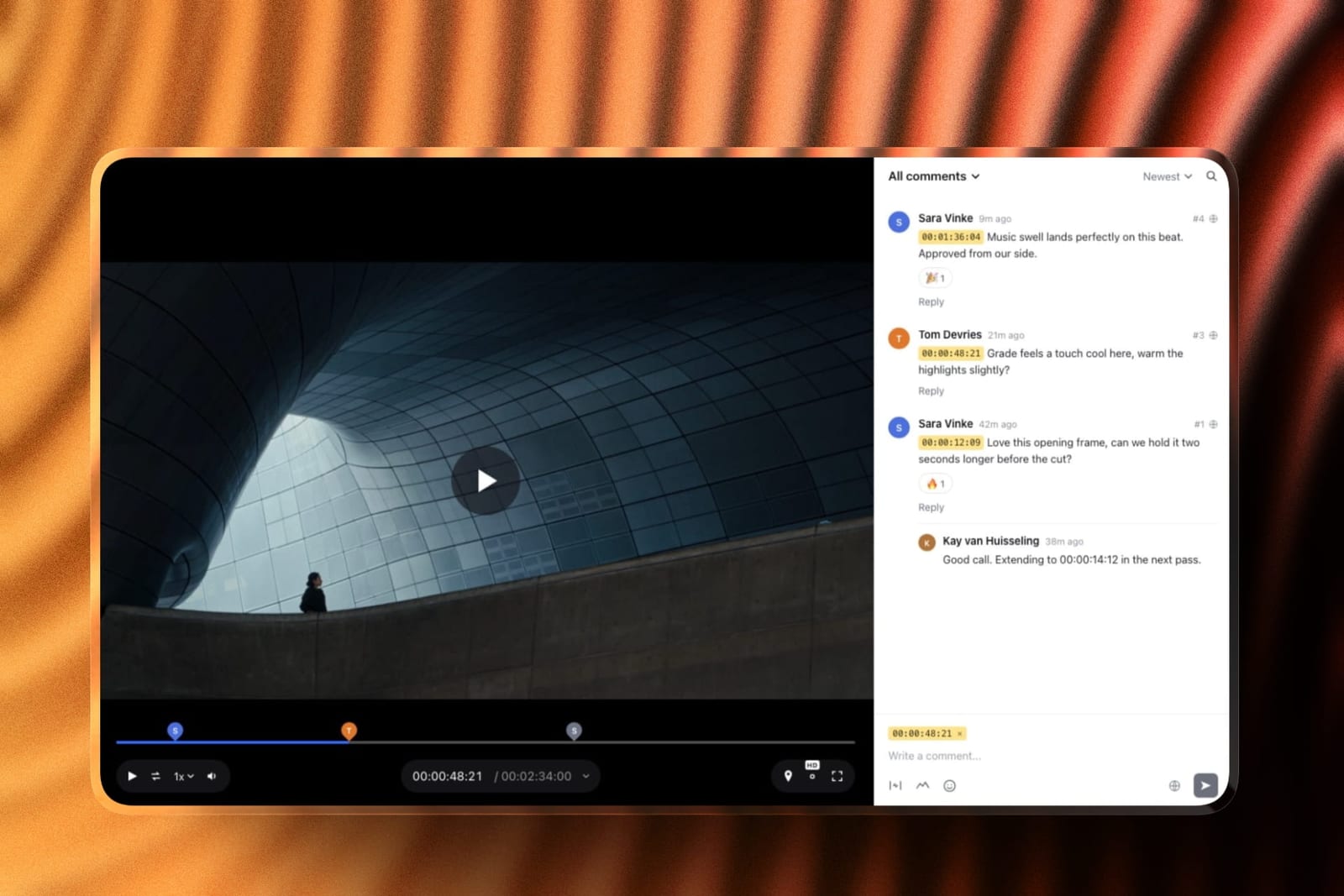
For review specifically, the model is simple: upload a cut, send a link with a note, and the client leaves comments pinned to the exact frame, with a timecode chip on every note and the option to draw on the picture.
How it handles the roundreviewers open the link and comment without an account, so five client stakeholders cost nothing and need no invitation flow.
When a new version goes up, older cuts and their notes stay in the version stack and you can switch between them, which is the failure this whole comparison tests for.
Replies, emoji reactions and a jump-to-note list keep a long thread navigable.
The real numberevery review feature is on the free plan, including drawing on the frame, version stacks, approval statuses (needs review, in progress, approved, needs changes), password-locked links and branded pages.
Free carries 10GB of pooled storage of which 3GB can be video, with a 500MB cap per cut. Pro at 19 dollars a month raises that to 300GB, 150GB of video and 2GB per file, which is where a working studio lands.
The standout detailthe approved cut does not have to leave the building.
The same account holds the client gallery the final files are delivered in, the website the film is published on, and the Slides treatment that won the job, so the notes, the delivery and the case study sit under one login and one bill.
The honest gotchathere is no Premiere, Resolve or Final Cut panel, so notes do not appear inside your timeline the way Frame.io's do, and there is no camera-to-cloud. It reviews video only, not PDFs, key art or banner sets.
Reviews belong to one owner account rather than a shared workspace with per-editor seats, and a single cut can run up to 2 hours.
Skip it ifyour editors live in a Premiere or Resolve panel, three or more editors each need their own review login, or legal needs a routed approval chain with an audit trail. Krock.io, Frame.io and Filestage respectively beat us there.
Verdict: For a freelancer or small studio whose reviewers are clients rather than colleagues, Framekit is the strongest Frame.io replacement on this list, because it costs nothing to start, never charges for the people who only comment, and hands the approved cut straight to the delivery and portfolio you already need. For a post house built around an NLE, it is the wrong tool. Start a review free.
2. Krock.io: Reviewers Are Free, and That Is the Whole Argument
Krock.io is the switch that saves money without losing the thing you actually used Frame.io for.
Unlimited reviewers on every plan, including the free one, is the line that matters. Adding a client's marketing director to a review costs nothing and requires no licence conversation.
We ran the roundversion handling was solid. Uploading version three mid-round kept the version-two comments attached to version two and flagged what was unresolved, which is the specific failure we were testing for.
The standout detailbecause it is a media review platform rather than a video-only product, the same workspace handles the storyboard, the animatic, and the cut. For a small studio that removes a second subscription.
The honest gotchathe free tier's 2 GB and two-project cap is genuinely small for video, so treat it as an evaluation rather than a plan. Storage is the constraint, not seats.
Where it beats Framekitevery editor gets their own login in a shared workspace, and the same workspace reviews storyboards and stills as well as video. If three people upload cuts independently, Krock.io is the better fit.
Skip it ifyou need an approval record with an audit trail for regulated work. That is Filestage's and Ziflow's job.
Verdict: The best Frame.io alternative for multi-editor studios and agencies on cost, at about 40 per cent of Frame.io Team for a comparable team. It is a step down on editor integration.
3. Wipster: The Cheapest Credible Single Seat
Wipster is the answer for a solo editor who wants a professional review link without a team price.
At 9.95 a month it is the cheapest dedicated review-only seat in this comparison and it does the core job properly rather than being a stripped tier.
We ran the roundthe commenting and version stacking were clean, and the interface is deliberately plain, which for a client who has never used a review tool is an advantage rather than a shortcoming.
The standout detail50 GB on the Light plan is a real allowance for a freelancer, and storage rather than seats is usually what a solo editor runs out of first.
The honest gotchathe Team plan at 19.95 per user annually is priced per person including the people who only comment, so a project with five stakeholders is not the bargain the entry price suggests.
Skip it ifyou have many client reviewers. Krock.io's free-reviewer model beats it at almost any team size.
Verdict: The best single-seat price in the category and a genuine Frame.io replacement for a freelancer. It scales worse than the free-reviewer options.
4. ReviewStudio: The Most Honest Per-Seat Ladder
ReviewStudio publishes what almost nobody else does, which is the seat minimum attached to each tier.
That transparency is worth money. A five-user minimum on a 20 dollar plan means the real price is 100 dollars a month, and finding that at checkout is how switches get abandoned.
We ran the roundcompare mode, which puts two versions side by side with synchronised playback, was the best implementation outside Frame.io itself, and it is the feature editors miss most when they leave.
The standout detailit proofs documents and images alongside video on the same plan, so a campaign with a cut, a key art file, and a PDF one-sheet lives in one place.
The honest gotchaevery reviewer is a user, so the client stakeholders are on your bill. At three internal plus five reviewers you are pricing eight seats, not three.
Skip it ifyour reviewer count is high and variable, which is most agency work.
Verdict: The clearest pricing in the category and a strong like-for-like replacement. Its per-seat model makes it expensive exactly where Krock.io is cheap.
5. Frame.io: What You Are Actually Leaving
It is worth being precise about the incumbent. Frame.io's published plans are Free at 0 dollars per member, Pro at 15 dollars per member a month plus tax, and Team at 25, with annual billing saving 13 per cent, plus an enterprise tier.
Read against this comparison, Frame.io is not expensive. Pro at 15 dollars sits in the middle of the per-seat block, above Krock.io and Wipster and below Vimeo Standard.
If you are leaving purely on price, check that you are actually leaving for something cheaper, because half of this list is not.
We ran the roundthe version comparison and the Premiere and After Effects integration remain the best in the category, and the panel that puts comments inside the editing timeline is the thing nothing else here fully replaces.
The standout detailcamera-to-cloud and the Adobe integration mean the review layer sits inside a production workflow rather than beside it. For a team already in Creative Cloud that is a real advantage and a real lock-in.
The honest gotchaper-member pricing means client stakeholders occupy paid capacity depending on how you configure roles, and the cost grows with the number of people who need to look rather than with the work.
Skip it ifmost of your reviewers are external and occasional, which is the case Krock.io is built for.
Verdict: Still the best product in the category on editor integration, and mid-priced rather than expensive. Leave it for reviewer economics or for an approval trail, not for a cheaper commenting layer.
6. Vimeo: Review Bundled With the Hosting You Also Need
Vimeo is the switch that removes a subscription rather than replacing one, because its review and collaboration tools sit alongside the hosting and the ad-free player you may already be paying somebody for.
We ran the roundthe review tooling is competent rather than exceptional. Timestamped comments, version stacking, and a tidy approval state are all present, and compare mode is weaker than Frame.io's or ReviewStudio's.
The standout detailthe finished cut lives where it was reviewed, so the private review link and the public delivery link are the same product. For a small studio that is one fewer place for a file to be.
The honest gotchaat 25 dollars a seat, Standard costs the same as Frame.io Team without matching its review depth. You are paying for hosting you may or may not want.
Skip it ifyou already host elsewhere. The bundling is the entire argument and it collapses without it.
Verdict: The right switch when review and delivery should be one bill. Its review layer is a step down from Frame.io's.
7. Dropbox Replay: The One You May Already Own
Dropbox Replay is worth checking before you buy anything, because if your team already pays for Dropbox the review layer may be sitting unused inside a subscription you have.
Dropbox's published plans read from a European address in August 2026 showed Plus at 9.99 euros a month, Standard at about 12 euros per user, and Advanced at about 18 euros per user.
We ran the roundthe commenting is straightforward and the version handling is adequate. It is not trying to beat Frame.io on depth and does not.
The standout detailthe files are already where your team keeps files, so there is no upload step and no second copy of a 40 GB project drifting out of sync.
The honest gotchait is a feature of a storage product rather than a product in itself, so the review workflow is shallower and the roadmap is not primarily about you.
Skip it ifreview is a core part of how you work with clients rather than an occasional need.
Verdict: The cheapest possible switch if you already pay Dropbox, because it may cost nothing extra. It will not satisfy a team that lived in Frame.io.
8. Filestage: When Somebody Has to Formally Approve
Filestage is not a cheaper Frame.io, it is a different product that includes video review. Its published pricing is a free tier, then paid plans at 199 euros a month and 329 euros a month, priced per company rather than per seat.
What that buys is the approval chain: named reviewers in a defined order, due dates, automatic reminders, and a record of who approved which version and when. For regulated work, or for any client relationship where sign-off is contractual, that record is the product.
We ran the roundreviewer management was the strongest here. Setting three stakeholders in sequence, with the second only seeing the file after the first approved, is a workflow no per-seat tool in this comparison offers.
The standout detailit proofs documents, images, audio, and websites alongside video, so a campaign approval covers everything at once rather than needing three tools.
The honest gotcha199 euros a month is 2,388 a year, more than four times a small team on Frame.io Pro. It is only rational if the approval trail is worth that.
Skip it ifyour approvals are informal. You would be buying compliance machinery to collect three notes on a cut.
Verdict: The right answer when sign-off must be provable, and an expensive wrong answer otherwise.
9. Ziflow: Proofing Everything, Not Just Video
Ziflow occupies the same ground as Filestage and leans further into breadth: it proofs video alongside packaging artwork, banner sets, PDFs, and live web pages, with automated routing between reviewer groups.
We ran the roundvideo review worked and felt secondary, which is honest to what the product is. The automation around it, meaning who gets the file next and what happens if they do not respond, is the real capability.
The standout detailthe range of file types is the widest here. An agency that proofs a TV cut, six banner sizes, and a print insert can run all of it through one approval process.
The honest gotchaas with Filestage, the price is per company and steep for a small team, and the video player is less refined than Frame.io's.
Skip it ifvideo is all you proof. You are paying for eleven file types to use one.
Verdict: The best choice for brands and agencies proofing mixed media at volume. Overkill and overpriced for a video-only workflow.
10. CineSend: When the Real Problem Was Delivery
CineSend is in this comparison to define the top of the range and to catch the small number of readers whose actual problem is not review at all.
We ran the roundwe did not, meaningfully. This is festival and distribution infrastructure with review attached, not a tool for collecting client notes on a cut.
The standout detailunlimited users at a flat company price, with Aspera transfer for very large files, is the correct shape for shipping masters to venues and platforms.
The honest gotchaat 9,564 dollars a year for Teams it is more than twenty-five times a small team on Frame.io Pro, and nothing about the review layer justifies that on its own.
Skip it ifyou are not distributing to cinemas, festivals, or an OTT platform.
Verdict: Not a Frame.io alternative for most people. Included so that the handful of readers with a delivery problem stop shopping in the wrong category.
11. SyncSketch: Drawing on the Frame, for Animation
SyncSketch serves animation and VFX, where a note is often a drawing over the frame rather than a sentence about it, and where reviews happen against sequences and shots rather than against a single cut.
Its pricing page did not render usable figures to us in August 2026, so we are not quoting numbers. Check it on their own page.
We ran the roundthe annotation tools are the most capable here for drawing directly on frames, which for a supervisor giving notes on a character's arc across twelve frames is the difference between a useful note and a paragraph.
The standout detailit is built around shots and sequences rather than around a finished cut, which matches how animation review actually happens.
The honest gotchawe could not verify its pricing, and its shape will feel unnecessarily technical to anyone reviewing a marketing video.
Skip it ifyour work is live action or marketing. This solves a problem you do not have.
Verdict: The right tool for animation and VFX review and irrelevant elsewhere. We could not price it, which we would want to know before committing.
Storage Is the Constraint, Not Seats
Everyone shops this category on seat price and then runs out of storage, which is the failure nobody plans for because video is the only category where the files are genuinely large.
The numbers make the point. A three-minute cut at a comfortable ProRes bitrate is several gigabytes, and a project that goes through six versions with two aspect ratios is a multiple of that.
Wipster's Light plan includes 50 GB, Krock.io's free tier includes 2 GB and its Pro plan starts from 2 TB, and Frame.io's allowances vary by tier.
Fifty gigabytes sounds generous until you realise it is roughly one finished commercial with its versions.
There are three ways teams handle this and only one of them works. The first is to keep uploading and pay for more storage, which is honest and expensive.
The second is to upload compressed proxies for review and keep masters elsewhere, which is what most professional teams actually do and which halves the problem immediately.
The third is to delete old projects, which works until a client asks for a version from last year.
Proxies are the answer worth adopting deliberately. A well-made H.264 at a sensible bitrate is indistinguishable from the master for the purpose of a client note about pacing or a colour direction, and it is a fraction of the size.
Reviewers are not judging codec quality, they are judging the edit, and uploading masters to a review tool is a habit rather than a requirement.
The exception is colour and finishing review, where the compression genuinely interferes with the judgement being made. For that pass, upload the higher-quality file, and accept the storage cost for the small number of reviews where it matters rather than for all of them.
In one lineUpload proxies rather than masters for everything except colour and finishing review, and storage stops being the line item that decides your plan.
Migrating Off Frame.io Without Losing the Notes
The switch itself is where teams lose things, and what gets lost is almost never the video. It is the comment history, which is the record of why the cut looks the way it does.
Nothing in this comparison imports Frame.io comments.
Plan for that rather than discovering it: before you cancel, export or screenshot the comment threads on any project that is still live or that you may be asked about later, because a client question in three months about why a scene was cut has an answer that lives in those threads.
The media is the easy part and people worry about it anyway. Download the versions you need at full quality and re-upload; there is no clever migration and there does not need to be, because most teams only carry across the handful of projects still in flight.
Sequence the switch so the two systems overlap.
Start new projects on the new tool while existing projects finish on Frame.io, and do not move a project mid-review under any circumstances, because that is precisely when a note gets orphaned and a client discovers their feedback was ignored.
Last, tell the clients before they get a link from an unfamiliar domain. A one-line email saying we have moved review to a new tool, here is what it looks like, prevents the support conversation that otherwise arrives from every stakeholder simultaneously.
In one lineExport the comment threads before you cancel, never move a project mid-review, and warn the clients before the first unfamiliar link lands.
Where the Approved Cut Goes Next
A review tool ends at approval, and the finished film then needs two more homes that most review tools do not provide: a delivery the client can download from, and a public page where people who were never in the review can see the work.
A private review link is the wrong artefact for either job. It looks internal, it often expires, and it sits on a domain that is not yours, so the cut that took four rounds of notes is unreachable a year later when a prospective client asks to see it.
In Framekit the approved cut moves within the same account: into a client gallery with the stills and the deliverables, where downloads can be PIN-protected and videos are never watermarked, and onto the studio site as a case study.
With a review-only tool you are exporting the master and re-uploading it somewhere else, which is fine, and is usually a second subscription.
Our comparison of video hosting platforms covers the public delivery layer, and website builders for filmmakers covers the portfolio side.
A Test You Can Run on Your Next Round
Every tool here has a free tier or a trial, and the test that predicts whether a switch sticks takes one real review round rather than an afternoon of feature comparison.
Run one live project through the candidate in parallel with Frame.io. Same cut, same reviewers, same notes. The duplication is annoying for a week and it tells you more than any table, including this one.
Then do the version test deliberately.
Upload a new version while comments are still open on the old one, and check three things: whether the old comments stayed attached to the old version, whether unresolved notes are still visible, and whether a reviewer can compare the two without downloading anything.
Third, send the link to your least technical client with no instructions. If they reply asking how to leave a comment, that tool will quietly revert your team to email within a month, whatever it costs.
Last, price your real shape. Count internal seats and reviewers separately, then check both against the plan, including any published minimum. ReviewStudio's five-user floor on Advanced is the kind of detail that changes a decision after you have already made it.
The Decision Guide
These are ordered so that the earliest match is the strongest signal about which of the three products you are actually shopping for, so read down and stop at the first line that fits.
You are a freelancer or small studio, one person runs client review, and you also deliver files and keep a portfolio. Framekit, free to start with every review feature, 19 dollars a month on Pro for 300GB.
You are leaving on cost and several editors need their own review logins. Krock.io Pro at 10 dollars per user, with unlimited reviewers on every plan.
You cannot give up the Premiere or After Effects panel. Stay on Frame.io, because nothing here replaces it.
You are a solo editor. Wipster Light at 9.95 dollars a month billed annually, with 50 GB of storage.
You want a clear per-seat ladder with no hidden minimums. ReviewStudio, at 12 dollars per user annually on Pro, noting the five-user floor on Advanced.
You need hosting as well as review. Vimeo, from 12 dollars a seat, accepting a shallower review layer.
Your company already pays for Dropbox. Check Dropbox Replay before buying anything, because you may already own it.
Somebody has to formally sign off and it has to be provable. Filestage or Ziflow at 199 a month, and expect to pay more than Frame.io rather than less.
You review animation or VFX with drawn notes. SyncSketch, and verify its pricing yourself because we could not.
Your real problem is shipping masters to venues or platforms. CineSend, and accept that you were never shopping for a review tool.
Also in this seriesfree video review tools, mapping exactly where each free tier stops - two projects, five files a month, 2 GB, or sixty days of history.
Frequently Asked Questions
What is the best Frame.io alternative in 2026?
Framekit is the best Frame.io alternative for freelancers and small studios whose reviewers are clients, because frame-accurate comments, drawing, version stacks and approval statuses are on every plan including free, reviewers need no account, and the same account delivers the final files and hosts the portfolio.
Krock.io at 10 dollars per user is better for multi-editor teams, and Filestage or Ziflow at 199 a month are the answers when approvals must be provable.
Framekit vs Krock.io: which should a small studio pick?
Framekit wins when one person runs client review and the studio also needs galleries, a website or pitch decks, because all of that is one account from 0 dollars.
Krock.io wins when several editors each need their own login in a shared review workspace, or when you review storyboards and stills alongside video, at 10 dollars per user with unlimited reviewers.
How much does Frame.io cost?
Frame.io publishes Free at 0 dollars per member, Pro at 15 dollars per member a month plus tax, and Team at 25, with annual billing saving 13 per cent, plus an enterprise tier.
Read against the wider category that is mid-priced rather than expensive, so leaving purely on price often means leaving for something that costs the same.
Is there a free Frame.io alternative?
Yes. Framekit's free plan includes every review feature, reviewers without accounts, 10GB of pooled storage of which 3GB can be video, and a 500MB cap per cut.
Krock.io's free tier includes one user, 2 GB of storage, two projects, and unlimited reviewers. ReviewStudio, Filestage, and Ziflow all operate free tiers as well, and Frame.io itself has a free plan.
The constraint on all of them is storage rather than seats.
What is the cheapest video review tool?
Framekit is the cheapest overall: its free plan includes every review feature, and Starter at 9 dollars a month adds your own domain on review pages.
Among review-only tools, Wipster Light at 9.95 dollars a month billed annually with 50 GB of storage is the cheapest paid single seat.
For a team, Krock.io at 10 dollars per user with free unlimited reviewers is cheaper in practice, because it does not charge for the people who only comment.
Why is Ziflow ten times the price of Frame.io?
Because it is a different product. Ziflow and Filestage at 199 a month are priced per company and sell an approval record: named reviewers in a defined order, due dates, reminders, and proof of who approved which version when.
That artefact is the point, and the video player is incidental to it, which is why they are worse at video review than Frame.io while costing more.
Do these tools charge for client reviewers?
It varies and it is the largest cost variable in the category. Krock.io includes unlimited reviewers on every plan. Filestage and Ziflow price per company so reviewers are inherently included.
ReviewStudio and Wipster charge per user, so five client stakeholders are five more seats on your bill.
Can I move my Frame.io comments to another tool?
No. Nothing in this comparison imports Frame.io comment threads, so export or screenshot the history on live projects before you cancel.
The video is easy to move and the record of why decisions were made is not, and that record is what you will want when a client asks about a cut three months later.
What do I lose by leaving Frame.io?
The Adobe integration, principally. The panel that puts review comments inside a Premiere or After Effects timeline is the thing nothing here fully replaces, along with camera-to-cloud for teams shooting and reviewing in the same day.
Its version comparison is also the best in the category.
Which Frame.io alternative is best for an agency?
Krock.io if the cost of client reviewers is the problem, and Ziflow or Filestage if you proof mixed media and need approvals routed through named stakeholders in order.
At three internal users and five reviewers, Krock.io is about 360 dollars a year against 2,388 for the per-company tools, so the approval trail needs to be worth the difference.
Is Vimeo good enough to replace Frame.io?
For a small studio that also needs hosting, yes. Timestamped comments, version stacking, and approval states are all present from 12 dollars a seat, and having the review link and the delivery link in one product removes a subscription.
Its compare mode and version tooling are a clear step down from Frame.io's, so a post house will notice.
Final Verdict: The Best Frame.io Alternative in 2026
Framekit is our pick for freelancers and small studios leaving Frame.io, because it removes both costs that drive the switch: reviewers are never seats, since they comment without an account, and the account is free to start with every review feature, including drawing on the frame, version stacks and approval statuses.
The approved cut then goes into a client gallery or onto your site without leaving the account.
Where Framekit loses, plainly: there is no Premiere, Resolve or Final Cut panel, so notes never appear in the timeline you are cutting in, and there is no camera-to-cloud.
It reviews video only, so a campaign with key art and PDFs belongs in Ziflow or Filestage.
And reviews belong to one owner account, so a studio where three editors each upload cuts is a better fit for Krock.io at about 360 dollars a year for three users.
The more important conclusion is that many people asking this question should not switch at all.
Frame.io Pro at 15 dollars per member sits mid-table in this comparison, above Krock.io and Wipster and below Vimeo Standard, and it has the best editor integration and version comparison in the category.
If your complaint is price, check that your shortlist is actually cheaper. If your complaint is that legal needs to countersign a version, your answer costs 199 a month and Frame.io was never the problem.
The category's real shape is three products wearing one description, plus a bundle: a commenting layer at ten to twenty-five dollars a seat, an approval record at a couple of hundred a month, a delivery pipeline in the high hundreds, and review folded into the rest of a creative business at a flat account price.
Decide which you are buying first, and the eleven options collapse to about three.