Framekit templates
Start from a designer-made template
 Use template
 Use template
 Use template
 Use template
 Use template
 Use template
 Use template
 Use template
Vimeo Review is not a product you can buy. It is a feature inside a video hosting subscription, and the tier that unlocks it, Starter at about 8 euros a month billed annually, is really selling you 2TB of hosting and a customisable player.
The timestamped comment sidebar comes along with it.
That is a genuinely good deal if you host video on Vimeo anyway.
It is a strange deal if you do not, because you are buying a broadcast platform to solve a conversation problem, and the parts you are paying for, storage, bandwidth, player branding, lead capture, engagement analytics, have nothing to do with getting a client to say what they want changed.
In September 2026 we re-verified Framekit's side of this comparison and re-ranked it, because its review tool gained drawing on the frame and a larger shared storage pool since the first version.
A Vimeo Review alternative is a platform built primarily to collect timestamped client feedback on a cut, priced on review capability rather than bundled into hosting bandwidth and storage.
The best Vimeo Review alternative in 2026 is Framekit, because it puts the review on a branded page next to your own portfolio site, with frame-accurate comments, drawing, version stacks and client approval, for 9 dollars a month flat with no per-reviewer charge.
The trade-off is that Framekit does not host public video, so anyone whose reviewed cut goes live from their own account should stay on Vimeo.
Frame.io is the deepest review tool if you need Premiere Pro panels, Krock.io is the closest structural match with 4K playback, and Wipster suits After Effects work.
Full disclosure: Framekit is our own product and we rank it first, on its published features and prices, and we link to every alternative. Frame.io beats us on editing-software panels, Camera to Cloud and 4K review, Krock.io beats us on 4K and storage, and Vimeo keeps one advantage nothing on this page matches, explained in full below.
How We Tested 9 Vimeo Review Alternatives
We took a workflow that genuinely suits Vimeo and moved it: a 3-minute campaign film that needed client sign-off and then had to go live as an embed on the client's website.
That second half matters, because it is the thing Vimeo does that nothing else here does, and testing review alone would have flattered every alternative unfairly. Fresh accounts, August 2026, three external reviewers, two versions.
Measured means we ran the review. Verified means the figure was read at the vendor's own published pricing page and linked.
One currency note: Vimeo and Dropbox both served euro pricing from our European connection, so we quote euros where we saw euros rather than converting.
What you are actually paying Vimeo for
Look at what separates Vimeo's tiers and the answer becomes obvious. Starter at about 8 euros a month is 1 user and 2TB.
Standard at 19 euros is 5 users and 4TB, and what it adds is player branding, a custom watermark, branded galleries, lead capture and calls to action. Advanced at 69 euros is 10 users and 7TB, adding livestream events, DVR and simulive.
Every one of those upgrades is about distribution, not about review. The review sidebar does not improve as you climb. If you are on Standard for the review tools, you are paying 19 euros a month for a feature that was fully present at 8.
What Review-First Tools Cost Instead
Every figure below was read at each vendor's own published pricing page in August 2026 and priced for the same three-reviewer campaign film, so the annual totals compare like with like rather than repeating headline rates.
- Vimeo Standard for a small team is about 228 euros a year, and the review capability inside it is identical to the roughly 96 euros Starter tier.
- The cheapest review-first alternative here is Framekit Starter at 108 dollars a year flat, with unlimited review projects and no per-reviewer charge.
- 3 of 9 alternatives advertise unlimited reviewers on every plan including free: Framekit, Krock.io and ReviewStudio.
- 7 of 9 offer drawn annotation on the frame, including Framekit on its free plan. Vimeo's own drawing support is not confirmed anywhere in its published material, so we do not claim it in either direction.
- Krock.io Pro includes 4K playback from 10 dollars per user, which is one of the few explicit 4K review commitments published at that price.
- 1 of 9 lets the reviewed file become a public embed without re-uploading, and it is Vimeo. No alternative on this page does that.
- 0 of 9 alternatives include livestreaming, which is a large part of what Vimeo's upper tiers sell.
| Alternative | What it is priced on | 3 reviewers, 1 year | Annotation | Unlimited reviewers | 4K playback |
|---|---|---|---|---|---|
| Framekit | Flat account | 108 dollars | Yes, pen and shapes | Yes, as guests | Proxies to 1080p, original selectable |
| Frame.io | Members | 540 dollars on Pro | Yes | Yes, as guests | On paid tiers |
| Krock.io | Users, unlimited team on Pro | 360 dollars | Yes | Yes, every plan | Yes, on Pro |
| Wipster | User on Team | 718.20 dollars | Yes | Yes | Not published |
| SyncSketch | Users | 324 dollars | Yes, brushes | Within seat cap | Not published |
| ReviewStudio | Users | 432 dollars | Yes | Yes, every plan | Not published |
| Dropbox Replay | Add-on plus storage | From 360 dollars | Yes, live | Yes, no account needed | Not published |
| Kollaborate | Flat account | 180 dollars | No | Yes | Not published |
| Vimeo (for reference) | Hosting plan | About 228 euros | Not confirmed | Yes | Hosting, not compared |
Jump to the decision tree if you already know whether you need the embed.
The Best Vimeo Review Alternatives in 2026: Our Rankings
Ranked on review capability for the money, with the hosting you give up stated plainly in every entry, because that trade is the whole decision here rather than a footnote.
Framekit leads on value and on what the client sees; Frame.io leads on depth. The first four get full reviews.
1. Framekit: Best Overall Vimeo Review Alternative

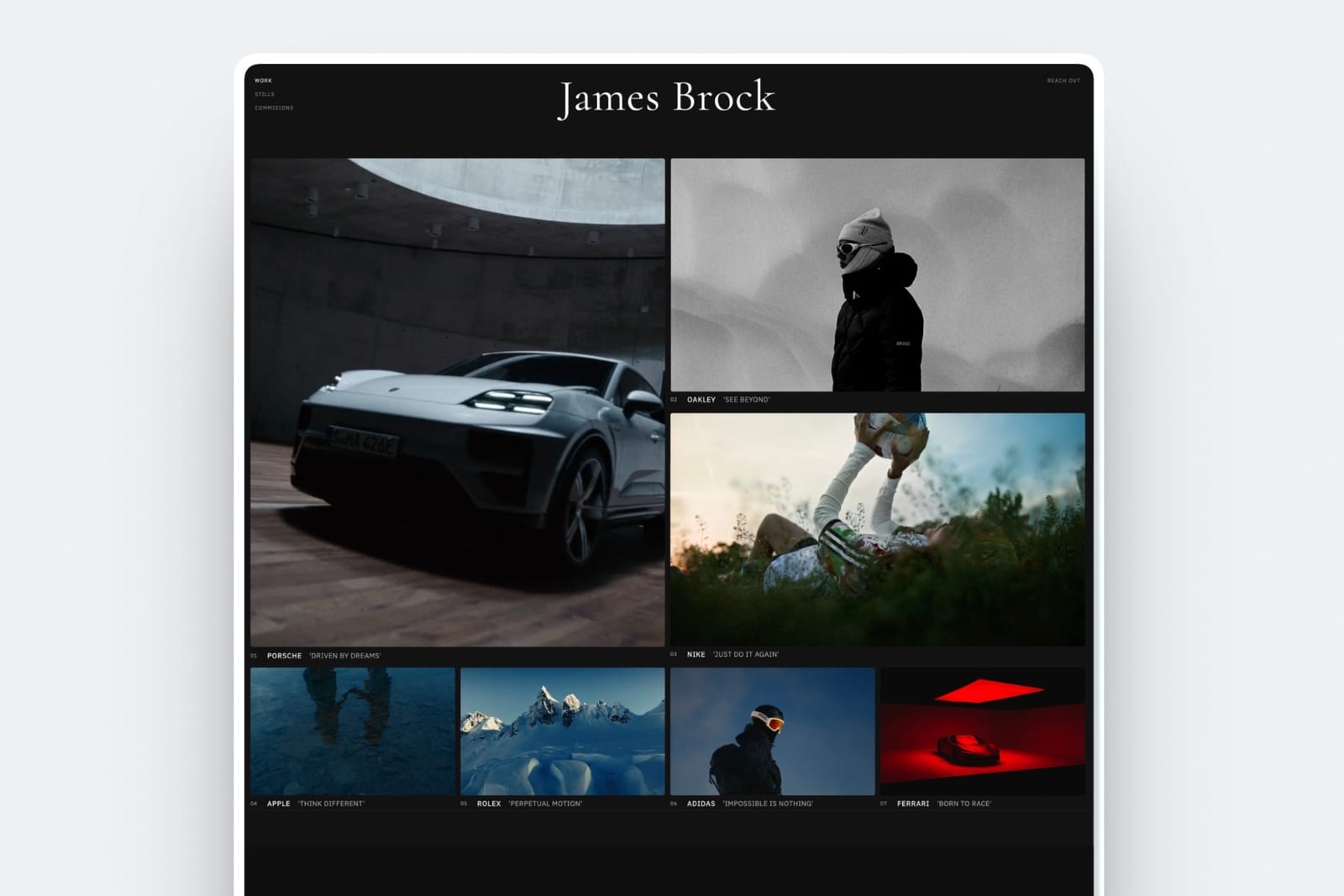
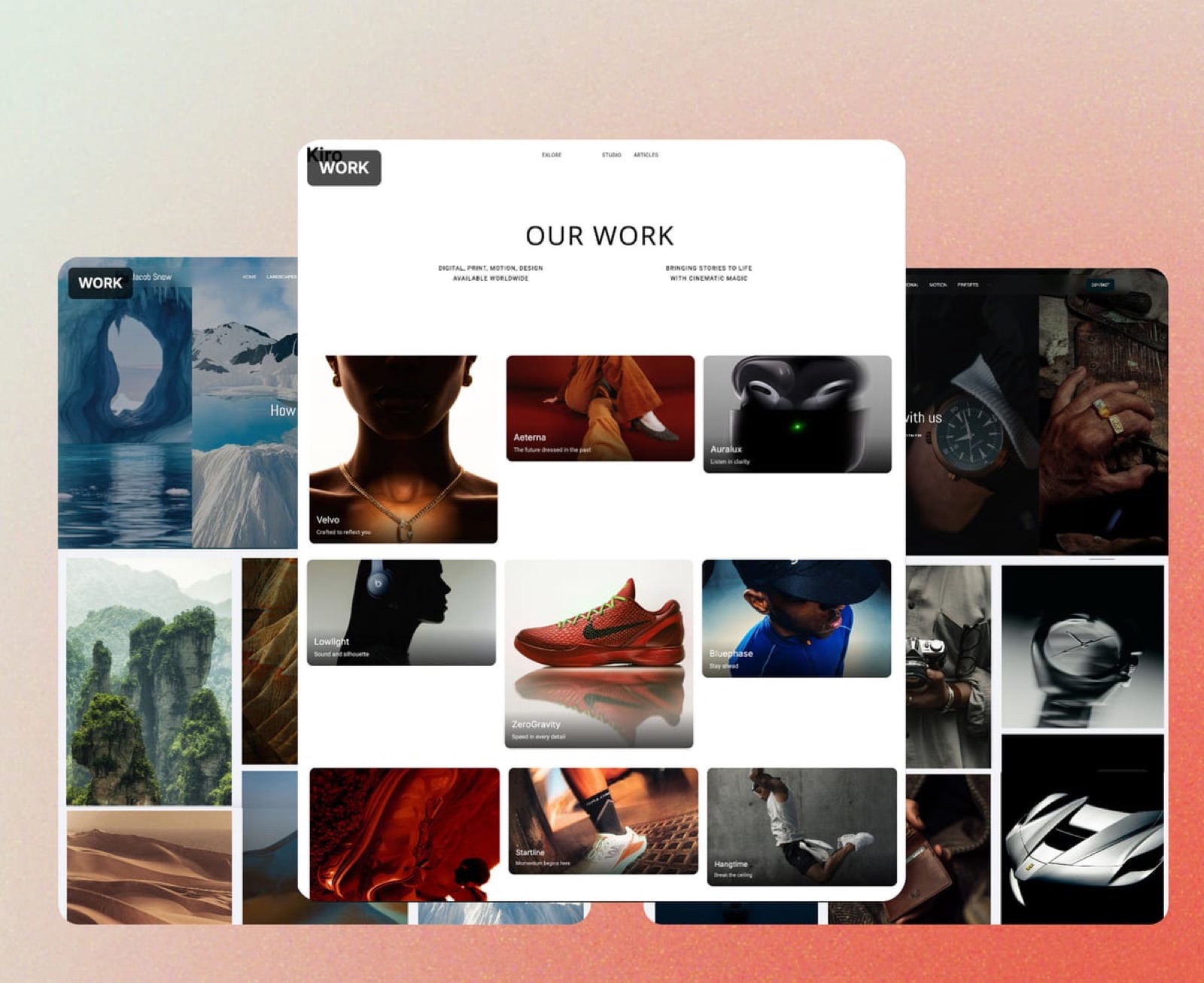
Framekit is an AI website builder with video review built in, and it answers the question most people leaving Vimeo are really asking: where do my cuts and my portfolio live if not on Vimeo?
A lot of filmmakers use a Vimeo showcase as a stand-in website. Framekit replaces the review and that stand-in at once, with the review page sitting on the same address as a real portfolio site.
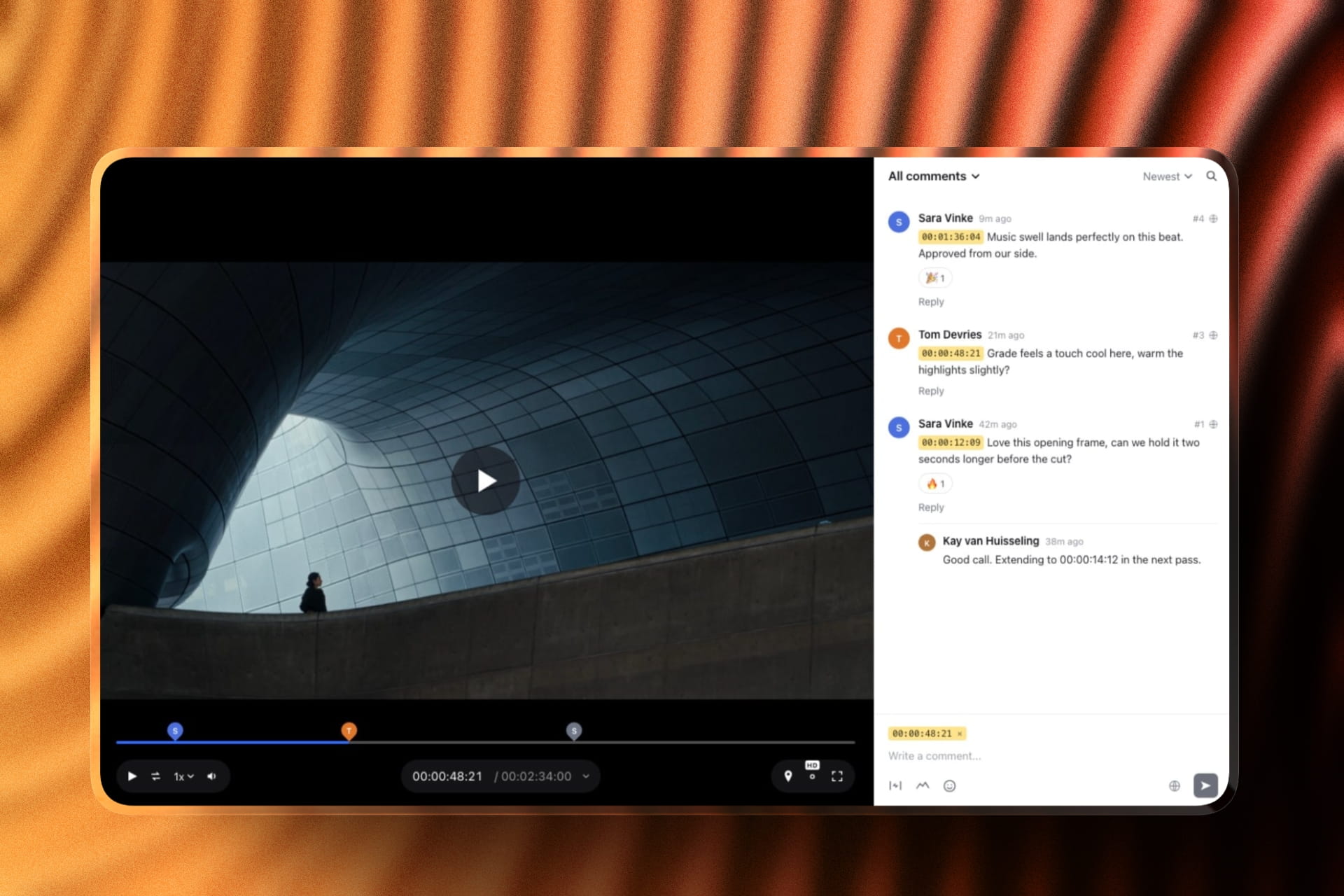
Its review loop is closer to Frame.io than to Vimeo's sidebar. Comments pin to the frame or cover an in-and-out range, reviewers draw with a pen, arrows, lines, boxes and circles, and each note shows as a chip that seeks the player.
Version 2 stacks on version 1 with the old notes intact, and a reviewer can set the cut to approved without an account.
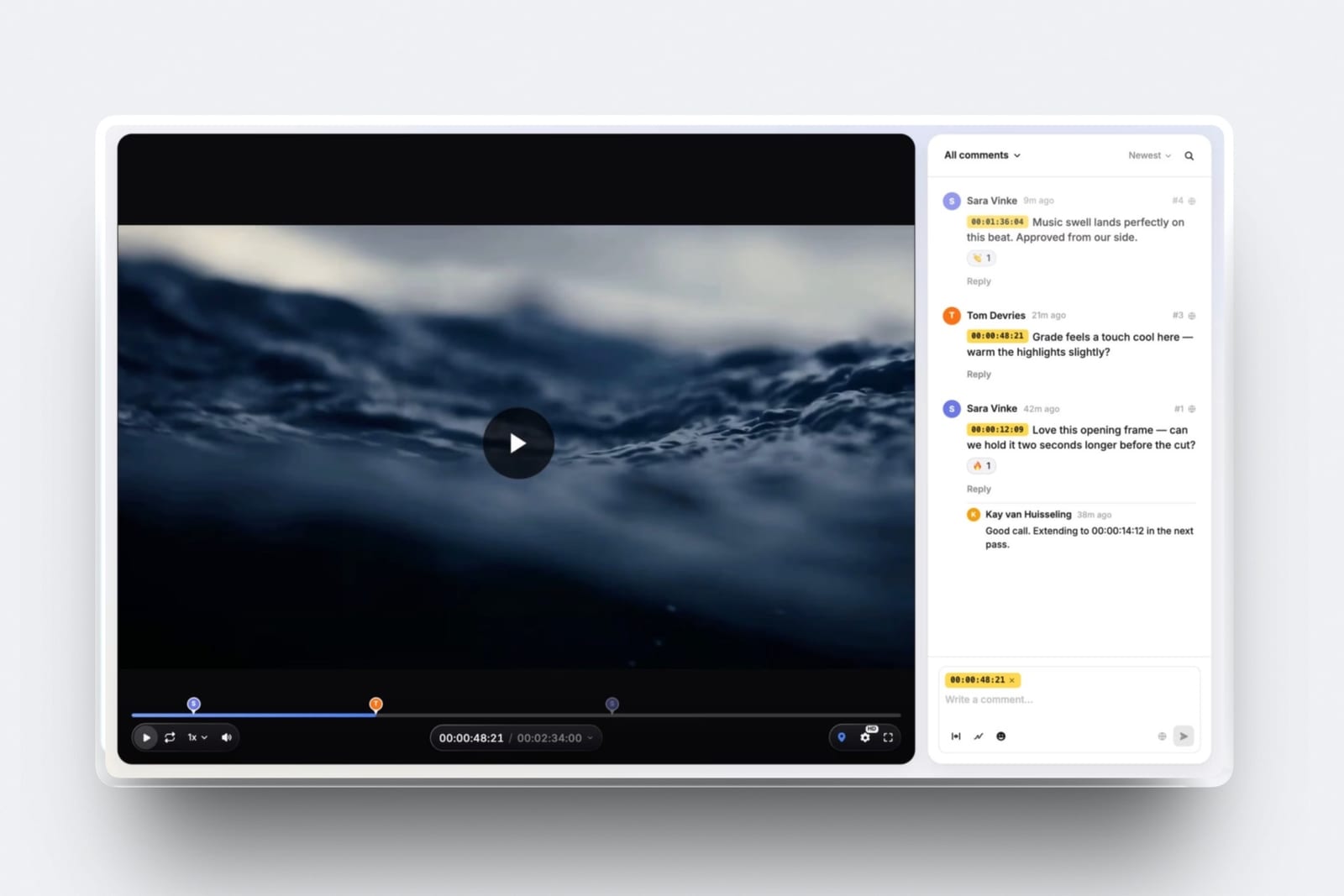
The real numberStarter is 9 dollars a month, or 108 dollars a year on monthly billing, against roughly 228 euros for Vimeo Standard.
It includes 50GB of storage shared across site, galleries and reviews, 15GB of which can be video, with a 1GB per-file cap. Pro at 19 dollars lifts that to 300GB, 150GB of video and 2GB per file.
The standout detailthe review page is designed rather than configured. Twelve typography presets, four banner layouts, your logo and accent colour, and on paid plans your own domain, so a producer reviewing your cut is one click from your reel.
Vimeo's closest equivalent, branded galleries, starts on Standard and lives on Vimeo's domain.
The honest gotchano public hosting. Framekit is not a player you embed on a client's website for an audience, and its review proxies top out at 1080p.
A 4K original can be picked in the player only if it fits the 3GB cap and the browser can decode it, so 4K finishing notes belong on Krock.io or Frame.io. There is no Premiere Pro or Final Cut panel either.
Skip it ifthe video you get approved is the same file the public later watches from your account. That is Vimeo's one unbeatable trick.
Verdict: the best swap for anyone whose Vimeo plan exists to collect notes and look professional, at less than half the price of Standard. Keep Vimeo only for videos with an audience.
2. Frame.io: Best for Review Depth
Where Vimeo treats review as a sidebar next to a player, Frame.io treats it as the product.
Comments are frame-accurate and range-based, so a note covers four seconds rather than one instant, reviewers draw on the frame, and the comment set downloads and prints with annotation thumbnails on every tier including free.
The real numberPro is 15 dollars per member per month with 2TB included plus 2TB per additional member, so three people cost 540 dollars a year.
Against Vimeo Standard at about 228 euros for five seats, Frame.io is more expensive and buys a fundamentally deeper review tool rather than more bandwidth.
The standout detailCamera to Cloud on the free plan. Footage moves from a supported camera or recorder into a project during the shoot, which is not a thing Vimeo attempts and not a thing any other alternative here offers at any price.
The gotchayou lose the embed. The whole reason many people are on Vimeo is that one upload serves both the client review and the finished public player, and Frame.io does not host public video.
If your campaign film goes live somewhere afterwards, you will now be uploading it twice, to two vendors.
Skip it ifhosting is genuinely half your problem. Frame.io is a worse total answer than Vimeo for anyone whose video has a public life.
Verdict: the deepest review tool here and a partial replacement, because it solves one of Vimeo's two jobs completely and the other not at all.
3. Krock.io: Closest Structural Match
Krock.io is the alternative that most resembles Vimeo's shape, in that it charges per user and then gives reviewers away. Pro is 10 dollars per user per month with unlimited team size and from 2TB of storage, with additional terabytes at 10 dollars a month, and it advertises unlimited reviewers on every plan including free.
The real numberthree people on Pro is 360 dollars a year for 2TB, against Vimeo Standard's roughly 228 euros for five seats and 4TB. Krock.io costs more per seat and gives you a review tool rather than a hosting platform.
The standout detail4K playback is named explicitly on Pro, along with review for video, image, audio and PDF in one account. Very few tools at this price commit to 4K in writing, and for anyone reviewing finishing rather than rough cuts that is the difference between a usable and a useless review.
The gotchathe free tier is 1 user and 2GB, which is an evaluation account rather than a working plan, and the Enterprise tier starts from 400 dollars with 100 users included, so there is a large gap between the per-user plan and the flat one.
Verdict: a strong like-for-like if you want unlimited reviewers, real storage and 4K without Frame.io's per-member pricing. The storyboard tool is a genuine extra that neither Vimeo nor Frame.io offers.
4. Wipster: Best If You Need Notes in Adobe
Light is 9.95 dollars a month billed annually with 50GB for one person, with pinpoint annotation and Premiere Pro and After Effects extensions.
Comments become tasks you check off as you complete them.
The real numberTeam is 19.95 dollars per user monthly, so three people cost 718.20 dollars a year, which is more than three times Vimeo Standard. As a solo tool at 9.95 it is excellent value; as a team tool it is the most expensive per-person option in this comparison.
What reviewers say elsewhere4.8 out of 5 across 75 reviews on Capterra.
Verdict: the alternative for a solo editor who wants client notes appearing beside an Adobe timeline. Do not scale it to a team without checking the arithmetic first.
5. SyncSketch: Best for Animation and VFX
Indie is 9 dollars per user monthly billed yearly with up to 15 users, 50GB and 100GB of uploads, so three people cost 324 dollars a year. Team at 19 dollars adds 3D model support and custom sketching brushes.
Verdict: if your work is shot-based, this is a step up rather than a substitute. The PDF summary of a session, with screenshots and annotations, is the best export on this page.
6. ReviewStudio: Best Free Alternative
Unlimited users and unlimited guests on a free 5GB tier with drawing, versioning, compare mode, present mode and approvals. Pro is 12 dollars per user annually with 25GB per user.
Verdict: the cheapest way to leave Vimeo without paying anyone. Present mode, where one person drives playback while others watch, is a live-review feature Vimeo does not offer.

7. Dropbox Replay: Best for Live Review Sessions
Drawing on the frame with shared cursors in real time, frame-accurate comments, versions, and no account needed for reviewers, as an add-on from 10 dollars a month.
The gotchathe bundled Replay entitlement on paid Dropbox plans is four file uploads in total, so budget the add-on rather than assuming it is included.
Verdict: the move if your masters already sit in Dropbox and Vimeo was only ever the review step.
8. Kollaborate: Cheapest Flat Storage and Review
Twelve published tiers from 7 dollars a month for 30GB to 539 dollars for 10TB, flat per account, with unlimited projects and unlimited bandwidth on every one. Small Business is 25 dollars a month for 60GB and 5 team members.
Verdict: unlimited bandwidth on a flat plan is the closest anything here comes to Vimeo's hosting economics. The interface is visibly older than everything else on this page.
9. YouTube Unlisted: The Free Non-Answer
Free, unlimited, and playable on any device without an account, which is more than most tools here manage, and it is included because a real number of people leaving Vimeo land here by default.
The gotchano timecodes on comments, no password, no expiry, no download control, and your grade gets re-encoded into one you did not approve.
Verdict: it replaces Vimeo's hosting badly and its review not at all. Named here so you can rule it out deliberately rather than drift into it.
The One Thing No Alternative Replaces
In one lineVimeo is the only platform in this comparison where the file your client reviews becomes the file the public watches, and every alternative here turns one upload into two.
This is the argument for staying, and most comparisons of Vimeo skip it. A campaign film gets reviewed, approved, and then embedded on the client's site. On Vimeo that is one asset with one URL and one set of analytics.
On Frame.io plus a host, or Framekit plus a host, it is two uploads, two places the file can go out of sync, and two bills.
Quantify it before you switch. If every video you make ends up public, Vimeo Starter at about 8 euros a month is doing two jobs and no combination on this page beats it on total cost.
If your videos are client deliverables that never go public, which describes most wedding films, corporate work, and anything delivered to a brand who publishes it themselves, then you are paying for 2TB of distribution capacity to serve three people once, and the alternatives above are between two and ten times better value.
The test you can runcount your last ten finished videos and mark which ones are still publicly streaming from your own account. If it is fewer than half, you are buying hosting for archives.
Where Vimeo's Review Actually Falls Short
In one lineVimeo's review sidebar is competent and static, and it does not deepen at any price, which is why the alternatives beat it on capability rather than on cost.
Three specific gaps show up in a real workflow. There is no confirmed drawing tool in Vimeo's published material, so notes about a region of the frame are typed rather than shown.
There is no editorial panel, so a client's timecodes are read in a browser and scrubbed to by hand, where Frame.io and Wipster both push them into the timeline.
And the review feature set is identical from Starter to Advanced, so a team that needs more review depth has nothing to upgrade to within Vimeo at all.
That last point is the structural one. On Frame.io, paying more buys restricted projects, internal comments and enterprise watermarking. On Ziflow, paying more buys workflow stages. On Vimeo, paying more buys livestreaming and lead capture.
If review is the thing you want to invest in, Vimeo has no path for you above 8 euros.
Which Vimeo Review Alternative Fits You? A Decision Tree
Work through these in order and stop at the first yes. The first question is doing most of the work, because it decides whether you should be leaving Vimeo at all rather than which replacement to pick.
- Does the reviewed video go public afterwards from your own account? Stay on Vimeo. One upload doing two jobs beats any pairing here on total cost.
- Do your clients draw on the frame and you want the notes inside Premiere Pro or Final Cut? Frame.io, or SyncSketch for animation. If drawing in the browser is enough, Framekit and ReviewStudio both include it free.
- Do you cut in Premiere Pro or After Effects and want notes in the app? Wipster at 9.95 dollars a month.
- Do you review 4K finishing rather than rough cuts? Krock.io Pro, which names 4K playback explicitly at 10 dollars per user.
- Are you leaving because Vimeo costs more than the review is worth? Framekit at 9 dollars a month flat, or Kollaborate if you need unlimited bandwidth.
- Do you need a large group commenting for free? ReviewStudio's free tier with unlimited users, or Framekit's free plan with unlimited projects.
- Do you also need a portfolio site to replace the Vimeo profile you were using as one? Framekit, since the site and the review share an account. Our Vimeo alternatives guide covers the hosting half of that decision.
Frequently Asked Questions
What is the best Vimeo Review alternative in 2026?
Framekit is the best Vimeo Review alternative in 2026 for most filmmakers, because it gives you frame-accurate comments, drawing, version stacks and client approval on a branded page beside your own portfolio site, for 9 dollars a month flat with unlimited review projects.
Frame.io is the deeper tool if you need Premiere Pro and Final Cut panels, and Krock.io is the closest structural match at 10 dollars per user with 4K playback on Pro.
Framekit vs Vimeo: which is better for client review?
Framekit is better for client review and Vimeo is better for publishing. Framekit adds drawing on the frame, version stacks, approval statuses, and a password, email gate and expiry on the free plan, for 9 dollars a month on Starter.
Vimeo Starter at about 8 euros a month turns the approved file into a public embed with 2TB of hosting, which Framekit does not do. If the video goes public from your account, Vimeo wins; if it is a client deliverable, Framekit does.
Is Vimeo Review a separate product I can buy?
No. Review and collaboration tools are a feature of Vimeo's paid hosting plans, listed from the Starter tier at about 8 euros a month billed annually, which also includes 1 user and 2TB of storage.
There is no standalone review subscription, so buying Vimeo Review means buying video hosting whether or not you need the bandwidth.
Does Vimeo Review support drawing on the frame?
Vimeo's published material confirms timestamped comments and status updates but does not confirm frame annotation, so we do not claim it in either direction.
If drawing is a requirement, Framekit, Frame.io, Wipster, SyncSketch, ReviewStudio, Krock.io, Dropbox Replay, Filestage and Ziflow all document it explicitly.
Is a cheaper Vimeo plan enough for client review?
Yes, and this is the most useful thing to know about Vimeo's pricing. The review feature set is identical from Starter at about 8 euros through to Advanced at 69 euros.
Higher tiers add player branding, watermarks, lead capture, livestreaming and DVR, none of which improve review. If you are on Standard purely for the review tools, you are paying roughly 11 euros a month more than you need to.
What do I lose by leaving Vimeo for a dedicated review tool?
Public hosting, and it is the one thing no alternative in this comparison replaces. On Vimeo the file your client reviews can become the embed on a website without a second upload.
Frame.io, Framekit, Wipster, SyncSketch, ReviewStudio, Krock.io and Dropbox Replay are all review platforms and none of them serve public video, so a video with a public life means two uploads and two vendors.
Which alternative has unlimited reviewers?
Framekit, Krock.io and ReviewStudio all advertise unlimited reviewers on every plan including free. Framekit treats every collaborator as a guest with no per-reviewer charge at 9 dollars a month flat.
Krock.io states unlimited reviewers on every tier with no extra cost. ReviewStudio's free tier includes unlimited users as well as unlimited guests on 5GB.
How much does it cost to review video for three people?
Framekit Starter is 108 dollars a year flat, Kollaborate Small Business is 180, SyncSketch Indie is 324, Krock.io Pro is 360, ReviewStudio Pro is 432, Frame.io Pro is 540 and Wipster Team is 718.20.
Vimeo Standard, which covers five seats, is about 228 euros a year and includes 4TB of hosting the others do not provide.
Can I use a free tool instead of Vimeo Review?
Yes. ReviewStudio's free plan gives unlimited users and guests on 5GB with drawing, versioning and approvals.
Framekit's free plan allows unlimited review projects on 10GB of storage, 3GB of it video, with a 500MB per-file cap and drawing, password protection and expiry included. Krock.io free is 1 user on 2GB.
None of them host public video, so the free route works only if your videos are deliverables rather than published work.
Does any alternative support 4K review?
Krock.io names 4K playback explicitly on its Pro tier from 10 dollars per user per month, which is unusual to see published at that price. Frame.io lists 4K UHD playback on its paid tiers rather than free.
Framekit makes review proxies only up to 1080p, and a 4K original can be selected in the player only when it fits the 3GB per-file cap, so it is the wrong tool for judging 4K finishing.
Most other tools in this comparison do not commit to a playback resolution in their published material, so verify before committing if you review finishing rather than offline cuts.
Will my Vimeo comments transfer to a new tool?
No. None of the alternatives here can import Vimeo's review history, so any comment thread you may need to reference should be exported or screenshotted before you downgrade or cancel.
This applies in both directions across the whole category, and it is the practical reason most teams run two tools in parallel for a month rather than switching in one step.
Is Vimeo still worth it if I only need review?
Only if your video also goes public from your account. At about 8 euros a month, Starter is genuinely cheap for what it does, but you are buying 2TB of distribution to solve a conversation with three people.
Framekit at 9 dollars a month, Kollaborate at 25 for five members, or ReviewStudio free all give you a better review experience without the hosting you are not using.
What is the difference between Vimeo Review and Frame.io?
Vimeo Review is a timestamped comment sidebar attached to a hosting platform, and its capability does not change as you pay more.
Frame.io is a review platform where paying more buys restricted projects, internal comments and enterprise watermarking, and where the base product includes range-based comments, drawn annotation, version stacks, a comparison viewer, editorial panels and Camera to Cloud.
Frame.io is the deeper tool; Vimeo is the one that also publishes your video.
Final Verdict
Framekit is the best Vimeo Review alternative in 2026 for filmmakers who were paying for hosting they did not use, because it gives a better review loop, drawing, versions and approvals on a page that sits beside your own portfolio, for 9 dollars a month flat.
Frame.io is the right pick if you are leaving because the review itself was not deep enough and your notes need to reach Premiere Pro or Final Cut.
Krock.io deserves more attention than it gets, particularly for its explicit 4K commitment at 10 dollars per user and unlimited reviewers on every tier, and it is the closest thing here to a Vimeo-shaped product built around review instead of distribution.
Where Framekit loses, and who should stay on Vimeo. Framekit does not host public video, makes review proxies only up to 1080p, has no editorial panel and caps files at 2GB on Pro and 3GB on Business.
If the video your client approves is the same file that later plays on a website, Vimeo is doing two jobs for about 8 euros and no pairing on this page beats that on cost or on simplicity.
Staying is the right answer for a large share of the people who arrive at this article, and it would be dishonest to bury that under a recommendation to switch.
Leave Vimeo when the hosting is dead weight. Keep it when the video has an audience.
Related readingthe 12 best video review tools, the best Vimeo alternatives for hosting, the best Frame.io alternatives, and tools to send video to clients.
Competitor prices were read at each vendor's own published pricing page in August 2026, and Framekit's plans were re-verified in September 2026. Vimeo and Dropbox served euro figures from our European connection and are quoted in euros for that reason rather than converted.