Framekit templates
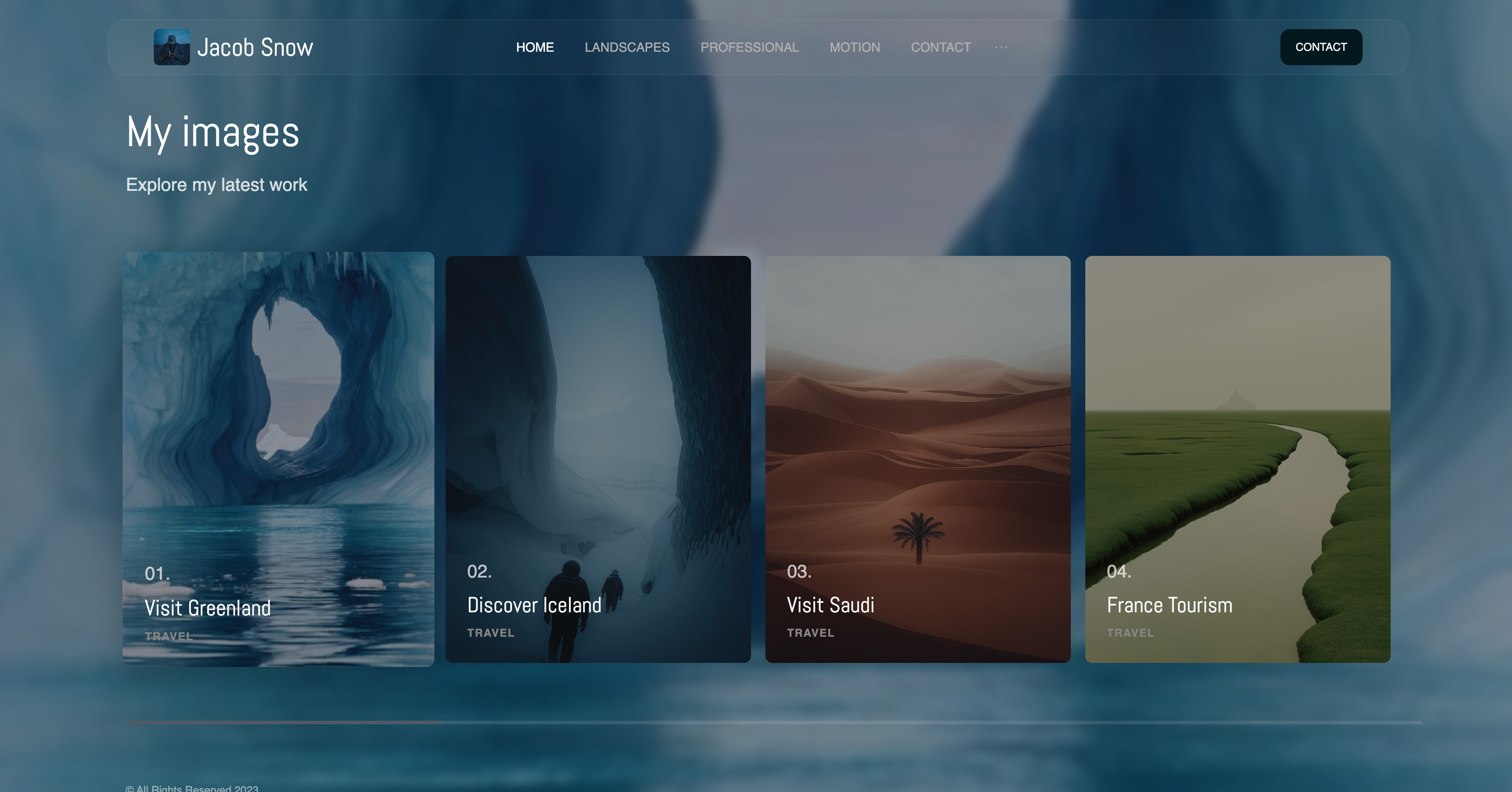
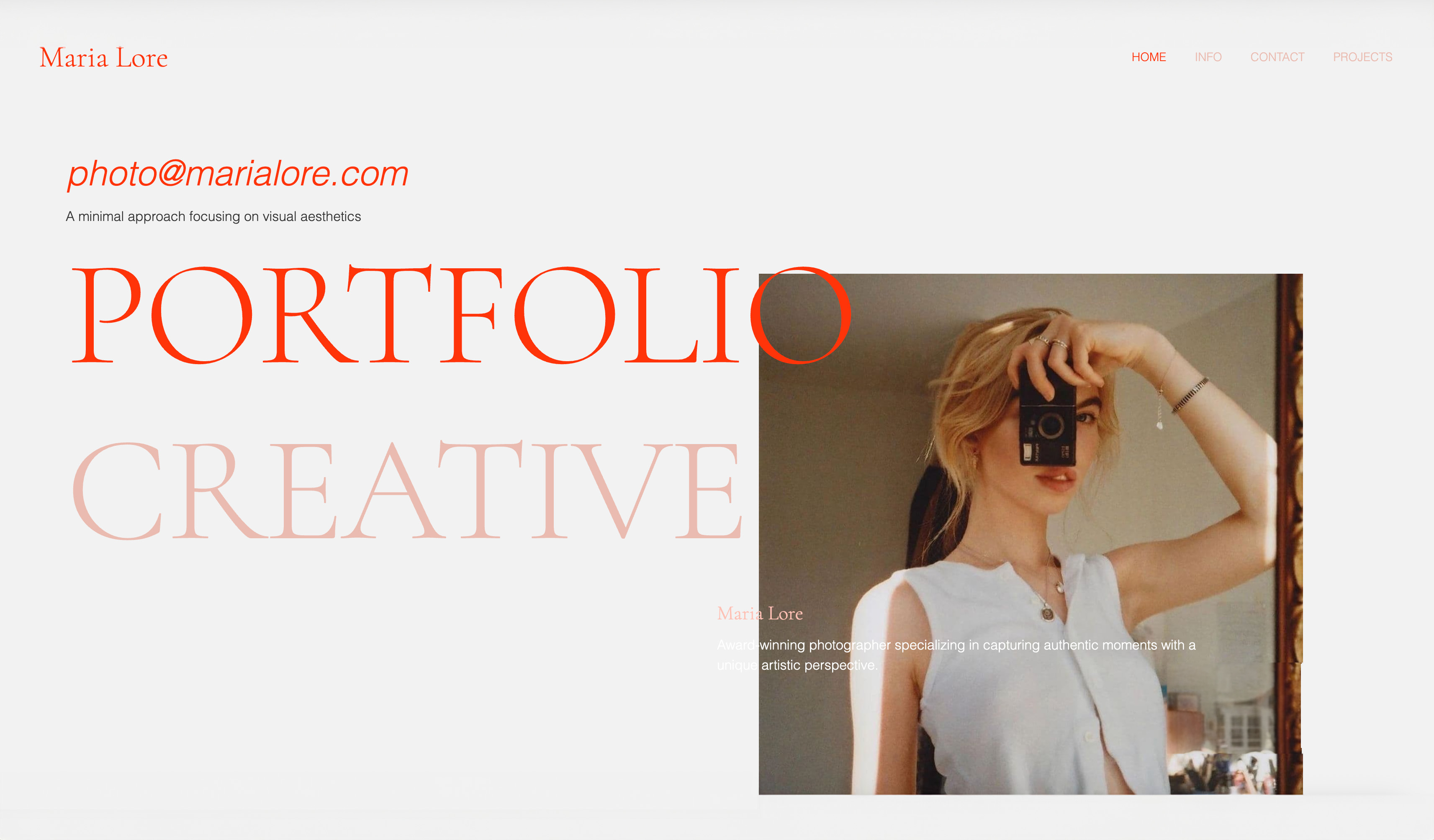
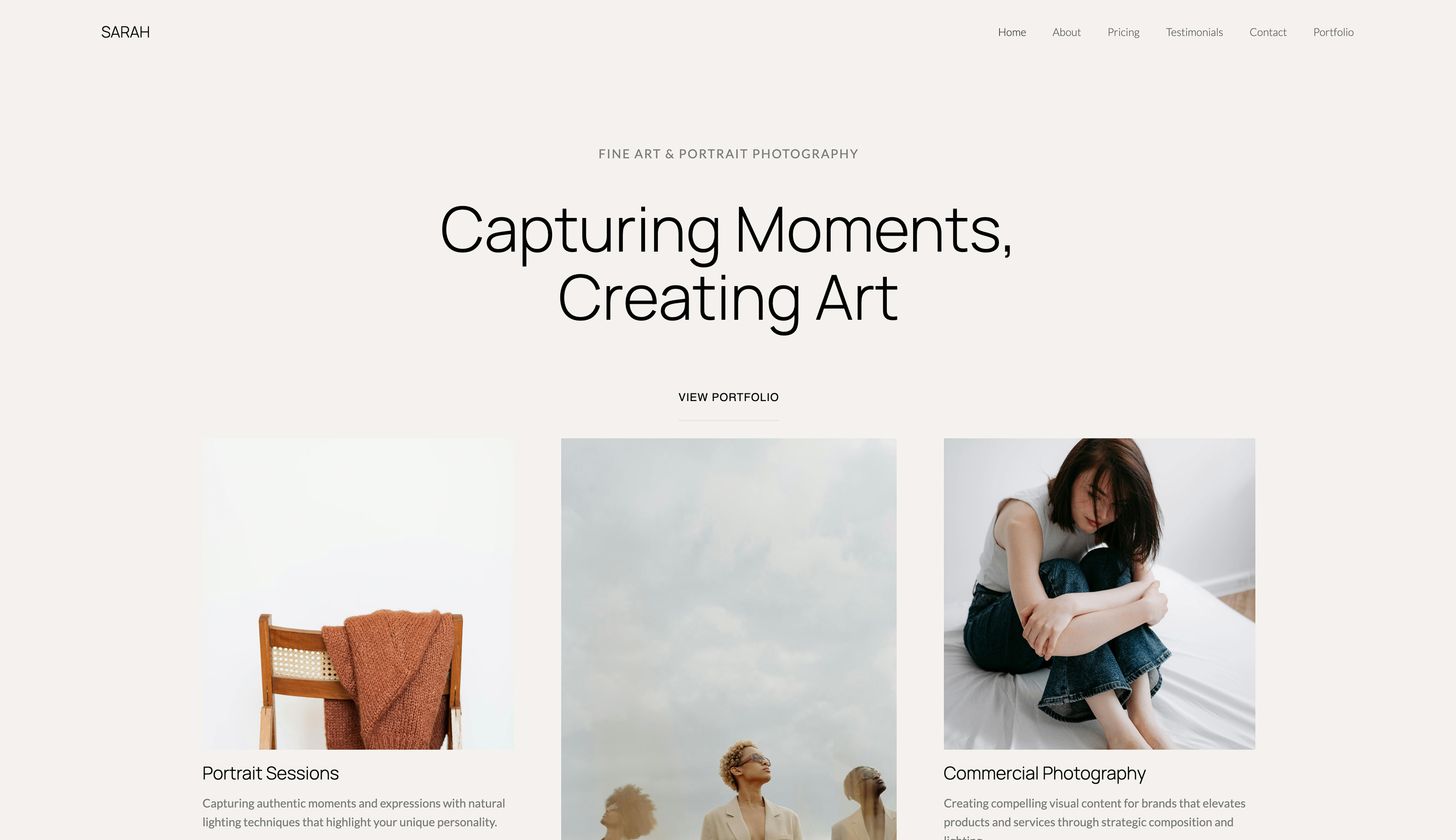
Start from a designer-made template
 Use template
 Use template
 Use template
 Use template
 Use template
 Use template
 Use template
 Use template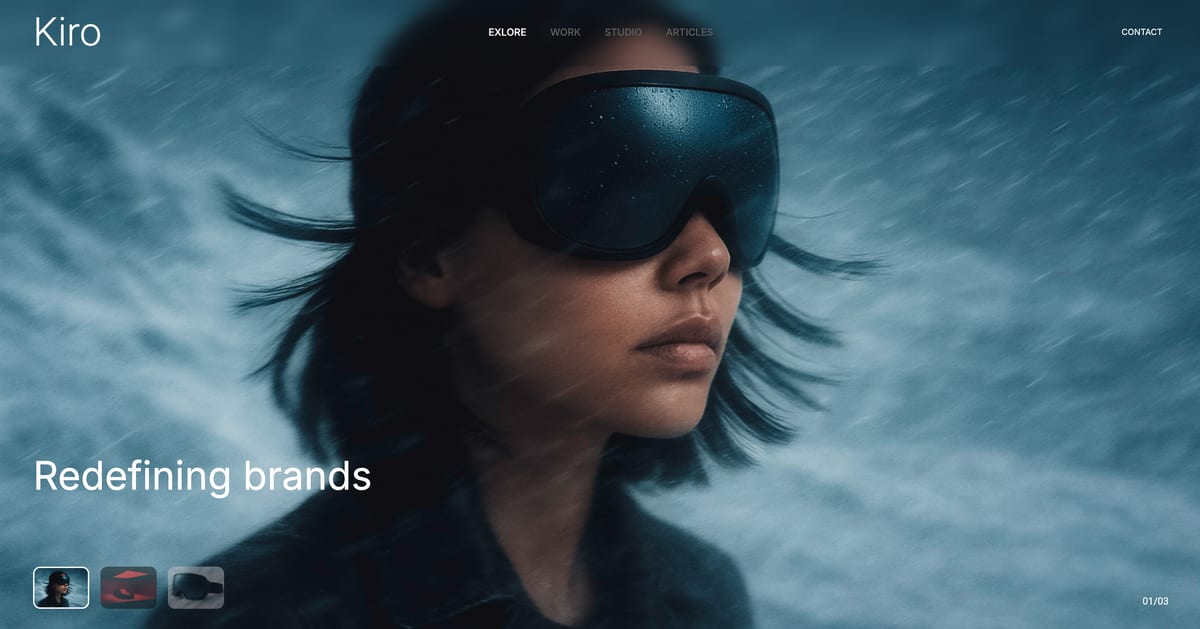
Two things send people looking for Prezi alternatives, and only one of them gets talked about.
The loud one is the zooming canvas. It is genuinely memorable when the content is a set of related ideas and genuinely disorienting when the content is an argument that moves forward, and most business material is the second kind.
The quiet one is the free plan: on Prezi Basic your presentations are public. Not unlisted, not link-only. Findable.
That second fact rules the free tier out of every paid engagement you will ever take.
Prezi is a presentation tool built on a single zooming canvas rather than a stack of slides, so instead of advancing through pages you move around a map, zooming into detail and back out to context.
A Prezi alternative is any tool that replaces it, either with better conventional slides or with a different way of holding an audience.
The best Prezi alternative in 2026 for creatives is Framekit Slides, because it fixes both real complaints at once: a free-plan deck is shared on an unlisted link that search engines are told not to index, and the AI lays out a far more current, image-led design than Prezi's editor produces.
The trade-off is honest: there is no zooming canvas, no Magic Move-style motion, no Prezi Video equivalent, and it runs in a browser, so a venue with no connection needs a PDF backup.
Canva is the best all-round pick for template range, Apple Keynote is the closest thing to Prezi's sense of motion, and Google Slides is the free answer if privacy was the whole problem.
Full disclosure: Framekit is our own product and it is ranked first below, so read it with that in mind. It is scored on the same five criteria as the rest, from its published features and sharing behaviour rather than from our hands-on rebuild, and marked down where it deserves: it scores lower than Keynote, PowerPoint and Figma on motion and cannot present offline, and each rival's review says where it beats us.
How We Tested 11 Prezi Alternatives
We rebuilt the same conference talk in every tool: a twenty-minute session with six main ideas, three of which relate to each other rather than following in sequence, plus a data slide, a closing summary, and speaker notes throughout.
That relational structure is where Prezi is meant to win, so it is the right test.
We also audited the free plan of each tool for one specific thing: whether a presentation created on it is private by default.
Measured covers what we built, presented, and checked. Verified covers prices and plan limits taken from published vendor pages in August 2026. Community sentiment is flagged in the sentence where it appears.
We re-verified Framekit's plans and sharing behaviour on 19 September 2026 and moved it from eleventh to first: when this guide launched it was ranked as a page builder, and it now ships Slides, a full deck editor. Competitor prices are as read in August.
The weighting
Privacy and sharing control is 25%, because Prezi's free tier fails it outright. Design ceiling is 25%. Presenting experience is 20%. Cost is 20%. Motion and non-linear capability is 10%, which is the one thing Prezi genuinely leads on.
What Rebuilding the Talk Eleven Times Showed
- 10 of 11 free plans keep your work private by default. Prezi Basic is the only one that publishes it.
- 1 of 11 offers a true non-linear canvas. Everything else here is linear, so leaving Prezi means giving that up rather than replacing it.
- 3 of 11 have motion sophisticated enough to approximate Prezi's sense of movement: Apple Keynote's Magic Move, PowerPoint's Morph, and Figma's prototype transitions.
- 5 of 11 cost nothing at all for client-ready work: Google Slides, Keynote, PowerPoint for the web, Canva's free plan, and Framekit's free plan, which adds a small byline.
- Prezi Standard at about $84 a year is cheaper than the cheapest paid tier of 8 of the 11 alternatives, so leaving on price alone usually does not pay.
- 0 of 11 replace Prezi Video, which places the presenter beside the content on a call and remains the most under-discussed part of the product.
Quick Comparison: 11 Prezi Alternatives
Weighted on the five criteria above. Framekit and Canva lead while scoring lowest of the top five on motion, which is exactly the capability you lose by leaving Prezi; on the 10-point motion score Framekit gets 4, against 9 for Keynote.
| Tool | Best for | Private on free | Motion | Cheapest paid, per year | Rating |
|---|---|---|---|---|---|
| Framekit | Creative talks shared as private links | Yes, unlisted and not indexed | Basic, 4/10 | $84 | 9.2/10 |
| Canva | Design and privacy together | Yes | Basic | $144 | 9.1/10 |
| Apple Keynote | The closest thing to Prezi motion | Yes | Magic Move | $0 | 9.0/10 |
| Google Slides | Free, private, collaborative | Yes | Basic | $0 needed | 8.6/10 |
| Microsoft PowerPoint | Offline presenting with real motion | Yes | Morph | $99.99 | 8.5/10 |
| Gamma | Talks that get read as links | Yes | Scroll-based | $108 | 8.4/10 |
| Pitch | Teams with a house deck | Yes | Basic | About EUR 120 | 8.1/10 |
| Figma Slides | Designers who want prototype motion | Yes | Prototype transitions | $192 | 8.0/10 |
| Visme | Data-led talks | Yes, with a logo | Basic | $147 | 7.4/10 |
| Beautiful.ai | Consistency without decisions | No free plan | Basic | $144 | 7.3/10 |
| Storydoc | Interactive documents with tracking | Yes | Scroll-based | $237.60 | 7.0/10 |
Every price above was read from the vendor's own plan page during August 2026.
The Privacy Audit Nobody Runs
In one linePrezi Basic is the only free plan in this comparison that makes your work publicly findable, and the fix costs about $84 a year, which is cheaper than the paid tier of eight of the alternatives.
| Tool | Free-plan default | What a stranger can see |
|---|---|---|
| Prezi Basic | Public | The whole presentation |
| Canva | Private | Nothing without a link |
| Google Slides | Private, link sharing off | Nothing until you enable it |
| Apple Keynote | Private | Nothing without a link |
| PowerPoint web | Private | Nothing without a link |
| Gamma | Private link | Nothing without the link, plus a Gamma badge |
| Pitch | Private link | Nothing, but only 2 external guests |
| Visme | Private link | The Visme logo on your published work |
| Figma | Private drafts | Nothing without an invite |
| Storydoc | Private link | Nothing without the link |
| Framekit Slides | Private until you publish; then an unlisted, noindex link | Nothing without the link, plus a Framekit byline on free |
Framekit's row needs one caveat: an unlisted link is not a password.
Anyone you forward it to can open it, and a deck link cannot be password-protected, so the control you have is to reset the link, which kills the old address instantly, or to unpublish.
For a confidential budget that is weaker than Pitch's per-recipient links.
Run this on yourself. Search your own name plus a client's name and see whether an old Prezi comes back. If anything you built on the free plan is still live, it is still findable, and deleting it is a five-minute job worth doing before you read any further.
1. Framekit: Best Prezi Alternative for Creative Talks

Our rating: 9.2/10
Framekit is an AI website builder, and the same account includes Slides, a deck editor built for the kind of talk creatives give: a portfolio walkthrough, a treatment, a campaign pitch, a festival or conference session built on images.
It fixes Prezi's two real complaints in one move.
The free plan keeps a deck private until you publish it, the published link is unlisted and carries a noindex tag so search engines skip it, and the editor produces a far more current design than Prezi's templates.
The workflow for a talk like our six-idea session is to describe it, attach up to 12 reference images to the prompt, and let the AI draft the structure; the three related ideas belong on one grouped slide, the same answer that beat the zoom in the tools we rebuilt the talk in.
Everything the AI places can be dragged, resized or rewritten by hand.
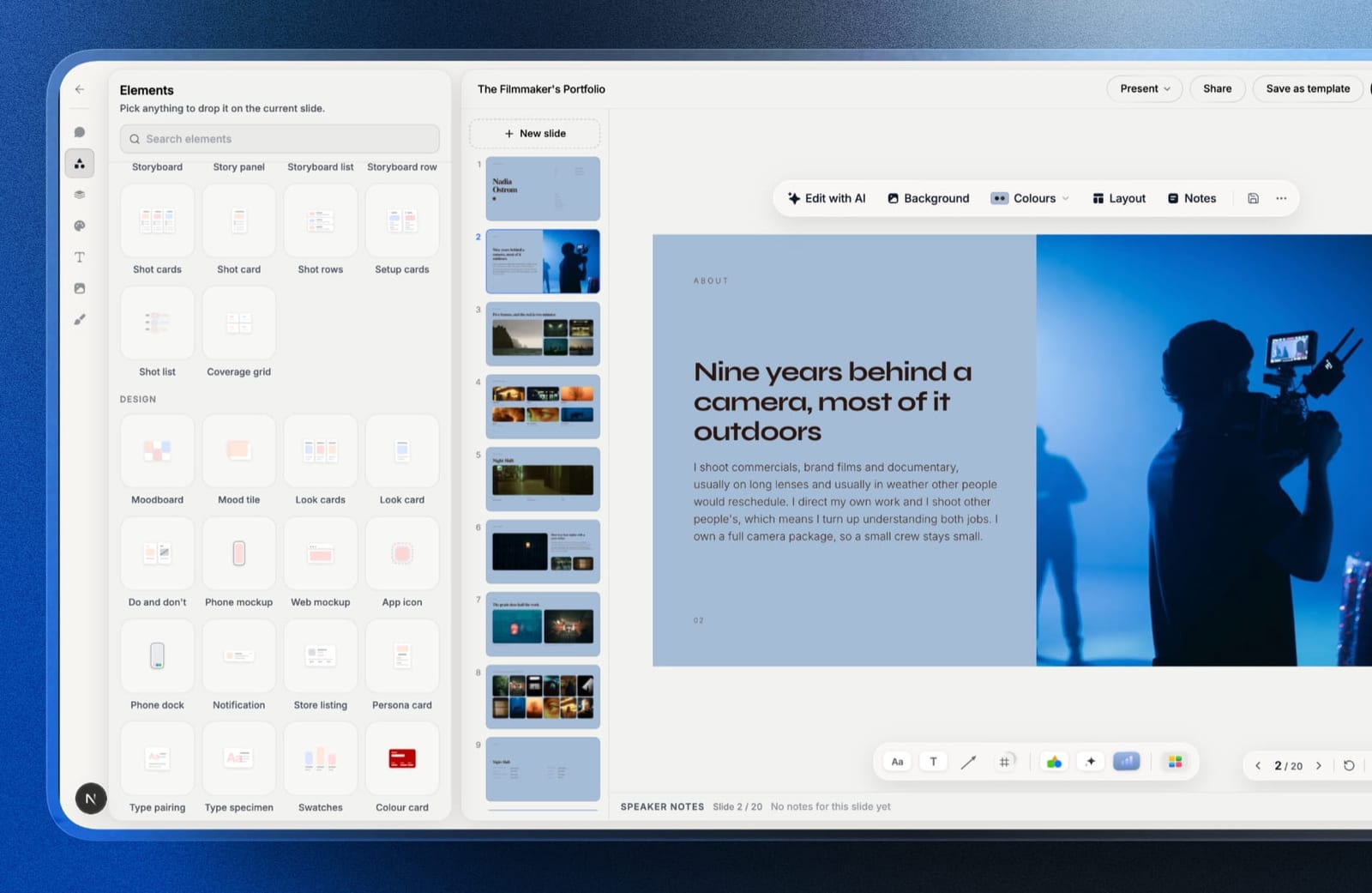
Best forPhotographers, filmmakers and designers whose talks are image-led and who want privacy without paying for it.
The real number$0 covers private decks, the AI writer, unlimited decks, a share link and PDF export. Starter at $84 a year on annual billing is the same as Prezi Standard's roughly $84, and adds the full template library, your own fonts and removal of the Framekit byline.
The standout detailpresenting in a new tab. You drag that tab to the projector while the editor stays on your laptop, and because both read the same live data, a typo you fix in the editor lands on the stage while you are still talking.
The gotchait is browser-based with no offline mode and no Magic Move or Morph-style motion, which scores it 4 out of 10 on motion. There is no dedicated presenter view either, so speaker notes live in the editor, and a deck holds up to 40 slides.
Skip it ifthe zooming canvas or Prezi Video was the reason you presented well, or you speak in venues where the connection cannot be trusted. Keynote and PowerPoint handle both and this does not.
Verdict: For creative talks this is the Prezi replacement we would pick: private on the free plan, better-looking on day one, and sitting in the same account as your website, client galleries and store.
2. Canva: Best All-Round Prezi Alternative
Our rating: 9.1/10
Canva fixes both complaints at once. Work is private by default on a free plan you can run a business on, and the design ceiling is far above what Prezi's editor produces, which for most people is the whole reason the search started.
On our six-idea talk, Canva handled the three related ideas by putting them on one slide with clear visual grouping, which turned out to be a better solution than zooming between them. That is worth naming, because it is the honest counterargument to Prezi's entire premise.
Best forAnyone who wants a private, better-looking replacement without learning a new way of presenting.
Key features:
- Private by default on every plan, including free
- The largest well-designed template library in the category
- Present mode with notes, plus a shareable link
- Export to PDF, PPTX, MP4, and GIF
- Brand Kit on Pro for fonts, colours, and logos
The real numberthe free plan is fully private and covers the whole job except brand fonts. Pro is $18 a month or $144 billed annually, about $12 a month.
Prezi Standard, the cheapest plan that makes your work private, is about $84 a year, so Canva Pro is $60 more and buys considerably more product.
The gotchathere is no motion here worth the name. Canva's transitions are basic, and if part of what you liked about Prezi was the feeling of movement, this is a flat trade.
What reviewers say elsewhereCanva holds 4.7 out of 5 on G2 from more than 6,800 reviews, the largest verified review sample of any tool in this comparison.
Pros:
- Private free plan, which is the specific Prezi failure
- A significant design upgrade over Prezi's editor
- Exports in the formats other people actually ask for
Cons:
- No non-linear canvas and no equivalent to Prezi Video
- Basic transitions, so the sense of motion is lost
- Custom brand fonts require Pro
Skip it ifthe zooming canvas was the point. Canva is a better conventional tool and makes no attempt at Prezi's format.
Verdict: Canva is the right alternative for most business Prezi users, whose relationship with the zooming canvas was more tolerant than enthusiastic. Designers should also read our best AI tools for designers roundup.
3. Apple Keynote: Closest to Prezi's Sense of Motion
Our rating: 9.0/10
If what you actually loved about Prezi was movement rather than non-linearity, Keynote is the closest replacement and it is free.
Magic Move animates between two slides by matching objects across them, which produces the same feeling of travelling through a space without abandoning a linear structure.
On our talk, Magic Move let us zoom from an overview slide into each of the three related ideas and back out, which is functionally the Prezi effect done inside slides.
Best forMac users who liked Prezi's motion and want it without the disorientation or the public free plan.
Key features:
- Free on every Mac, iPhone, and iPad, and in a browser through iCloud
- Magic Move transitions that reproduce much of Prezi's sense of travel
- The best default themes and type rendering of the eleven
- Local font access, so licensed typefaces work with no upload
- Rehearsal timing and a strong presenter view
The real number$0, entirely. Against Prezi Standard at about $84 a year for a private plan, a Mac-based presenter switching here saves the subscription and gains the better editor.
The gotchaMagic Move does not survive export to PowerPoint, so the moment a Windows collaborator needs the file, the effect you chose Keynote for is gone.
Pros:
- The closest thing to Prezi's motion, at no cost
- Private by default with no plan tiers at all
- The strongest presenting toolset of the eleven
Cons:
- Requires Apple hardware to author
- The motion does not survive a PowerPoint export
- No AI drafting and weaker collaboration than Google Slides
Skip it ifyou are on Windows, or your team is. Everything above depends on the hardware.
Verdict: for a Mac presenter, Keynote is the closest emotional match to Prezi and the most obvious free upgrade in this comparison.
4. Google Slides: Best Free and Private
Our rating: 8.6/10
If the only reason you are here is that your Prezi work is public, Google Slides answers that for $0 and never asks again. Presentations are private until you share them, sharing is granular, and there is no plan tier that changes the rule.
It gives you nothing on motion and nothing on design, which is why it sits fourth rather than higher.
Best forPeople whose complaint about Prezi is purely the free plan's visibility.
Key features:
- Free and unlimited with any Google account
- Private by default, with granular sharing controls
- Real-time co-editing and threaded comments
- Version history that restores a single slide
- Clean .pptx and PDF export
The real number$0 permanently on a personal account, or $7 per user a month on a company domain through Google Workspace Business Starter, per Google's published pricing. That is $84 a year saved against Prezi Standard.
The gotchalink sharing is off by default, which is the right privacy behaviour and the wrong surprise five minutes before a pitch. Set it explicitly before you send.
Pros and consfree, private, and the best collaboration of the eleven, against dated templates, thin type controls, and no motion or non-linear capability at all.
Skip it ifdesign or movement was any part of why you used Prezi.
Verdict: Google Slides is the cheapest fix for the privacy problem and no fix at all for the rest.
5. Microsoft PowerPoint: Best Motion With Offline Reliability
Our rating: 8.5/10
PowerPoint's Morph transition does the same job as Keynote's Magic Move, and PowerPoint adds the thing every web-native tool lacks: it works with no internet.
For a conference presenter, that combination is more valuable than it sounds, because Prezi is browser-based and a bad venue connection is a real failure mode.
Its templates remain the most dated here, so the design complaint follows you.
Best forPresenters who want Prezi-like motion in rooms where the connection cannot be trusted.
Key features:
- Morph transitions that approximate travelling through a space
- Full offline authoring and presenting
- The deepest presenter view of the eleven
- Native .pptx that everyone can open
- A free web version with a reduced feature set
The real numberthe web version is free but has no Morph and no offline mode.
The desktop app comes with Microsoft 365 Personal at $9.99 a month or $99.99 a year, per Microsoft's plan page. That is about $16 a year more than Prezi Standard.
The gotchathe free web tier omits precisely the two features that would make you switch, which is a pattern worth noticing across this whole category.
Pros and consreal motion, genuine offline reliability, and universal file compatibility, against dated defaults, a free tier that fixes nothing, and collaboration behind Google Slides.
Skip it ifyou always present from a link on your own machine.
Verdict: PowerPoint is the conference-room answer. Morph plus offline is a combination nothing else here offers.
6. Gamma: Best If Your Talk Gets Read Rather Than Watched
Our rating: 8.4/10
Gamma is the alternative for people whose Prezi decks were mostly shared as links rather than presented live. Its cards scroll and reflow, which handles a phone far better than a zooming canvas does, and it drafts a structure from a prompt in about ninety seconds.
Scroll is also the nearest common relative of Prezi's movement. It is motion driven by the reader rather than the presenter, which suits material that gets read alone.
Best forTalks and pitches that circulate as links after the room empties.
Key features:
- Prompt-to-deck generation producing structure as well as copy
- Web-native cards that reflow on mobile
- Analytics on who opened a link and how far they read
- Image generation and stock search inside the editor
- Private share links by default
The real numberfree gives 400 credits once, with no refresh. Plus is $9 a month billed annually, refreshing 1,000 credits monthly. At $108 a year that is $24 more than Prezi Standard and includes analytics Prezi charges more for.
The gotchafree output carries a Gamma badge, so a recipient can see which tool you used. Prezi's free tier costs you privacy; Gamma's costs you a logo.
Pros and consscroll-based motion, genuinely good mobile reading, and the fastest drafting here, against non-refreshing free credits, a visible badge on free output, and exports that flatten the layout.
Skip it ifyou present live from a stage. Gamma is built for links.
Verdict: Gamma is the right alternative if your Prezis were being read rather than performed.
7. Pitch: Best for Teams
Our rating: 8.1/10
Pitch is the choice when a team shared a Prezi account and needs a shared system again.
Template libraries hold the house style, teamspaces organise by client, and link controls let you track, expire, or revoke a share, which is the opposite end of the spectrum from a publicly findable free presentation.
Presenting is conventional and competent, with no motion story to speak of.
Best forStudios and teams replacing a shared Prezi workspace.
Key features:
- Shared template libraries across a workspace
- Advanced links with tracking, expiry, and per-recipient control
- Teamspaces for organising decks by client
- Real-time collaboration in a modern editor
- PowerPoint export and custom fonts on paid plans
The real numberfree gives one seat, unlimited presentations, and two external guests. Plus is EUR 10 a month annually, Team EUR 15 covering up to 25 seats, and Business EUR 20, per Pitch's pricing page.
The gotchatwo external guests on the free plan is tight, and PowerPoint export is paid-only.
Pros and consthe best link controls of the eleven and a real shared template system, against a restrictive free tier, paid-only .pptx export, and no motion or non-linear features.
Skip it ifyou present alone.
Verdict: Pitch replaces a team's Prezi habit with a team's design system, which is usually the better structure anyway.
8. Figma Slides: Best Designer-Controlled Motion
Our rating: 8.0/10
Figma Slides can approximate Prezi's movement using prototype transitions, and unlike every template-based tool here the movement is yours to define rather than a preset. For a designer who liked Prezi's kinetics and hated its editor, this is the most complete answer.
It is the slowest tool to a finished deck and its exports are images, so portability is poor.
Best forDesigners who want custom motion and exact control.
Key features:
- Prototype transitions that can be designed rather than chosen
- Auto layout and components, so slides survive copy changes
- Exact typographic control with any locally installed font
- Shared libraries so a studio deck inherits the studio system
- Collaborator seats at $3 a month for client review
The real numberthe free Starter plan gives unlimited drafts and 150 AI credits a day. Professional is $16 a month per full seat, so $192 a year, per Figma's pricing page. That is more than double Prezi Standard.
The gotchano editable export, so nobody downstream can take the file further.
Pros and consdesignable motion, complete typographic control, and cheap client-review seats, against the slowest build here, image-only export, and a real learning curve.
Skip it ifyou do not already use Figma daily.
Verdict: Figma Slides is the power-user answer to the motion question and an odd choice for a single talk.
9. Visme: Best for Data-Led Talks
Our rating: 7.4/10
Visme's chart library is the deepest here, which makes it the strongest option when a talk is carrying figures. It also handles the presentation-to-report crossover better than Prezi ever did, so a talk can become a leave-behind document without rebuilding.
Its free plan brands published work, which is a milder version of Prezi's free-tier problem: your work is private but not entirely yours.
Best forPresentations where charts and data do the persuading.
Key features:
- The deepest chart and data-visualisation library of the eleven
- Infographic and report templates alongside slides
- Brand Kit, analytics, and privacy controls on Pro
- PPTX and HTML5 export on paid plans
- Content blocks bridging slides and long-form documents
The real numberStarter is $12.25 a month at $147 a year, and Pro is $24.75 a month at $297, per Visme's pricing page. Starter is $63 a year more than Prezi Standard.
The gotchathe free plan's Visme logo appears on published projects rather than only on downloads.
What reviewers say elsewhereVisme carries 4.5 out of 5 on G2 from roughly 469 reviews, with the chart tooling most consistently praised.
Pros and consthe best data visualisation here and genuine report capability, against branded free output, a busier editor, and no motion or non-linear features.
Skip it ifyour talks are image-led rather than chart-led.
Verdict: Visme is the specialist pick for data talks and an unremarkable general Prezi replacement.
10. Beautiful.ai: Best for Guaranteed Tidiness
Our rating: 7.3/10
Beautiful.ai answers a complaint some Prezi users have without naming it: that a free-form canvas lets you make a mess. Its Smart Slides rebalance automatically, so spacing is never wrong, at the cost of never being yours.
It has no free plan at all, which is a hard change from Prezi Basic, however compromised that tier is.
Best forNon-designers who want tidy output and are happy to stop deciding layout.
Key features:
- Smart Slides with over 300 self-balancing layouts
- Custom branding applied across a whole deck
- Dynamic data visualisations linked to live sources
- Viewer analytics on shared links
- PowerPoint export on all plans
The real numberPro is $12 a month billed annually at $144, Team is $40 per user a month annually, and a One-Time Project licence is $45, per Beautiful.ai's pricing page. The 14-day trial requires a card.
The gotchatwo seats cost $960 a year against one at $144, the steepest seat jump of the eleven.
Pros and consthe most consistent spacing here and a fair $45 single-project option, against no free plan, a card-gated trial, a layout engine you cannot override, and a punishing second seat.
Skip it ifyou liked Prezi's freedom in any form.
Verdict: Beautiful.ai is the philosophical opposite of Prezi, which for some former users is exactly the point and for others is unbearable.
11. Storydoc: Best Interactive Documents
Our rating: 7.0/10
Storydoc is the closest thing here to Prezi's ambition of a presentation that is not a stack of slides. Its documents scroll, embed video, personalise per recipient, and report which section a reader stopped at.
It is the most expensive option in this comparison and its templates are firmly corporate, so creative talks need heavy overriding.
Best forSales-shaped presentations where knowing who read what changes the follow-up.
Key features:
- Scrolling, interactive web documents rather than fixed slides
- Section-level read analytics on every share link
- Personalisation variables for per-recipient versions
- Embedded video and live data
- Version automation for sending variants of one document
The real numberStarter is $19.80 a month, billed $237.60 a year, capped at 5 active documents; Pro is $36 a month, billed $432, at 30, per Storydoc's pricing page. Starter is nearly three times Prezi Standard.
The gotchathe active-document cap counts what stays live, so archiving an old document takes its link offline.
Pros and consthe best read analytics of the eleven and genuinely interactive output, against the highest price here, corporate templates, and no live-presenting story.
Skip it ifyou present to a room.
Verdict: Storydoc is a document tool. It replaces the part of Prezi that got emailed, not the part that got performed.
What You Actually Lose by Leaving Prezi
In one lineyou lose the only non-linear canvas in this category, you lose Prezi Video, and at about $84 a year you are usually leaving one of the cheapest paid plans in the comparison.
Prezi deserves a fair accounting. Eight of the eleven alternatives here have a cheapest paid tier that costs more per year than Prezi Standard, which is the plan that makes your work private.
Prezi Video, which places you beside your content during a call, has no direct equivalent in any tool tested. And the zooming canvas, used well by someone who improvises, genuinely does hold a room differently.
The honest question is not whether Prezi is good. It is whether your material is relational or sequential. Six related ideas suit a canvas. A pitch that builds to an ask does not, and no amount of zooming will fix that.
How to Choose a Prezi Alternative
1. Was the movement itself the reason you used Prezi? If yes, Apple Keynote's Magic Move on a Mac or PowerPoint's Morph on Windows. If no, go on.
2. Do you present in venues with unreliable connections? If yes, PowerPoint desktop or Keynote. Prezi is browser-based and so is most of this list, Framekit included.
3. Is your talk image-led creative work, and do you want it private on a free plan? Framekit Slides, which also keeps the deck in the same account as your site and client deliveries.
4. Is the public free plan the only problem and design does not matter? Pay Prezi Standard at about $84 a year, or move to Google Slides for $0.
5. Do you want the widest template range for business material? Canva.
6. Do your presentations mostly get read alone as links, and you want read analytics? Gamma.
7. Did a team share the account? Pitch.
8. Do charts carry the argument? Visme. Want custom motion you design yourself? Figma Slides.
Frequently Asked Questions
What is the best Prezi alternative in 2026?
The best Prezi alternative in 2026 for creative, image-led talks is Framekit Slides, because a free-plan deck stays private on an unlisted, noindex link and its AI produces a far more current design than Prezi's editor, at the cost of motion and offline presenting.
Canva is the best all-round alternative for business material and template range, Apple Keynote is the closest match for Prezi's sense of motion and costs nothing on Apple hardware, and Google Slides is the simplest free fix if the public free plan was your only complaint.
Is Prezi free, and are free Prezi presentations public?
Prezi Basic is free with no time limit, and presentations created on it are public rather than unlisted, meaning anyone can find them. That makes the free tier unusable for client work, commercial pitches, or anything naming a customer.
Prezi Standard, at about $7 a month billed annually, is the first plan that keeps your presentations private.
Which alternative is closest to Prezi's zooming canvas?
None of them fully, and that is the honest answer.
Apple Keynote's Magic Move and Microsoft PowerPoint's Morph both animate between slides by matching objects, which reproduces the feeling of travelling through a space inside a linear structure.
Figma Slides can approximate it with custom prototype transitions. No mainstream tool tested offers a genuine non-linear canvas.
Is Prezi worth paying for?
Prezi Standard at about $84 a year is worth it if you present live, improvise, and your material is relational rather than sequential, because nothing else offers a non-linear canvas and Prezi Video has no direct equivalent.
It is not worth it if your presentations are read as links or build toward a conclusion, where the zooming format works against you.
Canva vs Prezi: which should I use?
Use Canva unless the zooming canvas is genuinely the reason you present well.
Canva has a private free plan, a much stronger template library, cleaner exports, and a more current editor; Prezi has non-linear movement, Prezi Video, and a cheaper entry price at about $84 a year against Canva Pro's $144.
The deciding question is whether your content is relational or sequential.
Framekit vs Prezi: which is better for a creative talk?
Framekit Slides is better for an image-led talk you also share as a link, and Prezi is better if the zooming canvas or Prezi Video is how you present.
Framekit keeps free-plan decks private on an unlisted link, lays slides out with AI, and exports PDF on every plan; Prezi offers non-linear motion and an offline format on paid plans, neither of which Framekit has.
What is Prezi Video and does anything replace it?
Prezi Video places the presenter alongside their content during a video call, so your slides appear beside you rather than replacing you on screen. Nothing in this comparison replaces it directly.
The nearest workarounds are screen-share layouts inside video conferencing tools, which are cruder, which is why some remote teams keep a Prezi licence purely for this feature.
Which Prezi alternative is cheapest?
Five are free permanently for client-ready work: Google Slides, Apple Keynote on Apple hardware, PowerPoint for the web, Canva's free plan, and Framekit's free plan, which carries a small byline.
Among paid plans, Framekit Starter matches Prezi Standard at about $84 a year, while Microsoft 365 Personal at $99.99 and Gamma Plus at $108 sit above it, which means leaving Prezi on price alone rarely saves money.
Can I export my Prezi presentations before leaving?
Prezi allows exporting to PDF and to a portable offline format on paid plans, and the practical result is a flattened version of a zooming canvas, which loses the movement that made it distinctive.
Plan to rebuild rather than migrate, and export a PDF of anything you want as a record before you cancel a subscription.
Does the zooming canvas actually help an audience?
Sometimes, and not usually.
In our rebuild the three related ideas were communicated more clearly by grouping them on one well-designed slide than by zooming between them, because the zoom asks the audience to hold a mental map while also following an argument.
Prezi works best when the map is the point, which is true of teaching and topic overviews and rarely true of a pitch.
Should my presentation be a deck or a scrolling page?
A scrolling page suits material that will only ever be read, and a deck suits anything you also present.
Gamma and Storydoc sit between the two with scrolling cards; Framekit covers both ends from one account, with Slides for the talk and its website builder for a page.
Whichever you pick, share a link rather than attach a file, so you can correct it after sending.
Final Verdict
Framekit Slides is the best Prezi alternative in 2026 for creative talks, because it fixes both of the real complaints - a public free plan and a dated editor - on its free plan, and keeps the deck beside your website, client galleries and store.
Canva is the best all-round pick for business material, Keynote is the closest thing to Prezi's motion and costs nothing, PowerPoint is the pick for unreliable venues, and Google Slides is the free answer if privacy was the whole issue.
The most useful thing this rebuild established is that the zooming canvas is a content decision rather than a tool preference. If your six ideas relate to each other, Prezi is genuinely good and about $84 a year is a fair price.
If they follow each other, no alternative on this page needs to reproduce the canvas, because you should not have been using it.
Where Framekit losesFramekit is not for presenters who rely on motion, a non-linear canvas, Prezi Video, or offline presenting, and it does not password-protect a deck link or offer a dedicated presenter view. Keynote, PowerPoint and Prezi itself are the better fit for each of those.
Keep reading: the best interactive presentation tools, the best Beautiful.ai alternatives, the best AI tools for filmmakers, are AI website builders any good, and the best website builders for creative professionals.