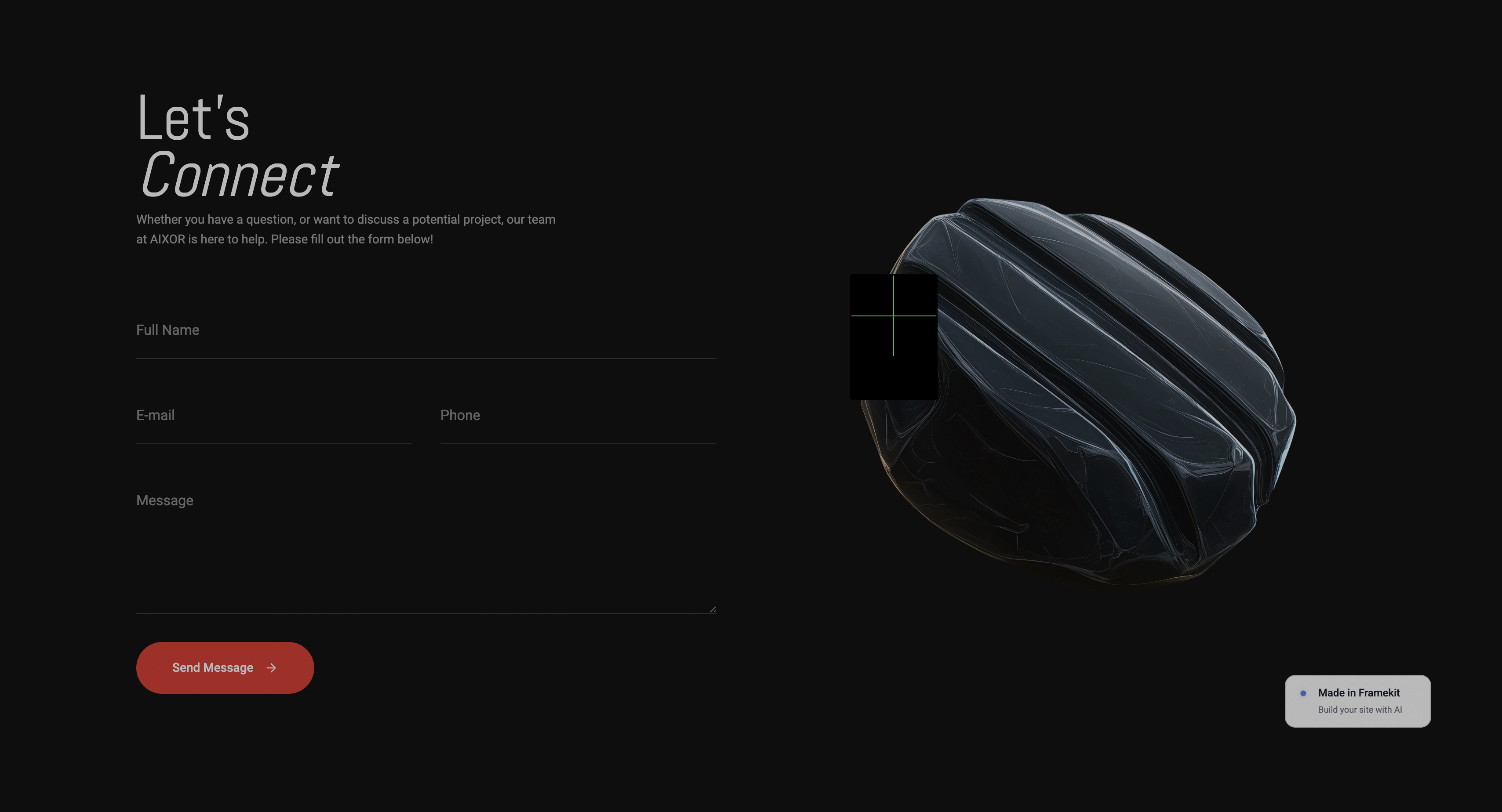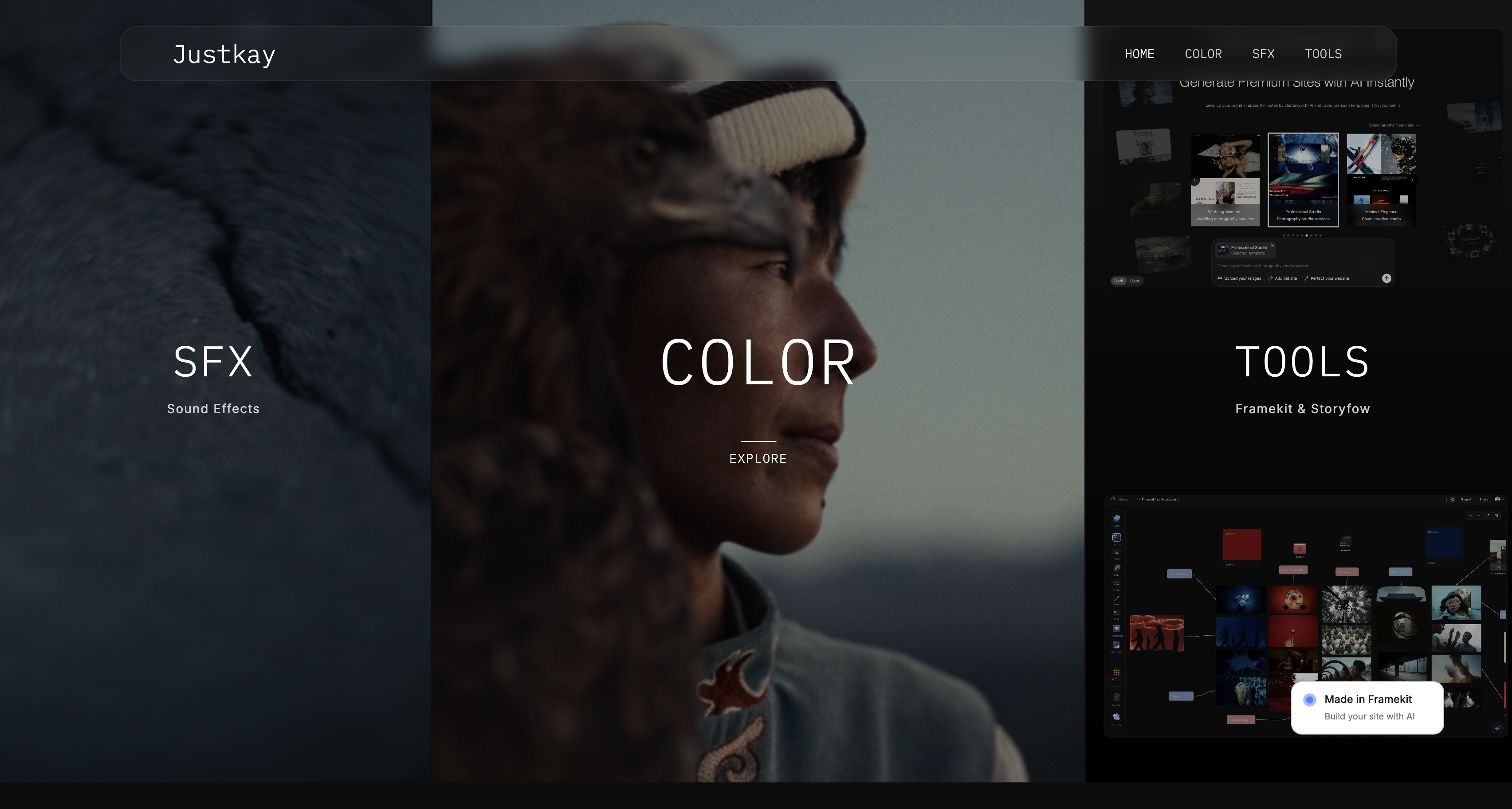
Framekit templates
Start from a designer-made template
 Use template
 Use template
 Use template
 Use template
 Use template
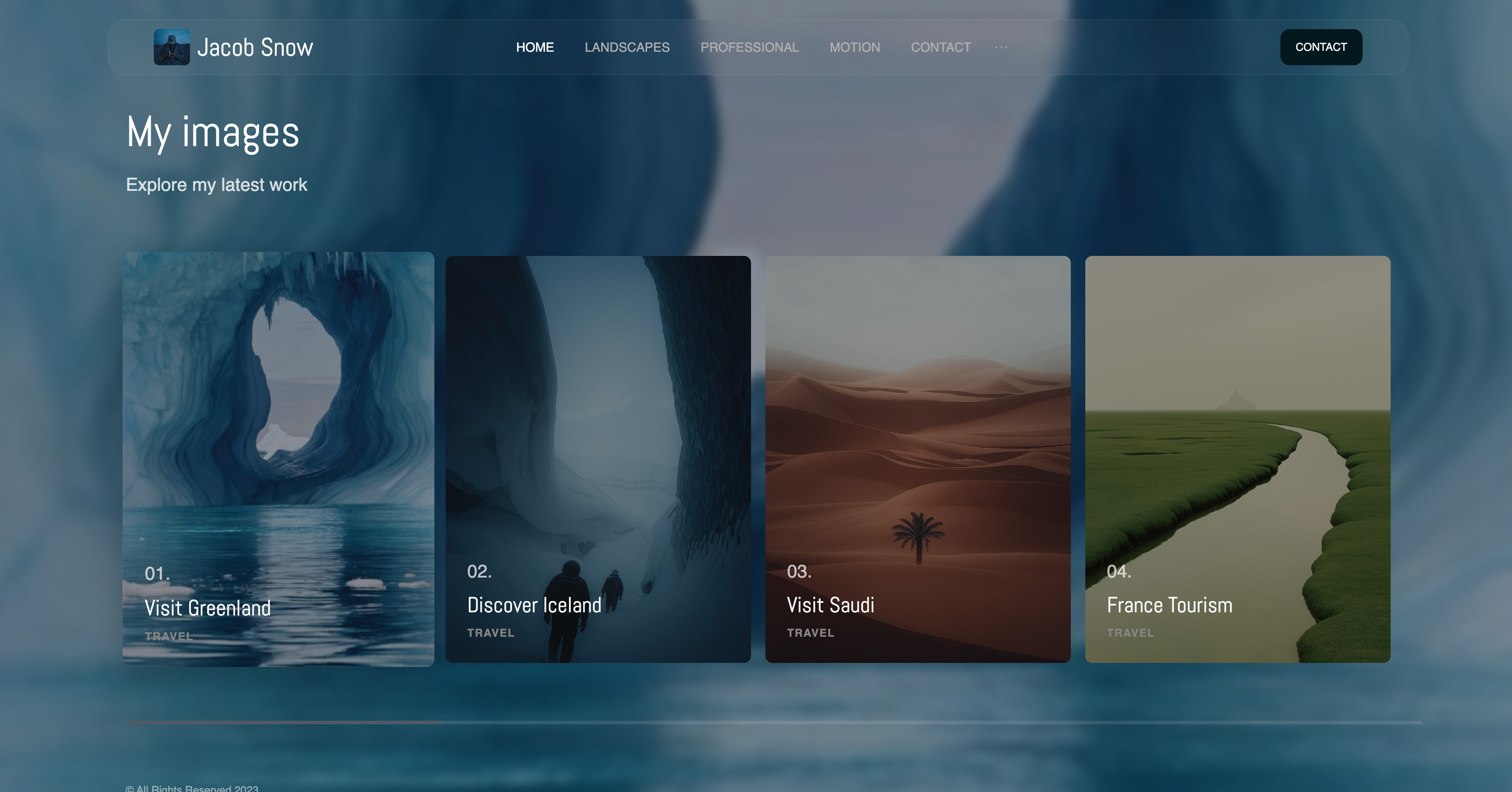 Use template
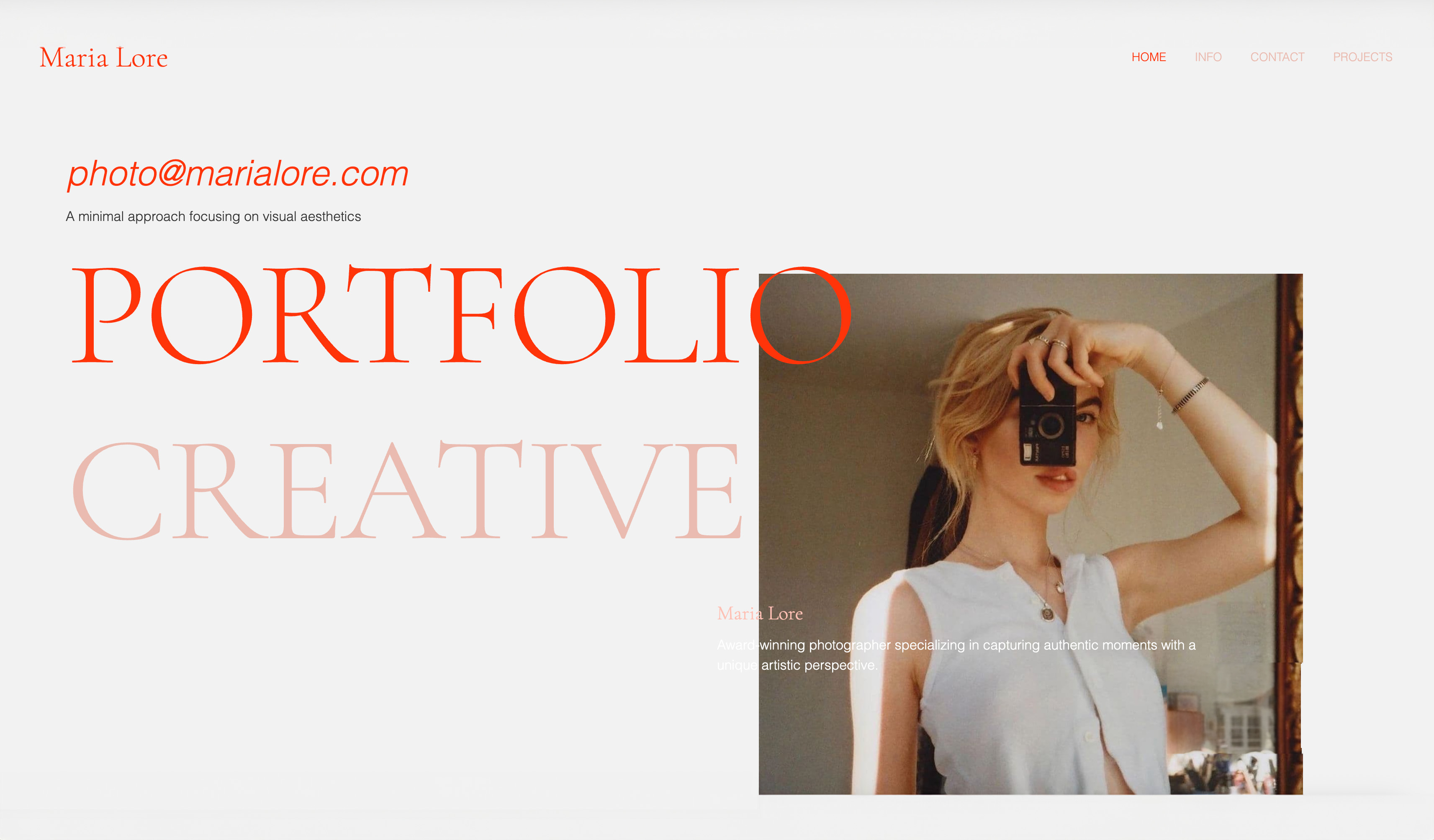 Use template
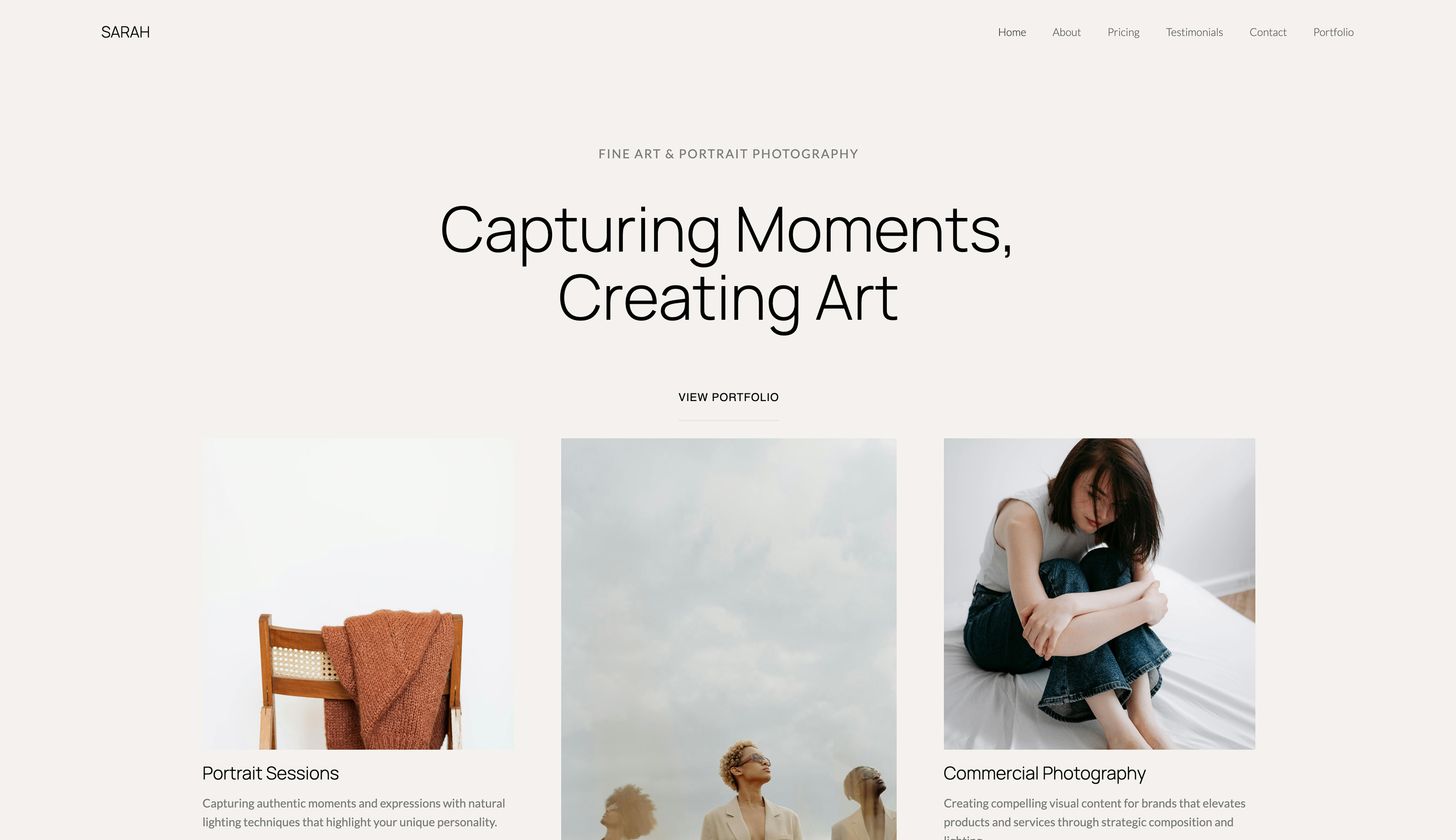 Use template
Nobody leaves Google Slides because it broke. It does not break. People leave because a client said the deck looked like a school project, or because a venue's wifi died mid-pitch, or because they no longer want their business documents inside Google.
Those are three different complaints with three different answers, and most comparison articles treat them as one.
So we rebuilt the same twenty-slide studio deck in ten alternatives and scored each one against all three exits, plus the thing you give up by leaving: the best real-time collaboration in the category.
In September 2026 we re-verified every price below and added Framekit Slides, which did not exist when this page first ran; its review is based on its published features rather than on that rebuild.
Slides is not a bad tool. It is a plain one, and plain has a price at the moment a client opens it.
A Google Slides alternative is any tool that builds and shares presentations outside Google Workspace, ideally keeping the collaborative editing Slides is best at while improving on design, offline access, or data ownership. Very few manage more than one of the three.
The best Google Slides alternative in 2026 for photographers, filmmakers and designers is Framekit Slides, because it replaces the generic office-deck look with templates and elements built for creative work (treatments, lookbooks, shot lists, storyboards) and the deck sits in the same account as your site and client galleries.
The trade-off is real: there is no live multi-cursor co-editing and no Google Slides import, so a team that writes decks together in real time should stay on Slides or move to Canva.
Canva is the best pick for collaborative teams, Apple Keynote is the best free upgrade on a Mac, and PowerPoint is the answer when the deck must run offline.
Full disclosure: Framekit is our product and it is ranked first here, so weigh that. Its review describes what the product ships rather than a timed test, every rival is linked, and Framekit gets the lowest co-editing score of the top five below, because Canva, Pitch and Slides itself all beat it for two people editing at once.
How We Compared 11 Google Slides Alternatives
Each of the ten tools we rebuilt in got the same twenty-slide deck for a small film studio: eight images, one pricing table, one chart, two licensed brand fonts, speaker notes throughout, and a shared review with two collaborators editing at once.
We scored each tool on the three reasons people leave Slides and the one reason they stay. Measured means we built it and watched: the co-editing test, the design result, the export. Verified means it comes from the vendor's published pricing or docs and we did not test it, which covers every price and plan limit here, first checked in August 2026 and re-checked in September. Community sentiment is labelled wherever it appears.
What the ratings rest on
This page is written for one reader: the creative whose Slides decks go to clients and now look too much like everyone else's.
So the criteria run in this order: creative fit (does the tool have templates and elements for the decks creatives actually send), design ceiling, co-editing, cost, then offline use and export.
Creative fit leads because it is the reason this reader is shopping, and it is the criterion where Framekit is strongest. Co-editing stays in the rubric deliberately, and the table below shows Framekit losing it.
Put co-editing first instead of creative fit and Google Slides keeps the top spot, with Canva second.
The overall ratings are an editorial judgement across all five, not a weighted sum, so we publish the sub-scores that drove them for the five tools most readers decide between.
| Tool | Creative fit | Design ceiling | Co-editing | Offline | Export |
|---|---|---|---|---|---|
| Framekit | 10 | 9 | 4 | 3 | 6 |
| Canva | 7 | 9 | 9 | 4 | 8 |
| Apple Keynote | 6 | 9 | 5 | 10 | 8 |
| Microsoft PowerPoint | 4 | 6 | 7 | 10 | 10 |
| Pitch | 6 | 8 | 9 | 3 | 6 |
If your co-editing need is a 9, this table already tells you Framekit is the wrong pick, whatever its overall position.
What Rebuilding the Deck Showed
- 2 of the 10 tools we rebuilt the deck in matched Google Slides for simultaneous multi-editor reliability without conflicts: Canva and Pitch. Framekit, added later, has no live multi-cursor co-editing.
- 3 of 11 work fully offline: Keynote, PowerPoint desktop, and LibreOffice Impress.
- 0 of 11 free plans allow a custom brand font upload. Slides does not either, so this is a category-wide condition rather than a downgrade. Framekit and Canva both unlock it on their first paid plan.
- 4 of 11 are free permanently in a form you can use for client work without another brand on it: Canva, Keynote, PowerPoint for the web, and LibreOffice Impress. Framekit's free plan gives unlimited decks, link sharing and PDF export, but free decks carry a "Made with Framekit" badge until you move to Starter.
- Framekit Slides includes shot lists, storyboard rows, look cards and moodboards as ready-made elements you drop onto a slide.
- The cheapest paid plans are Prezi Standard and Framekit Starter, both $84 a year on annual billing; the most expensive is Figma Professional at $192.
- 8 of 11 export to .pptx in some form, and only Canva, Keynote, PowerPoint, and Impress did it without needing a fixing pass on simple slides. Framekit's .pptx export turns each slide into a picture.
Quick Comparison: Google Slides Alternatives
Framekit leads for creative, client-facing decks while scoring below Canva, Pitch and PowerPoint on co-editing and below every desktop tool on offline use. Canva is the closest all-rounder and the better choice for any team that edits together.
| Tool | Fixes which complaint | Free plan | Cheapest paid, per year | Rating |
|---|---|---|---|---|
| Framekit | Generic look, for creative decks | Yes, unlimited decks | $84 | 9.4/10 |
| Canva | Design, without losing collaboration | Yes | $144 | 9.3/10 |
| Apple Keynote | Design, on Apple hardware | Yes | $0 | 9.0/10 |
| Microsoft PowerPoint | Offline and corporate compatibility | Web version | $99.99 | 8.7/10 |
| Pitch | Design plus team libraries | Yes, 1 seat | About EUR 120 | 8.5/10 |
| Gamma | Design and drafting speed | 400 one-time credits | $108 | 8.3/10 |
| Figma Slides | Exact control for designers | Starter plan | $192 | 8.1/10 |
| Beautiful.ai | Consistency for non-designers | No | $144 | 7.5/10 |
| Visme | Charts and reports | Yes, with logo | $147 | 7.3/10 |
| LibreOffice Impress | Getting out of Google entirely | Yes | $0 | 7.1/10 |
| Prezi | A different presentation format | Yes, public | $84 | 6.5/10 |
Every price above was read off the vendor's own pricing page, first in August 2026 and again in September; check them again before you commit, because three of these tools changed tiers in the last year.
What You Actually Give Up by Leaving Google Slides
In one lineyou give up conflict-free multi-editing, universal access with no install, and a clean editable file in both directions, and only Canva and Pitch come close to giving all three back.
| What Slides does | Tools that match it | Tools that do not |
|---|---|---|
| Conflict-free simultaneous editing | Canva, Pitch | Framekit, Keynote, PowerPoint web, Gamma, Visme, Impress |
| Everyone already has an account | PowerPoint web | All the rest need a new signup |
| Unlimited decks, permanently free | Canva, Framekit, Impress, Keynote | Gamma, Visme, Beautiful.ai |
| Clean .pptx in and out | PowerPoint, Keynote, Impress, Canva | Framekit, Gamma, Figma, Prezi |
| Version history to a single slide | PowerPoint, Pitch | Most of the rest keep file-level history |
Run this on yourself. Look at the last deck you shared and count the people who edited it, not the people who read it.
If that number is above one, collaboration is worth more to you than design, and the honest answer may be to stay on Slides and use a second tool only for the client-facing version.
1. Framekit: Best Google Slides Alternative for Creative Work

Our rating: 9.4/10
Framekit is an AI website builder whose account now carries Slides, a deck tool built for the pitches, treatments and lookbooks creatives send to clients.
The question for someone leaving Google Slides is whether it fixes the thing that makes a Slides deck read as office software.
On paper it does, and the reason is vocabulary rather than polish. Slides gives you a title box, a body box and a chart.
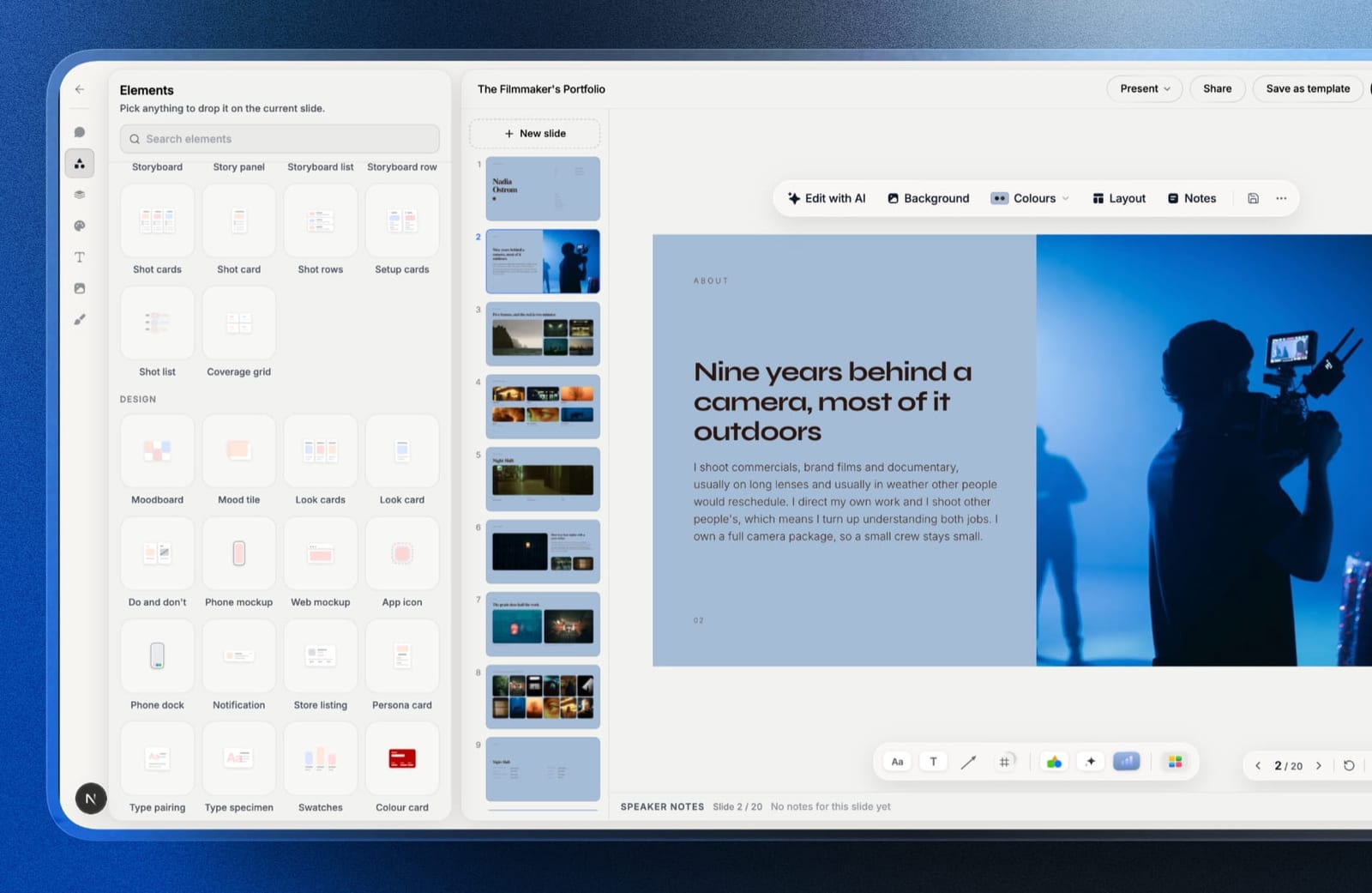
Framekit Slides ships a shot list, a storyboard row, a look card, a moodboard, a coverage grid, colour swatches and a type specimen as ready-made elements, so a craft section can be an actual shot list with frames beside it rather than bullet points about lenses.
The AI writes and lays out any slide from a description, and everything it produces stays editable by hand, which is the order a designer wants: a draft, then control.
Templates cover treatments, lookbooks, portfolio decks, campaign decks and pitch decks.
Best forPhotographers, filmmakers and designers who build client decks mostly alone and have outgrown how Slides makes them look.
The real numbercustom fonts across every slide start on Starter at $84 a year billed annually, which is $60 less than Canva Pro's $144 for the same brand-typeface fix. Decks are unlimited on every plan, including Free, and PDF export is on every plan too.
The standout detailthe deck lives in the same account as your website, client galleries, video reviews and store, sharing one storage pool.
A photographer can send the lookbook as a link on Monday and deliver the finished shoot through a gallery on Friday without the client ever meeting a second brand.
If treatments are your main deck, our film treatment software comparison goes deeper on that job.
The gotchatwo things you will feel within a week of leaving Slides.
There is no live multi-cursor co-editing, so a producer and a director cannot both be inside the deck at once, and there are no comments on decks either, so feedback arrives by email rather than in the file as it does in Slides.
And there is no Google Slides import, so your back catalogue gets rebuilt rather than converted.
PowerPoint export exists on Pro and up, but it is picture-based and capped at 60 slides, so a client cannot edit the text in the file you hand them.
Skip it ifyour decks are co-written in real time by a team or reviewed through in-file comments, your clients expect an editable .pptx back, or you need a password on the share link or per-viewer analytics, none of which Framekit Slides offers.
Verdict: Framekit is the best exit from Google Slides for a creative who builds alone and sends to clients, and the wrong one for a team that lives in the same deck at the same time. Try the treatment and lookbook templates before you judge it on a generic business deck, because that is not what it was built to make.
2. Canva: Best for Teams That Co-Edit
Our rating: 9.3/10
Canva is the alternative that solves the most common complaint for the widest range of people. Our studio deck went from readable to genuinely good in about twenty minutes, mostly by picking a template that already had the typographic hierarchy Slides makes you build by hand.
It is also, unusually for a design-led tool, close to Slides on collaboration. Two editors working at once produced no lost changes in our test, comments thread properly, and everything happens in a browser with nothing installed.
Best forAnyone leaving Google Slides because the decks look cheap, who still needs several people in the file.
Key features:
- The largest well-designed template library we tested
- Browser-based real-time editing that holds up with multiple editors
- Free plan with unlimited designs and no watermark on standard exports
- Import and export of .pptx, plus PDF, MP4, and GIF
- Brand Kit on Pro for fonts, colours, and logos across every deck
The real numberthe free plan covers the whole job except brand fonts. Pro is $18 a month or $144 billed annually, about $12 a month; Business is $25 per user a month.
Since Google Slides costs $0 and never offered font upload, treat that $144 as the price of typography rather than as a like-for-like upgrade.
The gotchapremium stock assets are watermarked and the watermark is faint in the editor. Template search mixes premium and free assets, so the usual discovery moment is the exported PDF, after the deck is finished.
What reviewers say elsewhereCanva holds 4.7 out of 5 on G2 across more than 6,800 reviews, the largest verified review base of any tool here.
Pros:
- Solves the design complaint immediately and completely
- Keeps browser-based collaboration, which most design tools lose
- A free plan that covers the entire migration
Cons:
- Custom brand fonts require Pro
- .pptx export drifts on complex layouts
- Template ubiquity means clients occasionally recognise the source
Skip it ifyour decks are edited downstream by a corporate brand team every week. The .pptx round trip is where Canva is weakest and where Slides quietly excelled.
Verdict: Canva is the right move for most teams leaving Slides, because it fixes the look without taking away the thing Slides was good at, and it is the pick over Framekit whenever two people build the deck together. Designers weighing the wider toolkit should read our best AI tools for designers roundup.
3. Apple Keynote: Best Free Design Upgrade
Our rating: 9.0/10
Keynote is free, considerably better-looking than Slides, and the only tool in this comparison that used our licensed brand fonts without asking for money, because it draws on fonts installed locally rather than a hosted library.
The catch is the collaboration you came from. iCloud sharing works, including to Windows users in a browser, and it is visibly a second-class experience next to what Slides does for free.
Best forMac users leaving Slides for design reasons who mostly work alone on their decks.
Key features:
- Free on every Mac, iPhone, and iPad, and in a browser through iCloud
- The best default themes and type rendering we tested
- Local font access, so licensed typefaces work with no upload
- Magic Move transitions and strong animation controls
- Imports and exports .pptx
The real number$0, with nothing gated. That makes it the only tool here that upgrades design with nothing gated and no vendor byline, against Canva Pro at $144 a year for the equivalent font freedom.
The gotchathe .pptx export loses Magic Move entirely, so any deck built around Keynote's signature feature becomes ordinary the moment it leaves for a Windows machine.
Pros:
- Design upgrade at no cost, which nothing else here offers
- Licensed brand fonts work with no paywall
- The best presenting toolset in this comparison
Cons:
- Requires Apple hardware to author
- Collaboration is well behind what you are leaving
- No AI drafting at all
Skip it ifmore than one person edits your decks regularly. This is the clearest downgrade in the comparison and it is the exact thing Slides was best at.
Verdict: Keynote is the best free design upgrade and the worst collaboration downgrade on this page, which makes it an easy call if you build alone and a bad one if you do not.
4. Microsoft PowerPoint: Best for Offline and Compatibility
Our rating: 8.7/10
If the reason you are leaving Slides is that a venue's wifi died during a pitch, PowerPoint is the answer and most of this list is not.
The desktop app works with no connection at all, presenter view is the most complete here, and the file it produces is the one corporate clients expect.
The web version is free and does not solve the offline problem, which is a distinction people discover at the worst possible moment.
Best forAnyone who presents in rooms with unreliable connectivity or hands files to corporate clients.
Key features:
- Full offline authoring and presenting in the desktop app
- The .pptx format every other tool exports toward
- Presenter view, Morph transitions, and precise alignment tools
- A free web version with basic building and sharing
- Real-time co-editing that is workable, if behind Slides
The real numberPowerPoint for the web is free. The desktop app requires Microsoft 365 Personal at $9.99 a month or $99.99 a year, or Business Basic at $7 per user a month on annual billing, per Microsoft's plan page.
The gotchathe free web tier omits offline editing and Morph, which are the two reasons to choose PowerPoint over Slides in the first place. Free PowerPoint solves nothing that free Slides did not already solve better.
Pros:
- Genuine offline authoring and presenting
- Universal file compatibility with corporate clients
- The deepest presenting toolset we tested
Cons:
- The free web tier does not fix the problem you left for
- Default templates are the most dated here
- Collaboration is a step down from Slides
Skip it ifyou always present from a link on your own laptop. You would be paying $99.99 a year for insurance you never claim.
Verdict: PowerPoint is the correct alternative for exactly two reasons - offline and file compatibility - and an unnecessary one for everybody else. Buy the subscription only if one of those two decides a real room.
5. Pitch: Best for Teams With a Repeated Deck
Our rating: 8.5/10
Pitch is the alternative that keeps what Slides is good at and adds what it lacks. Multi-editor work was clean in our test, the editor is far more designed than Slides, and shared template libraries mean the second version of a proposal takes a fraction of the time.
The limits are on sharing rather than building. The free plan allows two external guests, which for agency work is one client contact and their producer, and then you are on a paid plan.
Best forSmall studios that send the same shape of deck repeatedly and share it externally.
Key features:
- Shared template libraries across a workspace
- Real-time collaboration that matches Slides in practice
- Advanced links with tracking, expiry, and per-recipient control
- Teamspaces for organising decks by client
- PowerPoint export on paid plans
The real numberthe free plan is one seat, unlimited presentations, 100 one-time AI credits, and two external guests. Plus is EUR 10 a month annually, Team EUR 15, Business EUR 20, per Pitch's pricing page. Prices are listed in EUR.
The gotchaPowerPoint export is paid-only, so the free plan cannot hand anyone an editable file. For a team leaving a tool whose .pptx export was free and reliable, that is a real step backwards.
Pros:
- One of two tools here, with Canva, that improves design without weakening collaboration
- Template libraries that compound across repeated proposals
- The best link controls at this price
Cons:
- Two external guests on the free plan
- PowerPoint export behind a subscription
- EUR pricing complicates dollar budgeting
Skip it ifyou are a solo creative sending varied one-off decks. Almost everything Pitch is good at needs repetition.
Verdict: Pitch is the best team alternative to Slides and the least compelling solo one. Judge it entirely on how often you send the same deck twice.
6. Gamma: Best for Speed and Mobile Reading
Our rating: 8.3/10
Gamma answers a complaint about Slides that people rarely articulate: the finished deck reads badly on a phone. Gamma's cards reflow rather than shrinking a fixed canvas, so a link opened on mobile is a readable page instead of a squint.
It also drafts fast. Our studio brief produced fourteen usable slides in under two minutes, with a better structure than any other tool generated.
Best forPeople whose decks are opened as links on phones, and who want a draft rather than a blank canvas.
Key features:
- Prompt-to-deck generation producing structure as well as copy
- Web-native cards that reflow on mobile
- Analytics on who opened a link and how far they read
- Import of existing decks and documents
- PDF and PowerPoint export, flattened
The real numberthe free plan grants 400 credits once and never refreshes them. Plus is $9 a month billed annually, $108 a year, for 1,000 refreshing credits; Pro is $18 a month billed annually, $216 a year, for 4,000.
At roughly 5 credits a slide, the only published ratio in the category, 400 credits is about six twelve-slide decks in total.
The gotchacollaboration is the weak point. After Slides, editing a Gamma deck with someone else feels like a downgrade, and the tool is clearly built for one author sharing outward.
Pros:
- Genuinely better mobile reading than any slide-shaped tool
- The fastest route from a brief to a defensible draft
- Link analytics included at a low price
Cons:
- Free credits never refresh, so the free tier ends permanently
- Collaboration is behind what you are leaving
- A recognisable house style until you override it
Skip it ifseveral people edit your decks. Gamma is a solo drafting tool that shares well, not a collaborative one.
Verdict: Gamma is the right alternative if your decks are read rather than co-authored. It trades Slides' collaboration for speed and mobile quality, which is a good deal for some people and a bad one for teams.
7. Figma Slides: Best for Design Studios
Our rating: 8.1/10
Figma Slides gives you the control Slides never had: auto layout, components, constraints, and any font you can install. A slide built here holds its spacing when the copy changes, which over a year of decks saves more time than any template library.
The cost is speed and portability. It was the slowest tool to a finished deck, and its export is images rather than an editable file, so nobody downstream can pick it up.
Best forStudios already working in Figma who build decks often enough for a system to pay off.
Key features:
- Auto layout and components, so slides survive copy changes
- Exact typographic control with any installed font
- Interactive prototypes embedded into slides
- Shared libraries so every deck inherits the studio system
- Client commenting on cheap collaborator seats
The real numberthe free Starter plan includes unlimited drafts and 150 AI credits a day, up to 500 a month.
Professional is $16 a month per full seat, Organization $55 on annual billing, Enterprise $90, per Figma's pricing page.
A collaborator seat is $3 a month, the cheapest client-review option in this comparison.
The gotchano editable export. If a client ever needs the file rather than the view, Figma is the wrong home for that deck.
Pros and construe component-based slides, exact typography with no font paywall, and $3 client-comment seats, against the slowest build time here, no editable export, and a learning curve that costs a day if Figma is new.
Skip it ifyou do not already use Figma daily.
Verdict: Figma Slides is the strongest long-term home for a studio's decks and an odd choice for a single migration. Studios comparing their whole stack should read our best website builder for graphic designers guide.
8. Beautiful.ai: Best for Guaranteed Consistency
Our rating: 7.5/10
Beautiful.ai is for the Slides user whose decks are fine in content and wrong in spacing. Smart Slides rebalance as you add items, so the layout stays correct without you making a single alignment decision.
Coming from Slides, the loss is freedom. Where Slides let you do anything badly, Beautiful.ai lets you do a narrower set of things correctly, and it will not be argued with.
Best forNon-designers who want consistent output and are happy to stop deciding layout.
Key features:
- Smart Slides with over 300 self-balancing layouts
- Custom branding applied across an entire deck
- Dynamic data visualisations linked to live sources
- Viewer analytics on shared links
- PowerPoint export on every plan
The real numberthere is no free plan, which is a real change from Slides.
Pro is $12 a month billed annually, Team is $40 per user a month annually or $50 monthly, and a One-Time Project licence is $45, per Beautiful.ai's pricing page.
The 14-day trial requires a card.
The gotchathe two-seat price cliff. One seat is $144 a year, two is $960, which is the steepest step in this comparison and lands exactly when a freelancer hires their first collaborator.
Pros and consthe most consistent spacing we tested and a fair $45 one-off project option, against no free tier, a card-gated trial, a layout engine you cannot override, and the steepest seat-price jump here.
Skip it ifyou have design opinions or you will add a second person soon.
Verdict: Beautiful.ai swaps Slides' freedom for guardrails. That is an upgrade for some teams and a cage for anyone who can already design.
9. Visme: Best for Charts and Reports
Our rating: 7.3/10
Visme is the alternative for people whose Slides decks were mostly charts. Its data-visualisation library is the deepest here, and it handles the middle ground between a deck and a one-page report better than Slides ever did.
The free plan brands your published work, so unlike Slides it cannot carry client-facing material without paying.
Best forData-led decks and reports where charts do the persuading.
Key features:
- The deepest chart and data-visualisation library we tested
- Infographic and report templates alongside slides
- Brand Kit, analytics, and privacy controls on Pro
- PPTX and HTML5 export on paid plans
- Content blocks that bridge slides and documents
The real numberthe free plan puts a Visme logo on published projects and limits downloads to JPG, PNG, and PDF. Starter is $12.25 a month at $147 a year and unlocks PPTX; Pro is $24.75 a month at $297, per Visme's pricing page.
The gotchathe branding sits on the published link, not just the download, so the free tier is unusable for anything a client opens.
What reviewers say elsewhereVisme holds 4.5 out of 5 on G2 across roughly 469 reviews, with the chart tooling most consistently praised.
Pros and consthe best charts in this comparison and real report capability, against vendor branding on free published work, a busier editor than Canva, and an entry price above the category median.
Skip it ifyour slides carry photographs rather than figures.
Verdict: Visme is a data tool with slides attached, and worth $147 a year only if numbers were the reason your decks existed.
10. LibreOffice Impress: Best for Leaving Google Entirely
Our rating: 7.1/10
If your reason for leaving Slides is that you no longer want your documents inside Google, Impress is the only answer on this page that fully delivers. It is free and open source, runs offline on every desktop platform, needs no account, and reads and writes .pptx.
It is also the most dated tool here. Our rebuild was plain and functional, and making it look current meant doing every design decision by hand.
Best forAnyone who wants their decks off a platform entirely, with no account and no subscription.
Key features:
- Free and open source, with no account required
- Runs offline on Windows, macOS, and Linux
- Opens and saves .pptx, .odp, and PDF
- Full local font access, so licensed typefaces work
- Cannot be repriced or discontinued by a vendor
The real number$0 with no tiers at all, which makes it the only tool in this comparison with no commercial model to change on you.
The gotchacollaboration is file-based. There is no real-time co-editing, so a team on Impress is emailing versions, which is the exact workflow Google Slides removed.
Pros and consgenuinely free forever, offline, account-free, and font-friendly, against the most dated interface here, no real-time collaboration, and no modern sharing or AI features.
Skip it ifmore than one person edits the deck.
Verdict: Impress answers the ownership question completely and the design question not at all. Visit LibreOffice Impress
11. Prezi: A Different Format Rather Than a Better Tool
Our rating: 6.5/10
Prezi is not really an alternative to Google Slides; it is an alternative to slides. A zooming canvas can be genuinely more memorable in a live room and actively worse for a linear argument, and most people who try it discover which category they are in too late.
Prezi Video, which places the presenter beside the content on a call, is the quieter and more useful half of the product for remote teams.
Best forLive presenters who improvise or teach, not people sending decks to be read.
Key features:
- A zooming canvas instead of linear slides
- Prezi Video for presenting alongside content on calls
- PowerPoint import as a starting point
- Analytics on shared presentations for paid plans
- Nothing to install
The real numberBasic is $0 with public presentations. Standard is about $7 a month billed annually, which is $84 a year and the cheapest paid plan here; Plus is about $15 and Premium about $25.
The gotchaon the free plan your presentations are public rather than unlisted, which is a hard downgrade from Slides, where a private deck is the default.
Pros and consa genuinely distinctive format and a strong remote-presenting feature at the joint-lowest paid price here, against public free presentations, no export back to PowerPoint, and a format that fights any linear argument.
Skip it ifthe deck is read rather than presented.
Verdict: Prezi changes what a presentation is. Only choose it if that change is the reason you are leaving.
If Your Deck Is Really a Document
In one linea share of what people build in Google Slides is never presented at all, and for that share the better move may be a link that reads well on a phone rather than a prettier fixed canvas.
Treatments, proposals and lookbooks usually get emailed and read alone. Gamma's reflowing cards handle that case best of the slide tools here.
Framekit Slides decks go out as a share link and can be presented full screen, and because the same account builds your website, a proposal that has outgrown its deck can become a page on your own domain instead.
Neither route adds a password to the link, so confidential material still needs a tool that locks it.
How to Choose a Google Slides Alternative
1. Do several people edit the same deck at once? Stay on Slides, or move to Canva or Pitch. Everything else here, Framekit included, is a collaboration downgrade.
2. Are your decks treatments, lookbooks, shot lists or portfolio pitches that you build alone and send to clients? Framekit Slides, accepting that old Slides decks get rebuilt rather than imported.
3. Did a room's wifi cost you a pitch? PowerPoint desktop or Keynote. Web-native tools cannot fix this.
4. Do you want your documents out of Google entirely? LibreOffice Impress is the only complete answer.
5. Is the complaint purely that the decks look cheap? Canva if you need collaboration, Keynote if you build alone on a Mac.
6. Do your decks get read on phones rather than presented? Gamma, or publish a page instead.
7. Do you already use Figma every day? Figma Slides, accepting that the export is images.
8. Does your team send the same proposal more than ten times a year? Pitch.
9. Do charts carry the argument? Visme.
Frequently Asked Questions
What is the best alternative to Google Slides?
The best Google Slides alternative in 2026 for creatives is Framekit Slides, because its templates and elements (treatments, lookbooks, shot lists, storyboards, look cards) fix the generic look of a Slides deck and the deck lives in the same account as your site and client galleries.
It has no live multi-cursor co-editing and no Google Slides import, so for teams that edit together Canva is the better pick. Apple Keynote is the best free option for Mac users, and PowerPoint is the answer when the deck must work offline.
Is there a free alternative to Google Slides?
Yes, four of them. Canva's free plan, Apple Keynote on Apple hardware, PowerPoint for the web, and LibreOffice Impress all let you build and share a complete client-ready deck without paying.
Of the four, Canva is the strongest design upgrade, Impress is the only fully open-source option, and Keynote is the only one that handles licensed brand fonts for free.
Why do people leave Google Slides?
For three reasons, in this order: the default templates make decks look cheap, the tool needs a connection so a bad venue can cost a pitch, and some businesses do not want their documents inside Google.
Each has a different answer, which is why a single ranked list is misleading. Canva fixes the first, PowerPoint or Keynote fixes the second, and LibreOffice Impress fixes the third.
Which Google Slides alternative has the best collaboration?
Canva and Pitch are the only two tools tested that matched Google Slides for conflict-free simultaneous editing.
Framekit Slides has no live multi-cursor co-editing and no comments on decks, Keynote's iCloud collaboration works but is visibly a second-class experience, PowerPoint's is workable but behind Slides, and Gamma, Visme, Figma Slides, and LibreOffice Impress are all clear downgrades if two people regularly edit the same deck.
Canva vs Google Slides: which should I use?
Use Canva when the deck goes to a client and Google Slides when several people are building it.
Canva produces a far better-looking result and keeps browser-based co-editing, but puts brand fonts behind Pro at $144 a year and drifts on complex .pptx exports.
Google Slides is unlimited, permanently free, and the more reliable file-exchange tool.
Can I import my Google Slides decks into these tools?
Most of them, by exporting to .pptx first. Canva, PowerPoint, Keynote, LibreOffice Impress, Pitch, and Beautiful.ai all import that file with the usual damage: fonts substitute, transitions downgrade, and any linked chart becomes static.
Figma Slides and Gamma import loosely, and Prezi treats an import as a starting point rather than a faithful conversion.
Framekit Slides has no Google Slides import, so moving to it means rebuilding each deck, which is its biggest switching cost.
Which alternative works offline?
Three do. Apple Keynote and LibreOffice Impress work fully offline on the desktop, and Microsoft PowerPoint's desktop app does too, though its free web version does not.
Framekit Slides has no offline desktop app, so present from a downloaded PDF if the venue's connection is doubtful.
Google Slides itself works offline in Chrome once configured, which is worth setting up before you migrate for that reason alone.
What is the cheapest Google Slides alternative?
Four are permanently free: Canva's free plan, Apple Keynote, PowerPoint for the web, and LibreOffice Impress.
Among paid plans, Prezi Standard and Framekit Starter tie as cheapest at $84 a year on annual billing, then Microsoft 365 Personal at $99.99 and Gamma Plus at $108. The most expensive here is Figma Professional at $192 a year.
Do any alternatives support custom brand fonts on a free plan?
No. Not one of the eleven allows uploading a licensed brand typeface without paying, which matches Google Slides, where you choose from a Google Fonts list.
The cheapest paid route is Framekit Starter at $84 a year, which applies your own fonts and colours across every slide.
The single exception is Apple Keynote, which sidesteps the question by using fonts already installed on your Mac, making it the only free route to correct brand typography.
Framekit Slides vs Google Slides: which should a creative use?
Framekit Slides is the better choice for a photographer, filmmaker or designer who builds client decks alone, because it has treatment, lookbook and portfolio templates plus shot list, storyboard and moodboard elements that Google Slides lacks.
Google Slides is the better choice for a team that edits the same deck simultaneously or needs an editable .pptx, since Framekit has no live co-editing, no Google Slides import, and a picture-based .pptx export on Pro and up.
Should a proposal be a slide deck or a web page?
A web page, when nobody will present it. Proposals, treatments, and lookbooks are usually read alone on a phone, and a page opens without downloading, adapts to any screen, keeps its typography, and can be corrected after sending.
Use slides when you will be in the room controlling the pace, or when the recipient needs an editable file.
Final Verdict
Framekit Slides is the best Google Slides alternative in 2026 for creatives, because its templates and elements are built around the decks photographers, filmmakers and designers actually send, and it keeps those decks next to the site and galleries the client sees afterwards.
Canva is the best alternative for teams that co-edit, Keynote is the better free upgrade for solo Mac users, PowerPoint is the answer if a room's connection has already cost you a pitch, and LibreOffice Impress is the only tool here that gets your documents out of a platform entirely.
The most useful check before switching is the one nobody runs: count the editors, not the readers. Above one editor, most of this list is a downgrade dressed as an upgrade.
Where Framekit losesFramekit Slides is not for a team that writes decks together in real time, because it has no live multi-cursor co-editing and no deck comments, and it does not import Google Slides, so years of existing decks have to be rebuilt.
If your clients need an editable .pptx, a password-protected link or per-viewer analytics, Canva, PowerPoint or Pitch is the better fit.
Keep reading: are AI website builders any good, the best website builders for creative agencies, and the best client portal tools for creatives.