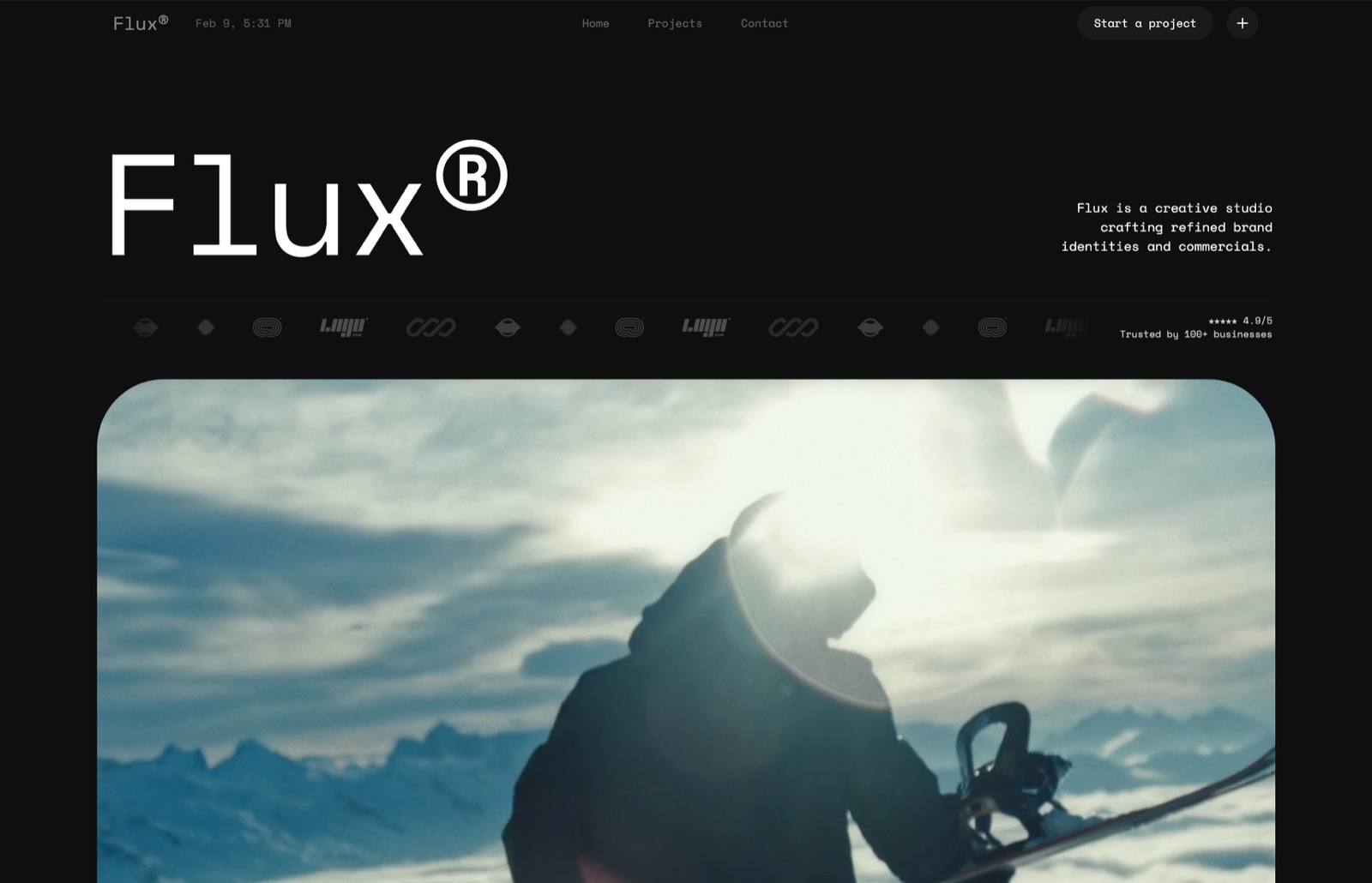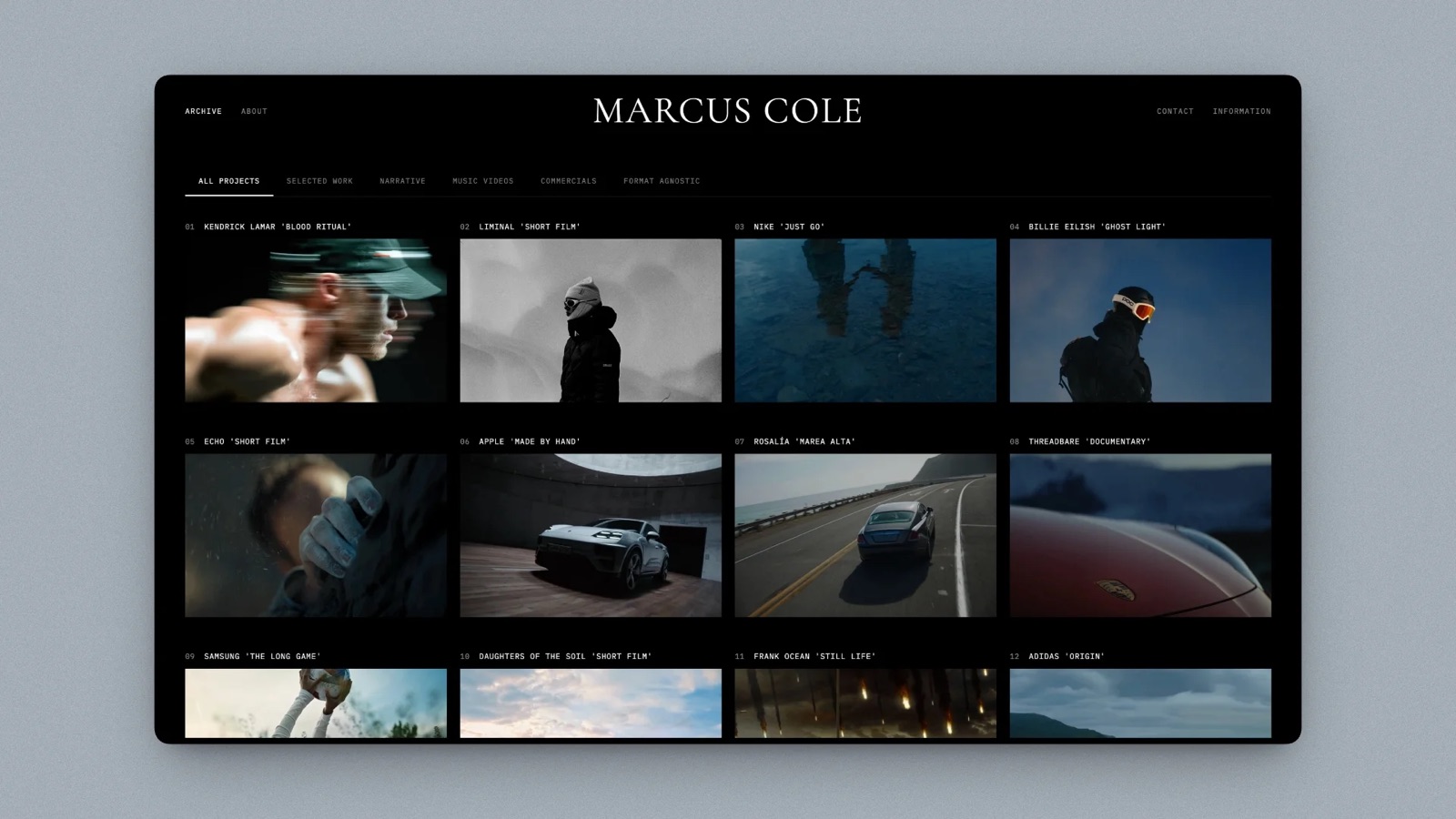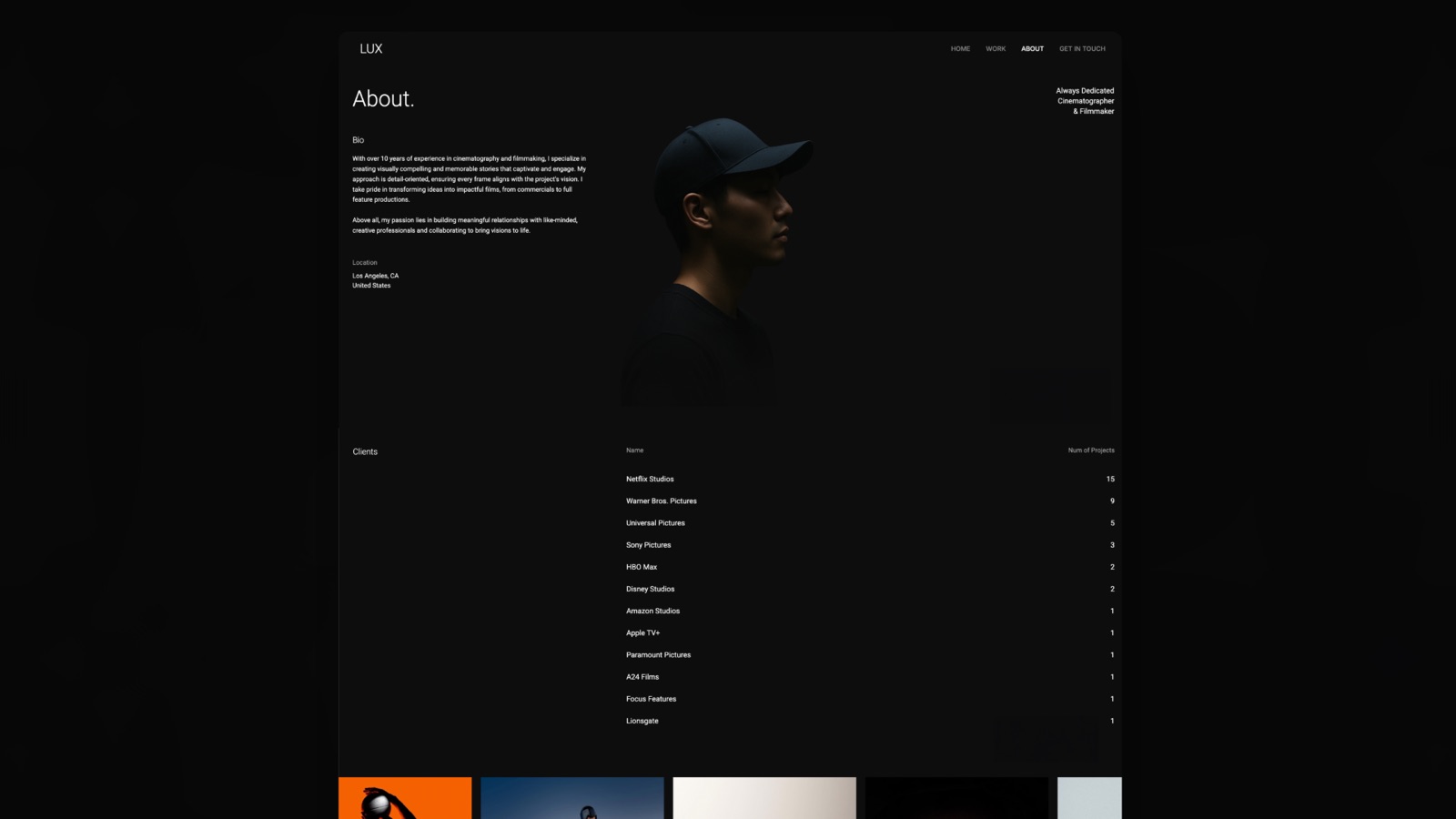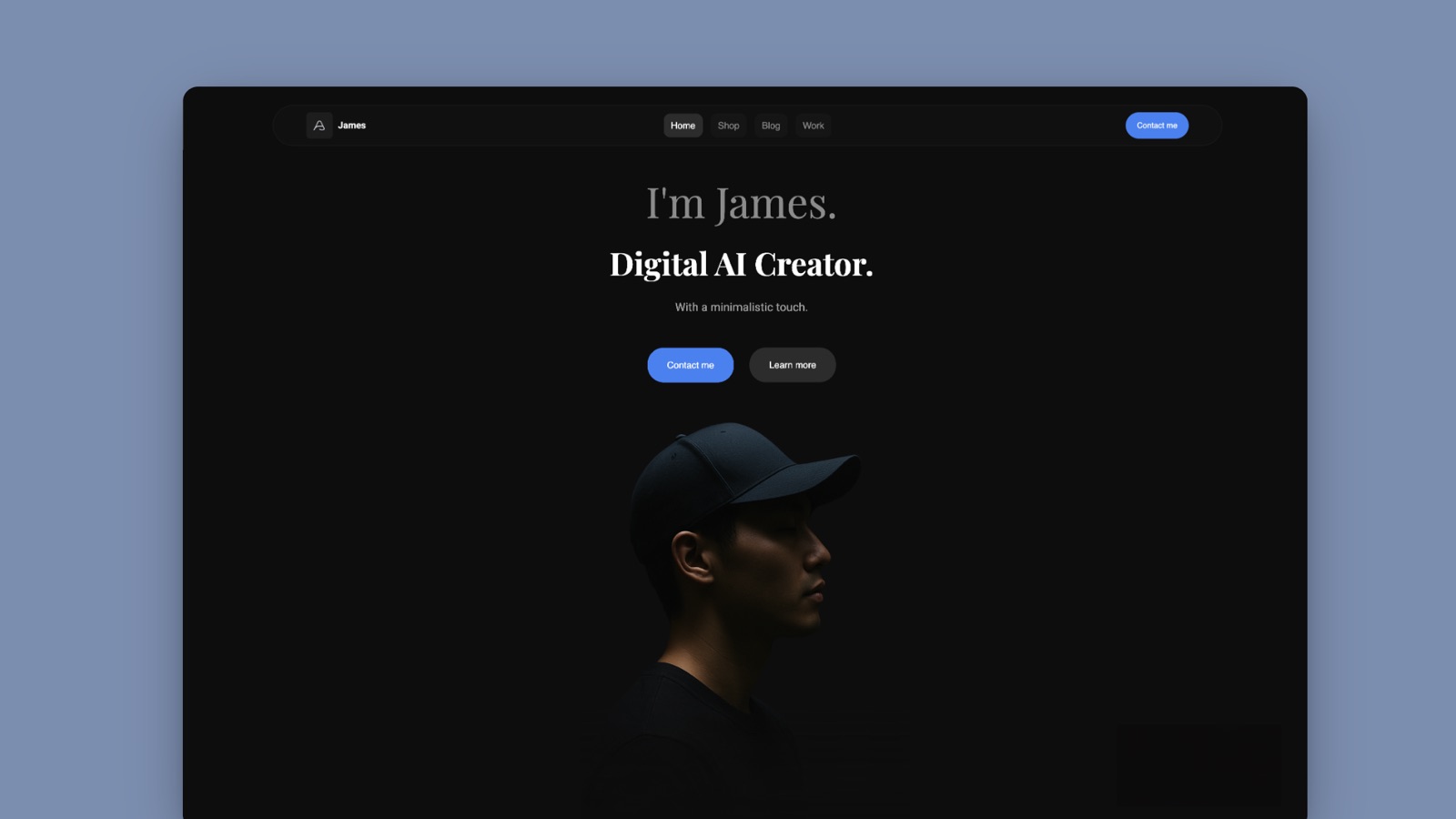
Framekit templates
Start from a designer-made template
 Use template
 Use template
 Use template
 Use template
 Use template
 Use template
 Use template
 Use template
Pitch got a lot right, and the thing it got most right was treating a deck as something that gets sent rather than something that gets presented. Advanced links, per-recipient analytics, revocable URLs, shared component libraries.
If you have ever wondered whether the investor actually opened it, you know why that mattered.
The reason people go looking for Pitch alternatives is almost never the product. It is the bill and the tier map.
Pitch is priced per seat, in euros, and the two features most people signed up for sit above the entry plan: PowerPoint export starts on Plus, and advanced links, which is where all the analytics live, start on Team.
A four-person startup on Team pays EUR 720 a year before anyone has designed a slide.
A Pitch alternative is a collaborative presentation tool built for teams rather than individuals, with shared templates, brand controls, and link-based sharing, so a deck can be assembled and sent by more than one person without emailing files around.
The best Pitch alternative in 2026 is Canva, because it matches Pitch on collaborative editing and brand controls, beats it on template depth and export quality, and costs $144 a year for one person against Pitch Team's EUR 180 per seat.
The trade-off is analytics: Canva reports views, not which slide a specific recipient lingered on.
Google Slides is the free answer, Figma Slides the cheapest real co-editing at $3 a seat, Storydoc the pick for per-recipient tracking, and Framekit Slides the pick for small creative studios who want design-led decks free, without live co-editing or analytics.
Full disclosure: Framekit is our own product. Since this guide was first published it has shipped Slides, so it is now ranked, fourth, because it lacks the live co-editing and per-recipient analytics that Canva, Google Slides, Figma Slides and Pitch itself offer. We reviewed it from its features and published pricing, not the same hands-on rebuild.
Re-verified on 19 September 2026 for Framekit's plans and features; competitor prices are as read from vendor pricing pages in August 2026.
How We Tested These Pitch Alternatives
We rebuilt one deck eight times, once in each competitor, and reviewed Framekit Slides, our own product and a late addition, from its shipped features and published plans instead: a twenty-slide company overview with a shared logo component used on nine slides, two data charts, a five-person team grid, a product screenshot sequence, and a closing ask.
The carried scenario is a four-person startup where two people design slides, one edits copy, and one only ever sends the finished thing.
Collaboration at four people. Real-time co-editing, comment threads, and whether a non-designer can safely touch a deck without breaking it.
Shared components and brand control. Pitch's best feature is changing a logo once and having it propagate. We tested whether each alternative can do that, because most cannot.
Sending and tracking. Link sharing, expiry, revocation, and per-recipient analytics, scored against what Pitch's advanced links actually give you.
Export. We exported each rebuild to .pptx and PDF and opened both on a machine with none of the source fonts installed.
Cost for four people per year, at annual rates, which is the number that sends most people looking in the first place.
We separate what we did from what we read. Done by hand: the eight rebuilds, four-person co-editing sessions, export opens, and a test send to five recipients per tool.
Taken from vendor pricing pages during August 2026: every price, seat rule, and tier gate below, linked where the figure carries the argument. Attributed rather than claimed: recurring themes in public reviews, marked as such.
What Eight Rebuilds Showed About Team Presentation Tools
Testing at four seats rather than one changes the ranking substantially, and it exposes how much of this category's pricing is designed around exactly that jump.
- 3 of 8 support a true shared component that updates across every slide at once. This is rarer than the marketing suggests.
- 5 of 8 are free or under $150 a year for a single user. 5 of 8 stay under $500 a year for four users, and the other three cost between $950 and $1,920.
- Cost for four people ranged from $0 to $1,920, a spread wider than any single feature justifies.
- 3 of 8 report per-recipient, per-slide analytics. Pitch itself requires the Team tier for this.
- 2 of 8 bill in a currency other than US dollars, which adds a card FX spread of roughly 1% to 3% for US-based teams depending on the issuer.
- Every tool exported to .pptx. 4 of 8 produced a file that opened with no visible change on a machine missing the source fonts.
Pitch Alternatives Compared
The weighting behind this order: collaboration 30%, cost at four seats 25%, design and templates 20%, export fidelity 15%, analytics 10%.
Analytics is weighted lowest deliberately, even though it is Pitch's signature feature, because in our four-person scenario only one person ever looked at it. If your sales process is built on that data, raise it and Storydoc moves up.
| Tool | Free tier | Cost for 4 people / year | Shared components | Per-recipient analytics |
|---|---|---|---|---|
| Pitch (Team) | 1-5 seats, no advanced links | ~EUR 720 | Yes | Yes, Team tier and up |
| Canva Teams | Yes, limited | $1,200 | Yes, brand kit | Views only |
| Google Slides | Yes, full | $0 | No | No |
| Figma Slides | Yes, limited | $144 (Collab seats) | Yes, components | No |
| Gamma | Yes, credit-limited | $432 | Partial | Yes |
| Beautiful.ai | No | $1,920 | Yes, slide library | Team tier only |
| PowerPoint (M365) | Web only | $199.99 (Family) | Partial, via master | No |
| Storydoc | Trial only | $950.40 | Yes | Yes |
| Slidebean | Yes, limited | $336 | No | Yes |
| Framekit Slides | Yes, unlimited decks | $372 (Business) | No, shared fonts and colours | No |
Framekit's four-person figure is the Business plan billed yearly, per Framekit's pricing page; up to three people fit on Pro at $180 a year.
On our weighting it scores 3 out of 10 on collaboration, its lowest mark and the reason it is not higher, against 9 on design and templates.
1. Canva: The Best Pitch Alternative Overall
Best forteams whose decks need to look designed and whose budget cannot absorb per-seat euro pricing.
Canva does the two things Pitch users depend on most. Brand Kit locks fonts, colours, and logos across a team so the person who only edits copy cannot accidentally introduce a fifth blue.
And the shared folder structure means our four-person rebuild had one source of truth rather than four exports named final-v3.
Where it beat Pitch outright was template depth. Pitch's templates are well designed and few; Canva's are numerous and uneven, but for a twenty-slide company overview the odds of finding a strong starting point are simply much higher.
The real numberCanva Pro is $18 a month or $144 a year for one person. Canva Teams is $25 per user a month, so four people cost $1,200 a year against Pitch Team's roughly EUR 720.
That is the honest headline: Canva is cheaper for one and more expensive for four, and anyone switching a whole team to save money should check that math first.
The standout detailCanva's Present and record produces a link where your face appears in a corner over the playing slides. For a company overview that gets forwarded to people who missed the call, this replaces the follow-up meeting more often than any analytics dashboard does.
The gotchaanalytics are shallow. You get view counts and dates, not per-recipient dwell time. If you moved to Pitch specifically because you wanted to know which investor read the traction slide twice, Canva is a step backwards and you should read the Storydoc entry.
Skip it ifthe per-recipient data is genuinely driving your follow-up sequence.
What reviewers say elsewhereCanva holds 4.7 out of 5 across more than 6,000 reviews on Capterra, where brand controls and template range dominate the positive comments.
Verdict: the best all-round replacement, and cheaper only below three seats. Choose it for design and brand control, not to save money on a four-person team.
2. Google Slides: Best Free Pitch Alternative
Best forteams whose decks are internal, frequent, and disposable.
Four people co-editing in Google Slides works exactly as well as four people co-editing in Pitch, which is the fact that quietly undermines a lot of this category.
Our rebuild had all four of us in the file at once with no conflicts, comment threads resolved properly, and an outside reviewer left notes without an account.
The real numberzero, at any seat count, forever. Google Workspace Business Starter at $7 per user a month buys you a company domain and admin controls, which is $336 a year for four, and is optional.
The gotchathere is no shared component. Changing the logo means changing it on nine slides, or building a template and hoping people use it. For a brand-conscious startup this is the single biggest downgrade from Pitch, and it gets worse as the deck library grows.
Skip it ifyour decks are external-facing and your brand consistency matters more than your budget.
Verdict: the honest free answer, and better than most people expect at collaboration. You give up components and analytics, and you save EUR 720 a year.
3. Figma Slides: Best Value for Design Teams
Best forstartups where the design lead already pays for Figma.
Figma Slides has real components, which puts it in a very short list with Pitch and Canva.
Our logo change propagated across nine slides instantly, and because the components are Figma components they can come from the same library the product uses, so the deck and the app stop drifting apart.
The real numberthis is the entry most people miss. Figma Slides is included with a Collab seat at $3 a month billed annually, not the $16 Full seat.
Our four-person team needs one Full seat for the designer at $192 and three Collab seats at $36 each, which is $300 a year total, or $144 if all four are on Collab seats. Against Pitch Team's EUR 720 that is a substantial difference.
The standout detailyou can drop a live prototype into a slide and click through it while presenting, which for a product company removes an entire awkward screen-share ritual.
The gotchathe .pptx export flattens everything interesting. Components become static groups and prototypes become screenshots. Figma Slides is for presenting from Figma, not for handing someone a deck file.
Skip it ifinvestors or partners routinely ask for the editable file.
Verdict: the best value on this page for teams that already have Figma in the stack. The $3 Collab seat is the most underpriced thing in this whole comparison.
4. Framekit Slides: Best Pitch Alternative for Creative Studios

Best fordesign, film and photo studios whose decks are part of the pitch, with one to three people building them and nobody living in an analytics dashboard.
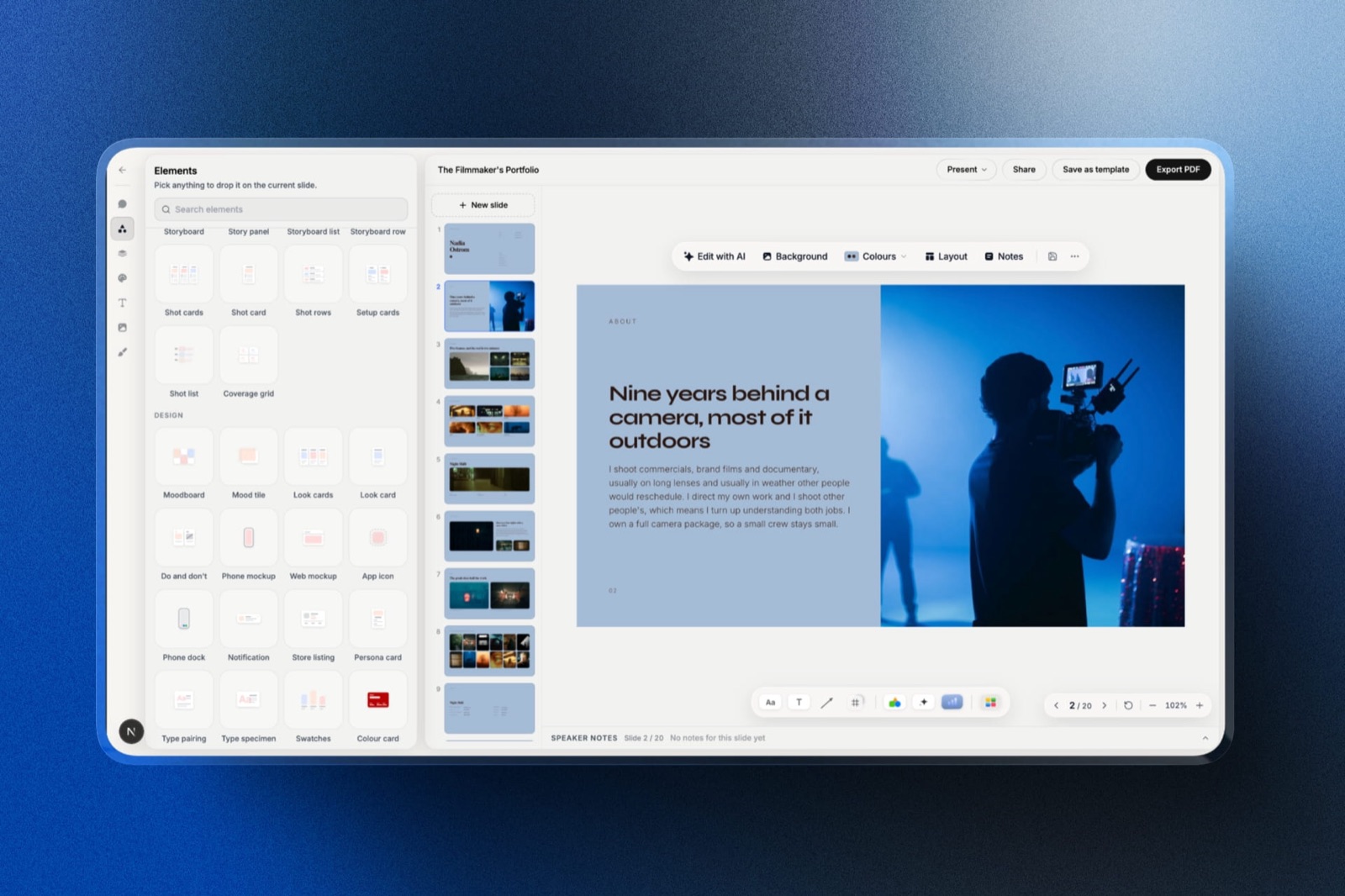
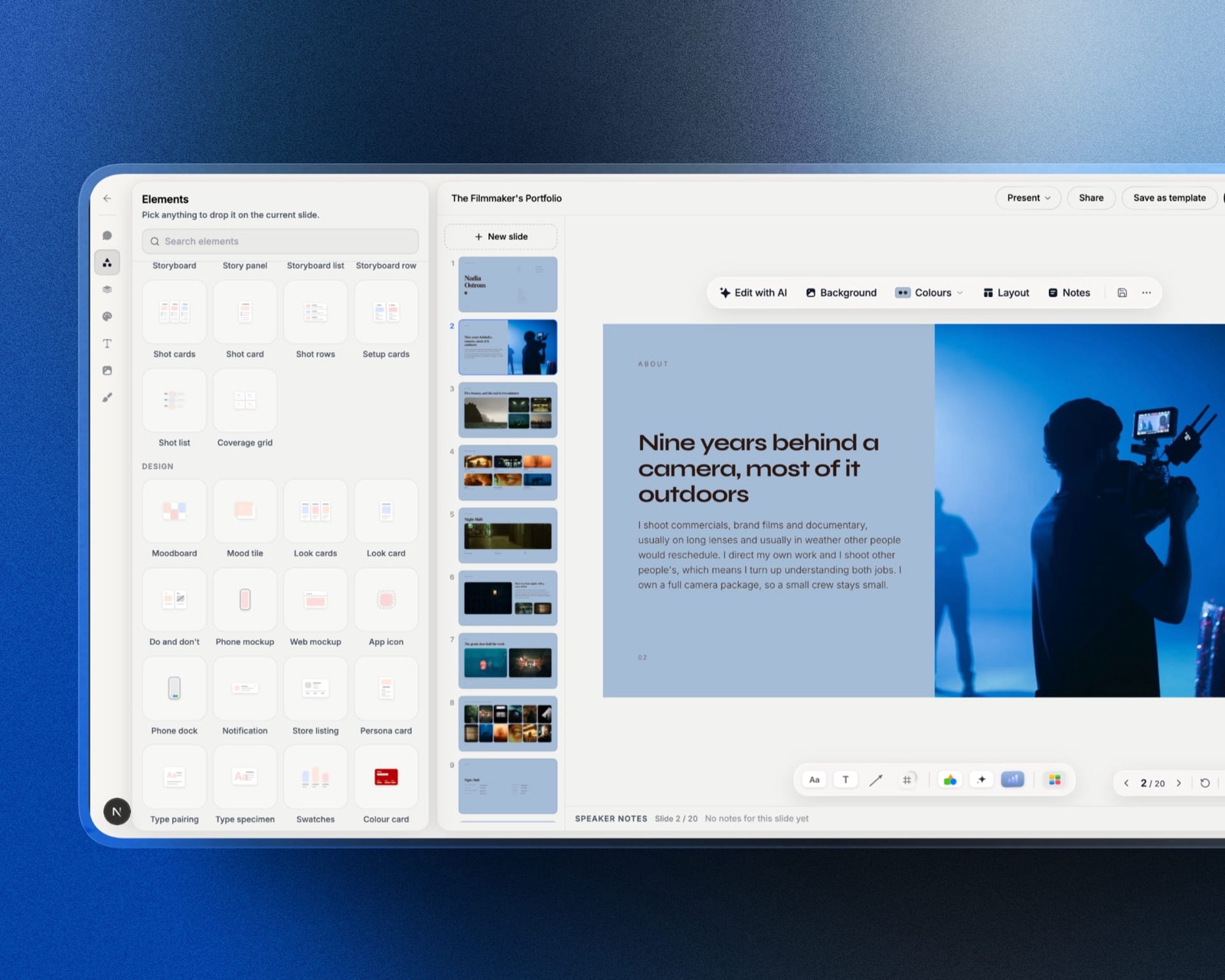
Framekit is an AI website builder that now ships Slides, a deck editor in the same account as your website, client galleries, video review and a digital-product store.
It ranks fourth here, not first, for a reason we would rather state than bury: the two things Pitch teams pay for, live co-editing and per-recipient link analytics, are two things Framekit Slides does not do.
Two people cannot work on one slide at the same moment, and a shared link does not report who opened it.
What it does instead is make a company overview look like a studio made it.
The template library is treatments, lookbooks, portfolio and campaign decks, full-bleed image layouts are the default, and the AI writes and lays out a slide from a description, with everything editable by hand afterwards.
Charts import from a CSV or .xlsx file and stay editable, and YouTube or Vimeo clips play inside the slide on the shared link.
We reviewed it from those shipped features and its published plans rather than putting it through the same four-person rebuild as the other eight, so weigh this entry accordingly.
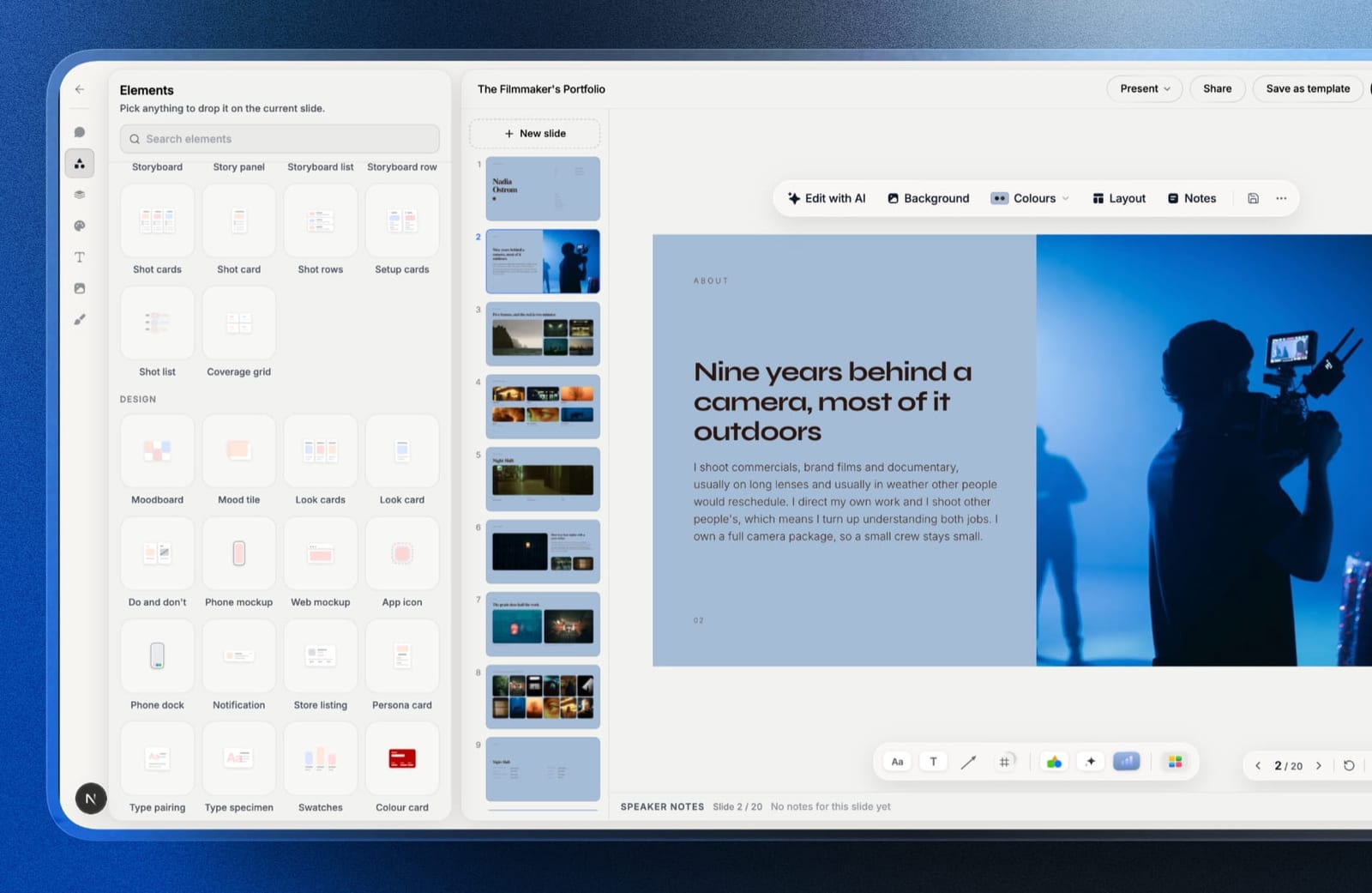
The real number$180 a year on Pro billed yearly, which includes three team members, PowerPoint export and custom fonts. Our four-person team needs Business at $372 a year for unlimited members, against Pitch Team's roughly EUR 720.
The free plan has unlimited decks, the AI slide writer, presenting, link sharing and PDF export.
The standout detailthe deck lives in the same account as the company website, so the fonts, colours and images on the overview are the ones on the site, and the founder who only ever sends things sends from the place the site already lives.
The gotchathe .pptx export turns each slide into a picture (up to 60 slides) with speaker notes attached, so an investor who wants to edit your numbers cannot. There is also no password on a deck link and no shared component that updates a logo across nine slides at once.
Skip it iffour people edit the same deck at the same time, or your follow-ups depend on knowing who read the traction slide. Canva, Figma Slides or Gamma fit that team better.
Verdict: the best Pitch replacement for a small creative studio that sends good-looking decks and does not need the telemetry, and a step backwards for a sales team that does. Start a deck free at framekit.ai/slides.
5. Gamma: Best for Fast Drafts With Tracking
Best forteams that need decks constantly and do not have a designer.
Gamma is the closest thing here to Pitch's actual value proposition for a startup: a good-looking deck without a designer, delivered as a link, with analytics attached.
Our rebuild took under half an hour including the AI first pass, and the analytics showed per-card dwell time on our test send, which is genuinely comparable to Pitch's advanced links.
The real numberGamma Plus is $108 a year per person, so four people cost $432 a year against Pitch Team's EUR 720. The free plan is credit-limited rather than feature-limited, which makes it a real evaluation path.
The gotchathe .pptx export is the weakest of the eight. Gamma's card layout does not map onto slide geometry, so exports come out with text overflowing frames. If your deck ends up in a data room as a file, this is disqualifying.
Skip it ifthe finished deck has to be a portable file rather than a link.
Verdict: the closest match to why people chose Pitch in the first place, at roughly half the cost, with the export as the price you pay.
6. Beautiful.ai: Best for Enforced Brand Consistency
Best forteams where the fourth person's slides are visibly worse than the first person's.
Beautiful.ai's shared slide library is the most opinionated brand-control system here. Approved layouts are the only layouts, and the tool re-balances a row rather than letting someone squash the type.
In a four-person test this was the only tool where we could not tell who made which slide, which was the point.
The real numberTeam is $40 per user a month, which is $1,920 a year for four people. That is the most expensive option in this comparison by a wide margin, and 2.7 times Pitch Team. Pro at $144 a year is single-user and excludes analytics.
The gotchaanalytics live on Team, not Pro, so the tier that gives you Pitch-like tracking is also the one that costs $1,920 for four seats. There is no middle.
Skip it ifcost is why you are reading this page. It is the wrong direction.
Verdict: excellent at the one job of making mixed-ability teams consistent, and the most expensive way here to solve it.
7. Microsoft PowerPoint: Best for Decks That Leave the Building
Best forstartups selling into companies that run on Microsoft.
Our rebuild was unremarkable, which is the entire recommendation. It opened identically everywhere, fonts embedded properly, and no recipient needed anything explained.
Co-authoring works properly when the file lives in OneDrive, and slide masters give you a rough approximation of shared components.
The real numberMicrosoft 365 Family is $199.99 a year and covers six people, which makes it about $33 per person per year and by far the cheapest paid option here at four seats.
Microsoft 365 Personal is $99.99 for one. PowerPoint for the web is free with a Microsoft account.
The gotchaco-authoring only behaves if everyone works from the shared OneDrive copy. The moment someone downloads and emails a version, you are back to filename versioning, which is exactly the problem Pitch was built to end.
Skip it ifyour team will not stick to a single shared file location. The tool cannot enforce it.
Verdict: the cheapest credible four-person answer and the least pleasant to design in. If your decks go to enterprises, the compatibility is worth more than the polish you lose.
8. Storydoc: Best for Real Per-Recipient Tracking
Best forteams who chose Pitch specifically for advanced links.
If the analytics were the reason, this is the direct replacement and in some ways an upgrade.
Storydoc reports section-level engagement, integrates with CRM records, and treats the deck as a responsive web document, so the mobile experience is genuinely better than Pitch's fixed-ratio slides.
The real numberStarter is $19 a month or $237.60 billed annually per seat, so four people cost $950.40 a year, which is more than Pitch Team. Pro is $432 a year each.
The gotchathere is no slide export at all. Not .pptx, not .key, not a paginated PDF. Whatever you build here cannot leave, which for a company deck that a board member wants to file is a genuine problem rather than an inconvenience.
Skip it ifanyone downstream needs a file.
Verdict: the right move only if tracking was the whole purchase. Otherwise you are paying more than Pitch for a narrower artefact.
9. Slidebean: Best for Founders Who Want the Narrative Written
Best forfirst-time founders who do not know what should be on slide six.
Slidebean is the only tool here that has an opinion about content rather than layout. It hands you a fundraising structure and asks you to fill it, which for a founder staring at a blank Pitch template is a different and often more useful kind of help.
The real numberSlidebean Starter is $84 a year per user, which is $336 for four people, and the Accelerate tier with hands-on deck support is $99 a month, or $1,188 a year.
The gotchadesign control is the tightest here. You are choosing a template and living inside it, which is fine for a seed deck and frustrating for a company overview you will use for two years.
Skip it ifyou already know what your deck should say. You are then paying for the part you do not need.
Verdict: narrow and genuinely useful for a first raise. A poor general-purpose Pitch replacement, and it does not pretend to be one.
What Four Seats Actually Cost
Per-seat pricing is the reason this page exists, so here is the same four-person team on every tool, at annual rates, with the tier that actually includes what people came to Pitch for.
| Tool and tier | 4 seats / year | Includes analytics | Includes .pptx export |
|---|---|---|---|
| Google Slides | $0 | No | Yes |
| Figma Slides (4 Collab seats) | $144 | No | Yes, flattened |
| Microsoft 365 Family | $199.99 | No | Yes, native |
| Slidebean Starter | $336 | Yes | Yes |
| Framekit Business | $372 | No | Yes, slides as pictures |
| Gamma Plus | $432 | Yes | Yes, poor quality |
| Pitch Team | ~EUR 720 | Yes | Yes |
| Storydoc Starter | $950.40 | Yes | No |
| Canva Teams | $1,200 | Views only | Yes |
| Beautiful.ai Team | $1,920 | Yes | Yes |
The test to run before you switch. Open your Pitch analytics and count how many follow-up actions you actually took because of them in the last quarter. Not how many times you looked - how many emails you sent differently.
If the number is under three, you are paying the Team tier for a dashboard, and Google Slides plus Figma Slides covers the rest of what you use for $144 a year across four people.
In one linePitch is not badly priced for what it does, and it is priced per seat in euros, which means the cost of a team scales exactly as headcount does while the value of the analytics does not.
Which Pitch Alternative Should You Choose?
Take these in order and stop at the first yes, because the early questions cover the features that are hardest to live without and the later ones are about taste and budget.
1. Are the analytics the reason you pay for Pitch, and do they actually change what you do? If yes, Storydoc for the deepest tracking or Gamma for a cheaper version of the same idea.
2. Is cost at four or more seats the reason you are here? If yes, Google Slides plus Figma Slides Collab seats. Together that is $144 a year for four people with real components.
3. Do your decks go to enterprises who will open them in PowerPoint? If yes, Microsoft 365 Family at $199.99 for six people, which is the cheapest paid answer on this page.
4. Is the problem that your team's slides look like four different companies? If yes, Canva Teams for flexible brand control, or Beautiful.ai Team if you need it enforced rather than encouraged.
5. Are you a founder who does not yet know what the deck should say? If yes, Slidebean, and expect to outgrow it after the raise.
6. Do you need a deck this afternoon with nobody available to design it? If yes, Gamma.
7. Are you a small creative studio whose decks sell on how they look, with no more than three people building them and no need for tracking? If yes, Framekit Slides, free to start and $180 a year on Pro for three.
8. Is the thing you keep rebuilding actually a permanent company page? Then stop rebuilding it as a deck and publish it once on your own site.
Frequently Asked Questions
How much does Pitch cost per user in 2026?
Pitch is priced per seat at EUR 10 a month for Plus, EUR 15 for Team, and EUR 20 for Business, with a free tier covering one to five seats.
Advanced links, which carry the per-recipient analytics most people sign up for, start on the Team plan, so a four-person team wanting analytics pays roughly EUR 720 a year.
Is there a free alternative to Pitch?
Google Slides is the best free Pitch alternative, offering identical real-time co-editing at any team size with no seat cost, no watermark, and guest commenting without an account.
It has no shared components and no analytics, which are the two Pitch features you give up in exchange for saving the entire subscription.
Does Pitch have analytics on the free plan?
Pitch's free plan includes basic sharing links only, and basic links carry no per-recipient analytics.
The advanced links that report who opened a deck, which slides they viewed, and for how long begin on the Team tier at EUR 15 per seat per month, so tracking is not available at any free level.
Which Pitch alternative is cheapest for a team of four?
Google Slides is free at four seats, and Figma Slides costs $144 a year for four Collab seats at $3 each per month while still offering real shared components. Microsoft 365 Family is the cheapest paid all-round option at $199.99 a year for up to six people.
Canva vs Pitch: which is better for a startup?
Canva is better than Pitch for template depth, export quality, and single-user cost at $144 a year against Pitch Team's roughly EUR 180 per seat.
Pitch is better for per-recipient analytics and shared component libraries, and is cheaper once a team passes about three seats, since Canva Teams charges $25 per user per month.
Can you export a Pitch deck to PowerPoint?
Pitch exports to PowerPoint from the Plus plan upward, so the free tier cannot produce a .pptx file. Exported decks generally open cleanly, though custom fonts uploaded on the Plus plan may substitute on machines that do not have them installed unless you outline the type first.
Which presentation tools have shared components like Pitch?
Pitch, Figma Slides, and Canva's Brand Kit are the three tools that support a genuine shared component or asset that updates across every slide at once.
Beautiful.ai's shared slide library achieves a similar outcome through approved layouts. Google Slides and PowerPoint rely on templates and slide masters, which is a weaker approximation.
Does Pitch bill in euros, and does that cost US teams extra?
Pitch publishes its prices in euros, so US-based teams paying with a dollar card typically absorb a foreign transaction spread of roughly 1% to 3% depending on the issuer, on top of exchange-rate movement.
On a EUR 720 annual team plan that is roughly $8 to $25 a year of pure friction, which is small but worth knowing.
Is Storydoc a good replacement for Pitch's advanced links?
Storydoc is a strong replacement for Pitch's advanced links, offering section-level engagement data and CRM integration on documents that reflow properly on mobile.
It costs more at $237.60 per seat a year against Pitch Team, and it has no slide export at all, so a deck built there cannot become a file.
Should a company overview be a deck or a web page?
A company overview should be a web page when it is sent repeatedly without being tailored, because a page shows every recipient the current version and can be found in search.
It should stay a deck when it is presented live or tailored per audience, where a fixed running order and a presenter are doing the work. Framekit keeps both in one account, a website for the evergreen page and Slides for the tailored deck.
Is Framekit Slides a good Pitch alternative?
Framekit Slides is a good Pitch alternative for small creative studios that want design-led decks and PDF export on a free plan, with unlimited decks and the AI slide writer included.
It is a poor one for teams that rely on Pitch's live co-editing or advanced-link analytics, because Framekit offers neither, and its PowerPoint export on Pro turns slides into pictures.
Final Verdict
Canva is the best all-round Pitch alternative and the wrong choice if you are switching to save money on a team, because Canva Teams costs more at four seats than Pitch Team does.
The genuinely cheap combination is Google Slides for everyday decks plus Figma Slides Collab seats at $3 each where you need real components, which covers most of Pitch's value for $144 a year across four people.
If the analytics were the purchase, Storydoc is the more serious version of them and Gamma is the cheaper one. For a small creative studio that mostly needs decks to look like the work, Framekit Slides is the free place to start.
Where Framekit losesFramekit Slides is not for teams that co-edit the same deck live or that need to know who opened it, because it has neither live multi-cursor editing nor per-recipient analytics.
It has no shared components, and its .pptx export (Pro and up) is picture-based, so investors cannot edit the file. That is why it sits fourth, and why Canva, Google Slides or Figma Slides is the better fit for a four-person team.
The useful question is not which tool replaces Pitch. It is how many of your decks are actually sent once and then re-sent forever.
Related reading: our comparison of the best pitch deck software, the best presentation tools for creative agencies, our Pitch versus Canva head-to-head, and the best Slidebean alternatives.
Prices in this comparison come from each vendor's own published pricing during August 2026, converted where necessary at the rate on the day. Currency and seat rules both move, so treat the euro figures here as approximate in dollars.