Framekit templates
Start from a designer-made template
 Use template
 Use template
 Use template
 Use template
 Use template
 Use template
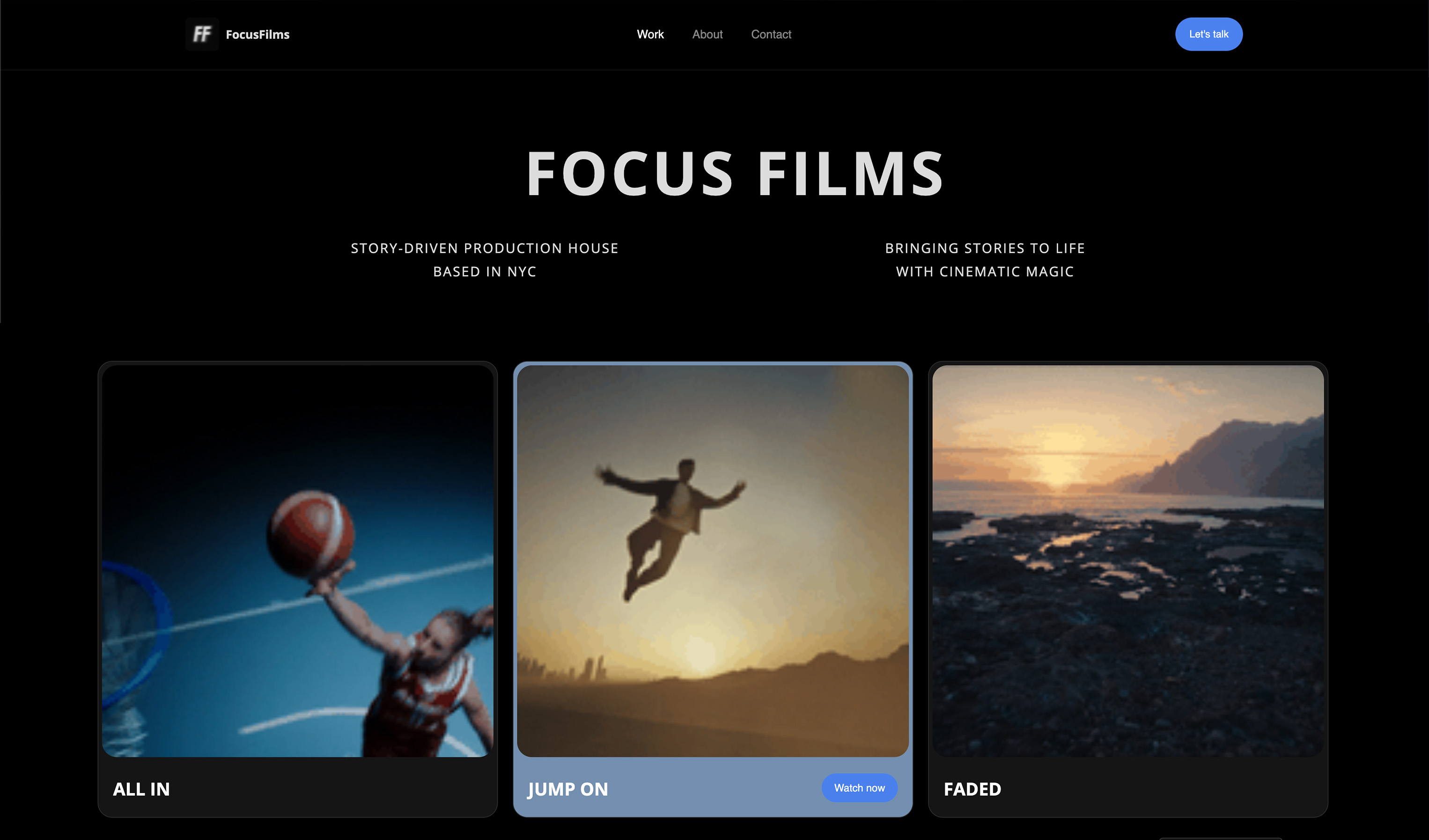 Use template
 Use template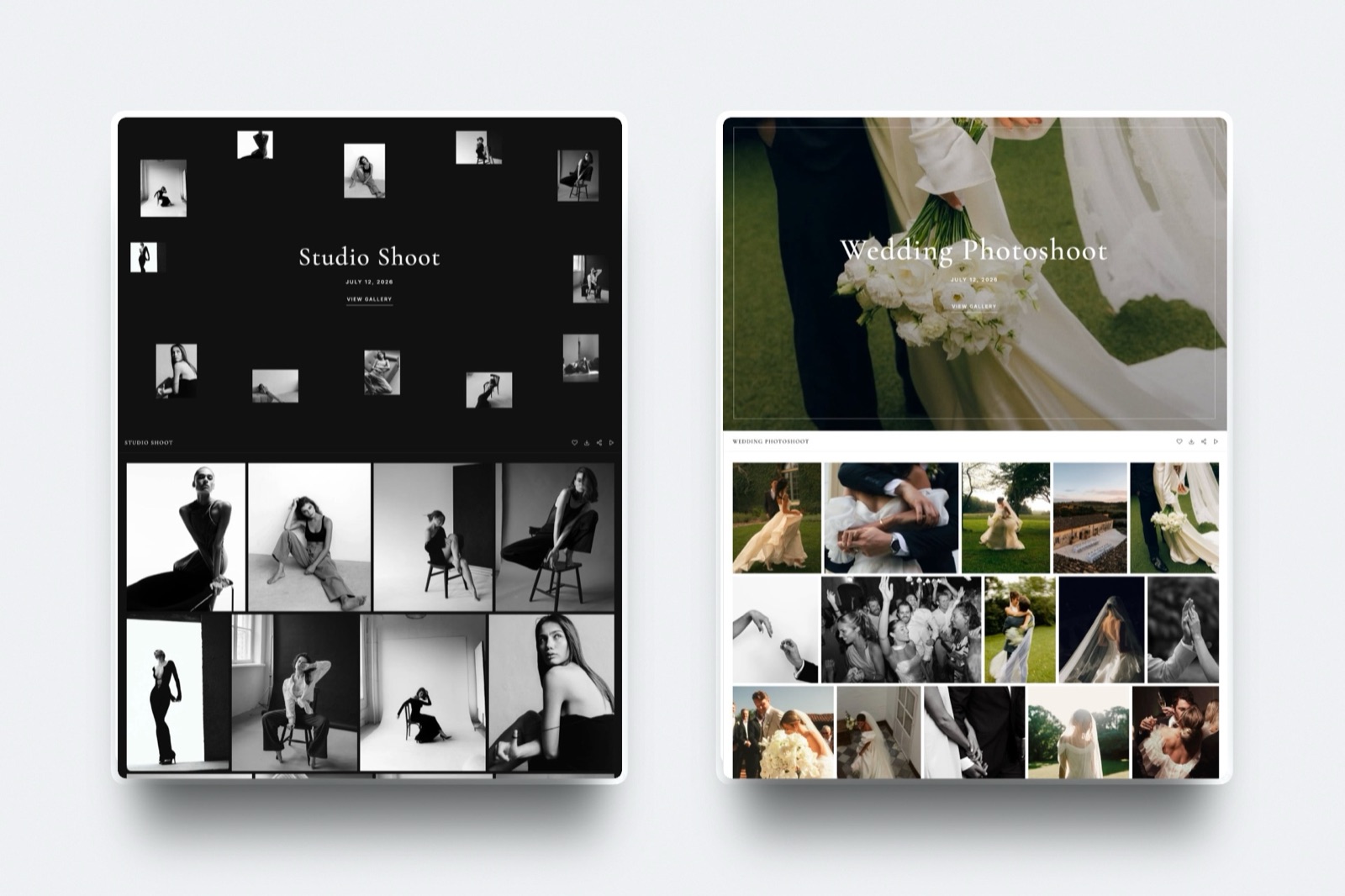
Re-verified in September 2026: this guide was rewritten and widened, every storage figure and video limit below was re-read at the vendor's own page this month, and four platforms the earlier version did not cover were added.
You shot a wedding, and the deliverable is not one thing. It is 600 edited JPEGs, a seven-minute highlight film and a 90-second cut for the couple's Instagram. The stills go into your gallery in four minutes.
Then you sit there wondering where the film goes, and the answer on 9 of the 12 platforms below is a second link to a second service that the couple loses in their inbox by Tuesday.
That is the gap client galleries that support video are supposed to close, and most of them close it only part of the way.
Of the 12 platforms below, one does not host a video file at all, one will not show you a price without a sales call, one publishes no video limits anywhere a non-customer can read, and four sell video as a metered add-on separate from your photo storage.
A client gallery with video support is a private delivery page that stores and streams the video file itself, so the client watches the film and downloads the stills from one address instead of two.
The important word is stores: a page that only embeds a Vimeo or YouTube player is a gallery with a video link in it, which is a different product with a different failure mode.
Framekit is the best client gallery with video support in 2026 because video sits on every plan including the free one and is counted out of the same storage pool as your photos, so there are no video minutes to buy and no separate video tier to reach.
The trade-off is a per-file ceiling (500MB Free, 1GB Starter, 2GB Pro, 3GB Business) and a two-hour maximum length, plus no print lab at all.
Pic-Time is the better pick for a print-led studio that wants a big dedicated video pool, ShootProof puts video on every paid tier at the lowest entry price, and Zenfolio at EUR 36 a month is the one to use if you want to sell the film and not just deliver it.
Full disclosure: Framekit is ours and it is ranked 1st of 12 here, which is exactly the claim to check hardest. Every competitor figure was read on that vendor's own published pricing page in September 2026 and each one is linked, none of these tools was driven through a live client delivery for this article, and where a vendor does not publish a number we say so instead of guessing. Five of the 12, Pixieset, Pic-Time, ShootProof, Zenfolio and SmugMug, sell prints; Framekit runs no print labs.
How These Twelve Platforms Were Compared
This is a pricing-page comparison and a piece of arithmetic, not a bake-off, and saying exactly which is which is the only way the numbers below are worth anything to you.
Read at the source. Every plan price, storage figure, video allowance and file-type list in this article was read on the vendor's own pricing page in September 2026. Pixieset's pricing page lists HD video storage of 30 minutes on its $8 Basic plan and a video add-on at $5 a month per additional hour. Pic-Time's pricing page lists video storage as its own row, 1GB free through to 60GB on Advanced. ShootProof's pricing page marks video "Not included" on the free plan and lists 4K support on every paid tier. Zenfolio's plans page names MP4 and MOV as the supported formats. CloudSpot's pricing page lists its file types as JPEG, GIF, TIFF, PNG, PSD and PDF, and lists video as an integration that embeds a Vimeo or YouTube player.
Calculated. The yearly costs are arithmetic on one carried job, shown in full so you can substitute your own numbers.
The job is a hybrid wedding: 600 edited JPEGs at 12MB each, a seven-minute 4K highlight film and a 90-second social cut, delivered 18 times a year. Nothing in that arithmetic was measured on a stopwatch and none of it is a benchmark.
Not claimed. No platform here was run through a real client delivery for this piece, no upload or playback timings are published, and no review scores appear anywhere in this article, because the sites that aggregate them refuse automated reading and a rating you cannot check is worse than no rating.
Two platforms are honest gaps in the data, not findings.
SmugMug's plans page does not mention video at all, and its help centre returns a bot challenge, so its video length and file-size limits are not published where a prospective customer can read them.
PhotoShelter shows "Get Pricing" on every tier, so its cost is quote only.
Video Support by the Numbers
Before the reviews, here is what the 12 pricing pages actually say, because the summary is more surprising than any individual entry and it is the fastest way to understand why two platforms that both claim video support can bill you very differently.
- 3 of the 9 gallery platforms here include video on a genuinely free plan: Framekit, Pic-Time and PicDrop. Vimeo and Frame.io host video free too, and neither builds a gallery.
- 4 of 12 meter video separately from photo storage: Pixieset in minutes, Pic-Time, ShootProof and Zenfolio in a dedicated video GB pool.
- 1 of 12 does not host video files at all. CloudSpot's file-type list stops at PDF, and its video feature is an embedded Vimeo or YouTube player.
- $5 a month per extra hour is Pixieset's published video add-on rate, which is the only per-hour video price on this list.
- 2 hours is the maximum length of a single video on Framekit, and 3GB is the largest per-file upload it accepts, on the $39 Business plan.
- $0 is what video costs on Framekit, Pic-Time and PicDrop before you upgrade anything, though all three cap what you can put through it.
The Four Ways a Gallery Meters Video, and Why It Decides Your Bill
Platforms do not differ mainly on whether they support video, they differ on the unit they count it in, and once you know the unit you can predict the invoice without reading another feature list.
There are four units in this market. Minutes of runtime. A dedicated pool of video gigabytes. One shared pool that photos and video both draw from. And no hosting at all, with an embedded player standing in. Each one fails differently.
| Unit of account | Who uses it | What it is good at | Where it bites |
|---|---|---|---|
| Minutes of runtime | Pixieset | Cheap when you deliver short films | A 4K master and a 720p proxy of the same edit cost the same minutes, and a long ceremony cut is brutal |
| Separate video GB pool | Pic-Time, ShootProof, Zenfolio | Predictable, and photo storage stays untouched | You can be paying for a video tier while sitting on unused photo space, or the reverse |
| One shared pool | Framekit, SmugMug, PicDrop | No second budget to manage, spend it on whatever the job needs | A run of heavy video jobs eats the space your archive of stills was living in |
| No hosting, embed only | CloudSpot | Free, and playback is somebody else's problem | The client needs a Vimeo or YouTube account in the loop, and the film is not in the download |
In one lineWork out which unit your delivery pattern is expensive in before you compare monthly prices, because a photographer who shoots two long ceremony cuts a month and one who ships twelve 60-second brand edits will find opposite platforms cheap.
Of the four units, the minute model is the one people misread. It is not a proxy for file size, so re-exporting at a lower bitrate to save space does nothing at all: seven minutes is seven minutes whether the file is 500MB or 5GB.
That is fine if your work is short, and punishing the moment a client asks for the full ceremony.
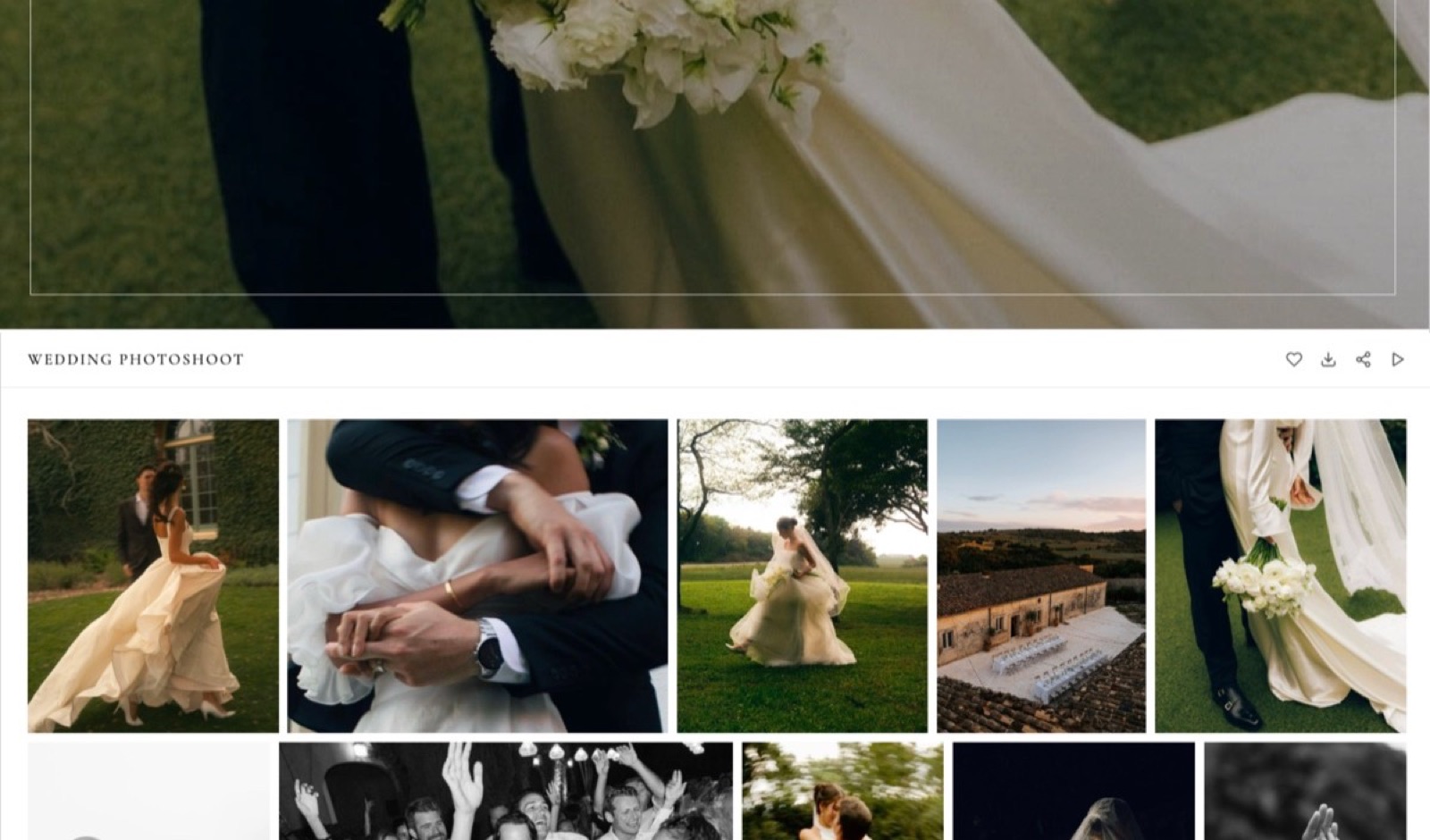
The Full Comparison Table
The table below is the whole comparison on one screen, ordered the way the reviews are ordered, with the cheapest plan that will actually take a video file and not the cheapest plan on the price list.
Three things are weighted heavily here, and each one is weighted because it costs money and not because it sounds impressive: whether video works before you pay, whether the video allowance is separate from the photo allowance, and whether the platform publishes a per-file ceiling you can check before upload day.
| Platform | Video on free plan | Cheapest plan with video | How video is counted | Published file or length limit |
|---|---|---|---|---|
| Framekit | Yes | $0 | Shared pool with photos and site | 500MB to 3GB per file by plan, 2 hours max |
| Pic-Time | Yes, 1GB | $0 | Separate video GB pool | Not published as a per-file cap |
| ShootProof | No | $8.33/mo billed annually | Separate pool above 100GB tier | Not published as a per-file cap |
| Pixieset | No | $8/mo billed annually | Minutes of runtime | 30 minutes included on Basic |
| Zenfolio | No free plan | EUR 8/mo | Shared, then a 150GB video slice | MP4 and MOV only |
| PicDrop | Yes, 1GB | $0 | Hours of video conversion | Conversion hours by plan |
| SmugMug | No free plan | $20/mo billed annually | Not published | Not published |
| PhotoShelter | No free plan | Quote only | Not published | Not published |
| CloudSpot | Embed only | $0 | Not hosted | No video file accepted |
| Vimeo | No review on free | $13/mo billed annually | Storage in GB | 1GB free, 100GB on Starter |
| Frame.io | Yes, 2GB | $0 | Storage in GB | 2GB free, 2TB on Pro |
| Dropbox | No | Plus plan plus add-on | Storage in GB | Per-plan storage only |
In one lineIf your work is mostly stills with a film attached, the top five rows are your real shortlist, and the last three, Vimeo, Frame.io and Dropbox, are hosting and review tools that people press into gallery duty and then discover cannot produce a ZIP of 600 JPEGs.
1. Framekit: Best for Video on Every Plan

Framekit is an AI website builder that also runs private client galleries in which the film and the stills live on the same page, so the video is not a second product with a second bill.
That is the whole reason it leads this list: there are no video tiers, no video add-ons and no minute counters.
A gallery on the free plan takes video the same way a gallery on the $39 plan does, and the only thing that changes as you pay more is how big a single file can be and how much total room you have.
The real numberthe per-file ceiling is 500MB on Free, 1GB on Starter at $9 a month, 2GB on Pro at $19 and 3GB on Business at $39, with a hard two-hour maximum length on any plan.
Storage is one pool shared by your website, your galleries and your video reviews: 10GB on Free, 50GB on Starter, 300GB on Pro and 2TB on Business, of which 3GB, 15GB, 150GB and 750GB respectively can be video.
The detail nobody writes aboutthe download controls are separate from the viewing controls.
A gallery can have a password for viewing and a different PIN for downloading, on every plan including the free one, which means you can send the link to the whole wedding party and still keep the full-resolution originals behind a second gate that only the couple has.
Email registration, auto expiry, watermarking, favourites, slideshows, ZIP downloads of the full set or only the favourites, and client-exclusive sets are all on all four plans too, instead of being the reason to upgrade.
The gotcha that bites in week threethe per-file cap, not the storage pool. A seven-minute 4K master exported at 40 Mbps is about 2.1GB, which is 5MB a second times 420 seconds, and that is over the 2GB Pro ceiling by a hair.
You will not notice on the first job because your first delivery is a 90-second cut. You notice on the wedding.
The fix is to export the client copy at 25 Mbps instead of handing over a grading master, which is what you should be doing anyway, but nobody tells you before the upload bar stops.
Who should skip itanyone whose gallery income comes from prints.
Framekit has no print labs, no lab fulfilment and no print stores, so a portrait or newborn photographer who makes real money on wall art should be on Pixieset, Pic-Time or ShootProof and should treat this entire comparison as being about the other half of their business.
There is also no booking calendar, no invoicing and no CRM, so the back office stays wherever it is now.
Verdict: the right default for a photographer or filmmaker who delivers both media and wants one subscription, one dashboard and a client who signs up for nothing, and the wrong choice for anyone whose delivery page is also a shop. If you are still working out what belongs on the page at all, our guide to what to include in a client gallery is the companion piece.
2. Pic-Time: Best Dedicated Video Pool
Pic-Time is the one platform here that treats video as a first-class storage class and not an afterthought, and its pricing page shows it: video storage is its own row on every tier, quoted in gigabytes with an approximate runtime next to it so you can translate.
That is a small piece of design honesty and it makes budgeting easier than anywhere else here.
The real number1GB of video storage on the free plan, 5GB on Beginner at $7 a month billed annually, 30GB on Professional at $21 and 60GB on Advanced at $42, which the page describes as roughly 30 minutes, three hours and six hours.
Photo storage runs 10GB free (reduced to 3GB after three months), 20GB, 100GB and unlimited on Advanced.
The detail nobody writes aboutthe free plan's photo storage shrinks from 10GB to 3GB after three months, which is stated on the pricing page and which people routinely miss.
It is not a trap so much as a trial with a long fuse, and it means the free tier is a way to evaluate the gallery experience and not a place to keep an archive.
The gotchathe split pool cuts both ways.
Advanced gives you unlimited photo storage and exactly 60GB of video, so a studio that shoots 40 hybrid weddings a year can be simultaneously unable to fill its photo allowance and out of video room, with no way to trade one for the other.
Work out your video gigabytes first and let that choose the plan.
Who should skip ita filmmaker whose primary deliverable is the film. Pic-Time is a photographer's platform with a genuinely strong print store attached, and if video is 80 percent of what you ship you are paying for a print engine you will never switch on.
Verdict: the best pick on this list for a print-led studio that also delivers films, and the clearest pricing page of the twelve. Already on Pic-Time and only irritated by the video ceiling? Our roundup of client gallery platforms with video covers the migration question in more detail.
3. ShootProof: Most Video Included at the Entry Price
ShootProof makes an unusual promise on its pricing page, which is that galleries, contracts, invoices, selling, slideshows and video are included on every paid plan, and the feature table backs it up: video is marked "Not included" on the free tier and "Up to 4K" on every tier above it, starting at $8.33 a month billed annually.
The real numberthe Starter plan at $8.33 a month billed annually ($9.99 monthly) gives 20GB of combined photo and video storage. Standard at $16.67 gives 100GB combined.
The split only appears higher up: Professional at $26.67 is 1000GB of photo plus 50GB of video, and Premium at $50 is unlimited photo plus 150GB of video, with a video archive available from $2.99 a month.
The detail nobody writes aboutthe free plan is a photo-only plan in a way that goes further than storage. It does not accept video formats and it also cannot sell videos or slideshows, so the free tier is not a smaller version of the paid product, it is a different one.
Budget for the $8.33 from day one if video matters.
The gotchathe combined pool on the two cheapest tiers means video and photos compete for the same 20GB or 100GB, and 20GB is about two of the hybrid weddings described above.
The jump from Standard to Professional is where the separate video allowance appears, and it is also where the price roughly doubles.
Who should skip itanyone who wants the gallery to look like their own website and not a gallery product. ShootProof is built around selling and studio admin, contracts and invoices included, which is a real advantage if you want those in one place and dead weight if you already run them elsewhere.
Verdict: the cheapest way onto a platform where video is not a separate purchase, and the best fit for a photographer who wants contracts and invoicing in the same tool.
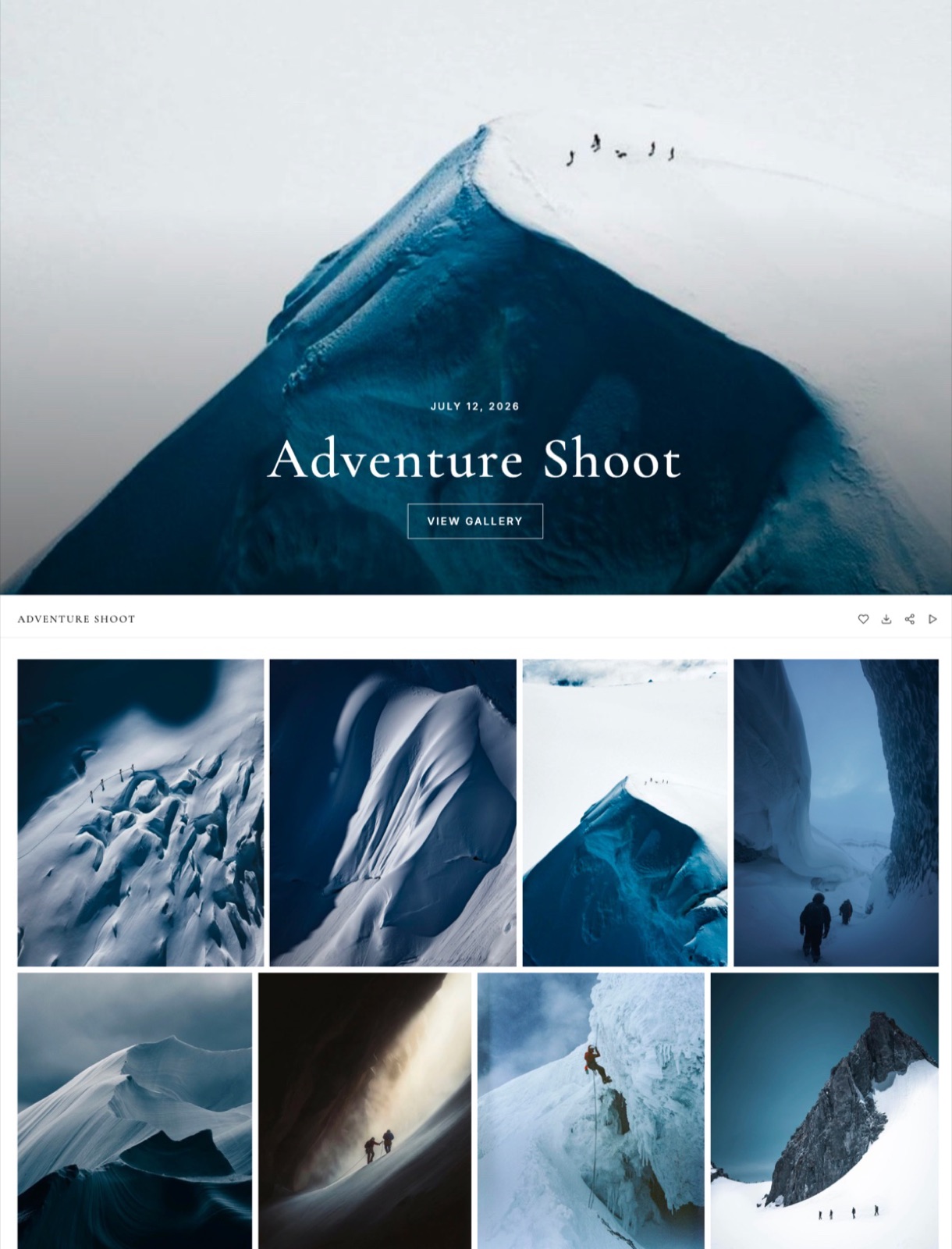
4. Pixieset: Best Known, and the Only One Selling Minutes
Pixieset is the default answer when a photographer asks where to put a gallery, it has the polish to justify that, and it is also the only platform in this comparison that sells video by the minute, which is the single most important thing to understand before you choose it.
The real number30 minutes of HD video storage is included with the Basic plan at $8 a month billed annually ($10 monthly), and more runtime costs $5 a month per additional hour.
Photo storage runs separately: 3GB free, 10GB on Basic, 100GB on Plus at $16, 1000GB on Pro at $24 and unlimited on Ultimate at $40. The free plan lists no video storage at all.
The detail nobody writes aboutbecause the unit is runtime and not size, compressing your delivery does nothing for your bill. The other 11 platforms here all reward a leaner export.
On Pixieset a seven-minute film costs seven minutes whether it leaves your machine at 2GB or 200MB, which inverts the usual advice about delivery exports.
The gotchathe add-on is charged monthly and is cumulative, so it behaves like rent on your back catalogue and not a one-off cost for a busy season. 18 hybrid weddings at 8.5 minutes each is 153 minutes, which is 2.55 hours.
With 30 minutes included you are buying 3 more hours, so $15 a month on top of the $8 plan, or $276 a year to keep a year of films online.
Who should skip itwedding filmmakers and anyone delivering full ceremony or speech recordings. An hour-long ceremony edit consumes two years of the 30 minute allowance in a single upload.
Verdict: still one of the best photo galleries in the business and a genuinely poor fit for long-form video, which is an odd sentence to write about a market leader but it is what the price list says. If prints are the reason you are here, our comparison of client galleries with a store is the more useful page.
5. Zenfolio: Best for Selling the Film, Not Just Sending It
Zenfolio is the one platform in this group where hosting, streaming and selling video is a named product feature and not a storage line, which matters if your business model includes charging for a wedding film download instead of including it in the package.
The real numberfor a European reader in September 2026 the plans list at EUR 8 a month for Basic, EUR 20 for Professional and EUR 36 for Advanced. Basic includes 15GB of combined photo and video storage at HD only.
Advanced includes unlimited JPEG storage plus a 150GB video slice, described on the page as roughly 10 hours with 4K support.
The detail nobody writes aboutthe supported video formats are MP4 and MOV, exactly two of them. That is a narrower list than most galleries publish, and it is the sort of thing that only becomes interesting at 11pm when your export preset produced something else.
The gotchathere is no free plan, only a trial, so Zenfolio cannot be the place you keep an archive of old jobs for nothing. Advanced is also the only tier where 4K video is listed, so a 4K deliverable effectively sets your price at EUR 36 a month regardless of how little you shoot.
Who should skip ita photographer who wants the cheapest possible place to park a few films. Zenfolio's value is the selling machinery around the gallery, and if you never intend to sell a digital download you are paying for the part you will not use.
Verdict: the right answer for studios that sell video as a product, and an expensive one for studios that only deliver it.
6. PicDrop: Best for Fast Proofing Before Delivery
PicDrop comes at the problem from the proofing side and not the presentation side, and it is unusually specific about video: instead of selling storage, it sells hours of video conversion, with playback that its pricing page describes as unlimited once a file is converted.
The free plan gives 1GB of storage and 3 galleries. Pro adds 500GB, unlimited galleries, your own branding and 1 hour of video conversion.
Advanced adds 1TB, up to 4 team members with 2 included, and 2 hours of conversion, and Business moves to 3TB and 4 hours.
Prices are published in euros with both a monthly and an annual figure per plan, and the two render in an inconsistent order on the page, so treat the plan names and not the numbers as the reliable part.
The gotcha is the conversion allowance itself, which is the part people misread: it is not a playback limit and it is not storage, it is how much footage the system will transcode for you, and it resets against a plan and not a project.
Shoot a heavy month and you feel it. It suits a photographer who sends selects fast and weekly, and it suits a wedding filmmaker much less.
7. SmugMug: Unlimited Photos, Unpublished Video Limits
SmugMug's pitch has been the same for years and it is still a good one: unlimited full-resolution photo storage on every plan, which is Direct at $20 a month billed annually, Portfolio at $23.50 and Pro at $37, with a free trial and no free tier.
Here is the honest finding, and it is a finding and not a criticism. SmugMug's plans page does not mention video anywhere. No format lists, no per-file ceilings, no maximum lengths, no storage carve-outs.
Its help centre, where those limits have historically lived, returns an automated-traffic challenge, so none of it is readable by a prospective customer comparing platforms in a browser tab.
If you are choosing SmugMug specifically for video delivery, ask support for the current per-file and length limits in writing before you migrate an archive.
For stills it remains excellent value, particularly if you keep everything forever, and the unlimited storage claim has no photo-count asterisk on it. Treat the video side as unknown until somebody at SmugMug tells you the numbers.
8. PhotoShelter: Powerful, and Quote Only
PhotoShelter is a digital asset manager that brands and sports organisations use to run a real media library, and video management is a named part of the platform and not a bolt-on, which puts it in a different category from a wedding gallery.
All three tiers say "Get Pricing" instead of a number.
What the plans page does publish is the shape: Starter includes 2 library seats, unlimited invited users and contributors, and 1TB of storage; Standard includes 3 seats and 2TB; Pro includes 4 seats plus unlimited social publishing seats.
No per-file video ceilings are published anywhere on the page.
The trade-off is not cost, which you cannot see, it is fit. A solo wedding photographer does not need AI tagging, social distribution and contributor workflows, and the gallery a couple opens is not what this product is designed to produce.
If you run a team that manages content for a brand, it belongs on your list. If you are delivering a wedding, it does not.
9. CloudSpot: Great Galleries, No Video Hosting
CloudSpot is a genuinely strong photo delivery platform with contracts, invoicing and scheduling attached, and its free plan is real: 5GB of storage and up to 3 galleries, with paid tiers listed at $7 a month for gallery-only Entry, $17 for Lite, $34 for Pro and $50 for Unlimited, and a promotional $3 for the first 3 months at the time of reading.
It does not host video.
The file types listed on its pricing page are JPEG, GIF, TIFF, PNG, PSD and PDF, and the video capability is a row called "Add video links" alongside integrations described as adding a Vimeo or a YouTube video directly into your client galleries.
That is an embed, not a delivery. The client can watch, but the film is not in the download, it is not behind your download PIN, and the playback experience belongs to a third party who may show its own branding.
That is a perfectly reasonable design choice for a platform aimed at photographers who do not shoot video, and it is a disqualifying one for this particular list. If your clients accept a Vimeo link, CloudSpot's studio management is worth a look on its own merits.
10. Vimeo: Best Playback, Not a Gallery
Vimeo is where most films end up regardless of what the stills are doing, and the player is the best in this comparison: adaptive streaming, privacy controls, review links with time-coded comments and guests who can comment without an account.
The numbers: the free plan is 1 seat and 1GB of storage with no video review listed, Starter is $13 a month billed annually for 1 seat and 100GB and is where file transfer and video review begin, Standard is $26 a month for 5 seats and 2TB, and Advanced is $76 a month for 10 seats and 7TB.
What it is not is a client gallery. There is no photo grid, no favourites, no full-resolution JPEG download, no ZIP of 600 stills and no gallery password separate from a download PIN.
Photographers who try to make Vimeo the whole delivery end up sending two links anyway, which is the problem this article started with.
Use it for the film when the film is the product, and read our comparison of Vimeo Review alternatives if the review side is what you are actually shopping for.
11. Frame.io: Review First, Delivery Second
Frame.io is the industry standard for the step before delivery, and its free plan is more generous than people expect in features and thinner than they expect in space: up to 2 members, 2GB of storage, up to 2 projects, with Camera to Cloud and transcription included even at zero.
Paid, it is $15 per member per month for Pro, which brings up to 5 members and 2TB included plus 2TB per additional member, passphrase-protected shares and share-link expiry, and $25 per member per month for Team with up to 15 members and internal comments.
Enterprise is where single sign-on and session-based watermarking live.
The reason it is 11th of 12 in a gallery comparison is scope. Frame.io is built for the conversation about a cut, not the handover of a finished job to a non-technical client, and its interface says so.
Pair it with a gallery instead of choosing between them, which is what our guide to setting up a video review workflow walks through.
12. Dropbox: The Folder Everyone Falls Back To
Dropbox is on this list because it is the fallback when none of the other 11 is set up, and it deserves credit for the one thing it does perfectly, which is moving very large files from one machine to another without complaint.
Its review product, Replay, is an add-on and not an included feature: EUR 9 per user per month billed annually, which is EUR 108 a year, or EUR 11 per user per month billed monthly for European buyers, and the page states plainly that Dropbox Basic users must upgrade to a Plus or higher plan before buying it.
So the real monthly cost is the storage plan plus the add-on, per person.
As a client gallery it fails on presentation, not function. A folder of 600 files with no cover, no favourites, no expiry and no branding is a file transfer, and clients treat it like one.
Our head-to-head on client galleries versus Dropbox has the full argument if you are trying to justify the change to yourself.
What a Hybrid Year Actually Costs
In one linePriced across a realistic year of 18 hybrid weddings instead of a single upload, the cheapest platform with real video support costs $228 a year and the most expensive of the mainstream options costs $504, which is 2.2 times as much, and the difference is almost entirely about the unit each one counts.
Here is the carried job again so the arithmetic is checkable. One wedding produces 600 edited JPEGs at 12MB each, which is 7.2GB of stills. The seven-minute 4K film exported at 40 Mbps is 5MB a second times 420 seconds, about 2.1GB.
The 90-second social cut adds roughly 450MB. So each wedding is about 9.75GB of storage and 8.5 minutes of runtime, and 18 of them is about 175GB, of which about 46GB is video.
| Platform | Plan that fits 18 hybrid weddings | Monthly | Yearly | Why this plan |
|---|---|---|---|---|
| Framekit | Pro, $19/mo | $19 | $228 | 300GB pooled holds all 175GB; 46GB fits the 150GB video slice |
| ShootProof | Professional, $26.67/mo billed annually | $26.67 | $320 | 1000GB photo plus 50GB video; Standard's 100GB combined is too small |
| Pixieset | Basic plus 3 add-on hours | $23 | $276 | 153 minutes of runtime against 30 included, at $5 per extra hour |
| Pic-Time | Advanced, $42/mo billed annually | $42 | $504 | 46GB of video is over Professional's 30GB ceiling |
| Zenfolio | Advanced, EUR 36/mo | EUR 36 | EUR 432 | 4K support and the 150GB video slice only appear here |
| SmugMug | Direct, $20/mo billed annually | $20 | $240 | Unlimited photo storage, video limits not published |
Two caveats keep that table honest.
Framekit's $19 tier wins on paper and loses on the per-file ceiling: the 2.1GB master is over the 2GB Pro cap, so either you export the client copy a little leaner or you pay $39 for Business and its 3GB cap.
And the Pixieset line is the only one that grows every year you keep old films online, because minutes are rent, not a one-off.
Run it on your own work in about a minute. Count the films you delivered last year, add up their runtimes, and add up their file sizes. If the runtime number is the scary one, avoid minute-metered platforms.
If the file-size number is the scary one, avoid the small combined pools. That is the entire decision.
The Per-File Ceiling Nobody Mentions Until the Upload Stops
In one lineStorage totals get all the attention on pricing pages, but the limit that actually ruins an evening is the maximum size of one file, and only about half the platforms in this comparison publish theirs anywhere you can read it before you buy.
Framekit publishes its ceiling plainly: 500MB per video on Free, 1GB on Starter, 2GB on Pro, 3GB on Business, and a two-hour maximum length on any plan. Frame.io publishes storage totals instead of per-file caps, and its free tier's 2GB of total storage is effectively a per-file cap by another route. Vimeo publishes storage per plan, 1GB free and 100GB on Starter. SmugMug, PhotoShelter and PicDrop publish no per-file video ceiling on their pricing pages at all.
The practical consequence is that you should decide your delivery export before you decide your platform. A client copy does not need to be a grading master.
A seven-minute 4K H.264 at 40 Mbps is 2.1GB; the same edit at 25 Mbps is about 1.3GB and still looks clean on the laptop the couple will watch it on. Choosing 25 Mbps puts that file inside every paid tier on this list.
The other half of the problem is length. Two hours is generous for a highlight film and tight for an unedited ceremony recording, and a four-hour raw multicam is not a client gallery deliverable anywhere on this page. Cut it or ship it as a file transfer.

Delivery Is Not Review, and Mixing Them Costs You a Round
In one lineA gallery is where a finished job goes to be collected, a review tool is where an unfinished job goes to be argued about across two or three rounds, and using one for the other is the most common reason a delivery turns into three more emails.
The tell is the comment box. A delivery gallery either has no commenting or has favourites, which is a yes or no signal.
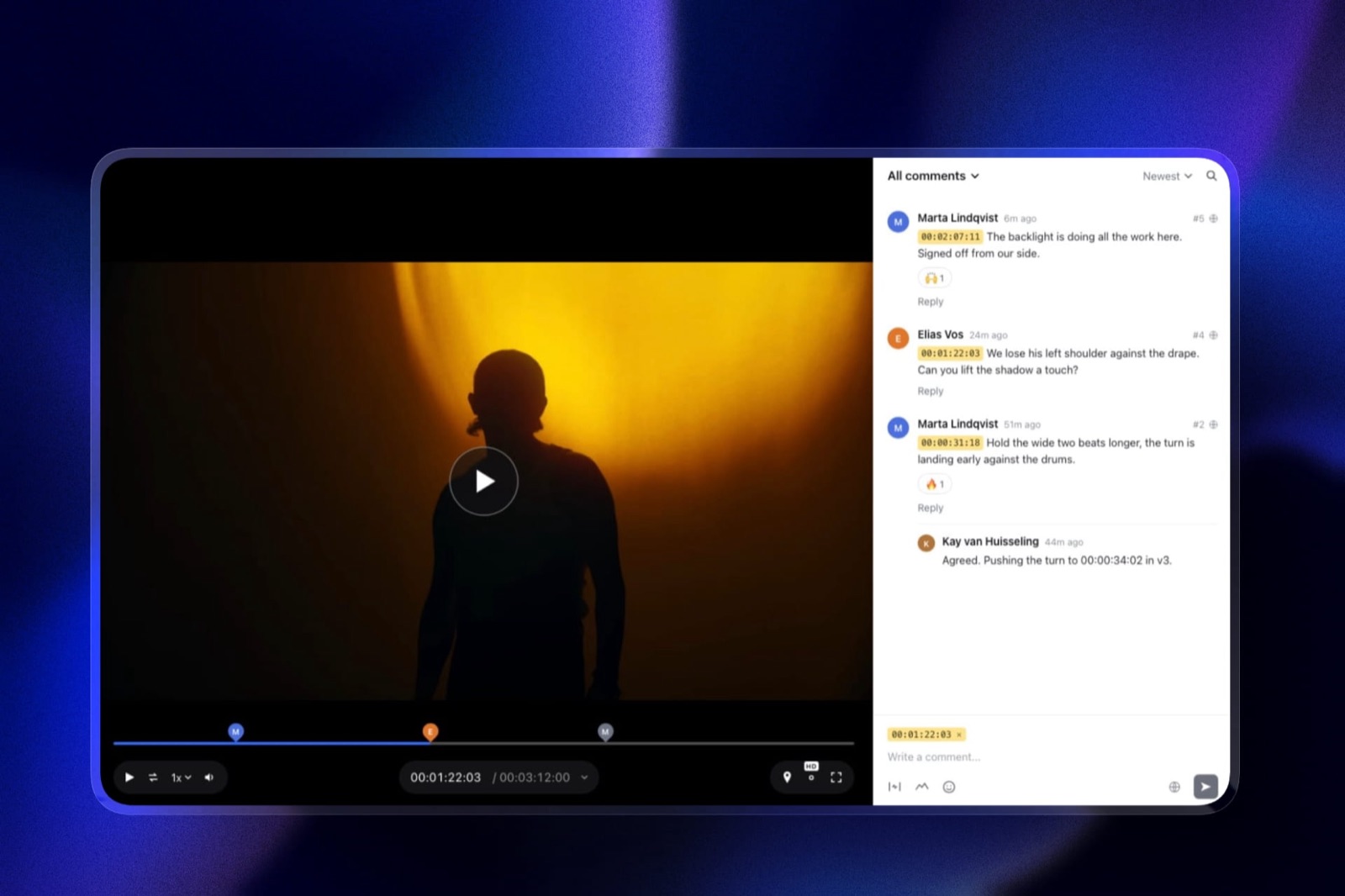
A review tool has time-coded comments, drawing on the frame, version stacks and an approval state, which invites the client to keep talking.
Put a rough cut in a delivery gallery and the client replies in email with "around the 40-second mark". Put a finished film in a review tool and the client assumes you are still asking for notes.
Framekit is one of the few products here that ships both as separate surfaces on one account, so the rough cut goes to a review page with timecoded comments and approval states and the finished film goes to a gallery with a download PIN.
Frame.io plus Pixieset does the same job for more money and two subscriptions to administer. Either is fine. Doing both in one page is not.
If you want the mechanics of the review half, our walkthrough of how to send a video to a client for review covers the sequence, and how to stop endless client revisions covers what to ask for so the round ends.
Which One Should You Actually Choose
In one lineAnswer these in order and stop at the first yes, because the five questions are sorted by how much money the answer moves and not by how interesting the feature is.
Do prints or wall art make you real money? If yes, your gallery decision is already made for you by the lab integration, and you are choosing between Pic-Time, ShootProof and Pixieset. Add a separate tool for the film. If no, keep going.
Do you deliver long-form video, ceremonies, full speeches, anything over 20 minutes? If yes, rule out Pixieset immediately, because minutes are the wrong unit for you, and rule out any combined 20GB pool.
Pic-Time Advanced, ShootProof Professional and Framekit Business are the three that hold up. If no, keep going.
Do you need the gallery to be free while you are starting? If yes, the three real free gallery plans with video are Framekit, Pic-Time and PicDrop, and only Framekit gives you unlimited galleries at $0. If no, keep going.
Do you also need a portfolio site, a place to sell digital files and a deck tool? If yes, that is the argument for putting the gallery on the same account as the rest, which is what Framekit is for.
If no, a specialist gallery is a perfectly good answer and you should pick on video unit alone.
Is the client a brand with a media team and not a couple? If yes, look at PhotoShelter and be prepared for a sales call, because asset management and contributor workflows are a different product from a delivery page.
Frequently Asked Questions
What is the best client gallery with video support in 2026?
Framekit is the best client gallery with video support in 2026 for photographers and filmmakers who deliver both, because video works on every plan including the free one and is counted out of the same storage pool as your photos instead of being sold as minutes or a separate video tier.
All six of unlimited galleries, watermarking, a gallery password, a separate download PIN, expiry and full-resolution ZIP downloads are on every plan.
The limits to know are a per-file ceiling of 500MB to 3GB depending on plan and a two-hour maximum length.
Which client galleries include video on a free plan?
Three of the nine gallery platforms compared here include video on a genuinely free plan: Framekit, Pic-Time and PicDrop. Framekit's free plan gives 10GB of pooled storage, of which 3GB can be video, with a 500MB ceiling per file.
Pic-Time's free plan includes 1GB of video storage alongside photo storage that reduces from 10GB to 3GB after 3 months. PicDrop's free plan gives 1GB of storage and 3 galleries.
Pixieset and ShootProof both list video as a paid feature only.
How much video storage do I need for a wedding?
A typical hybrid wedding delivery is about 2.5GB of video: a seven-minute 4K highlight film exported at 40 Mbps is roughly 2.1GB, since 40 Mbps is 5MB a second and the film runs 420 seconds, plus about 450MB for a 90-second social cut. 18 weddings a year is therefore about 46GB of video, before the 7.2GB of stills each job adds.
That figure rules out Pic-Time's 30GB Professional tier and fits comfortably inside Framekit's 150GB video allowance on Pro.
Does Pixieset support video?
Pixieset supports video from its Basic plan at $8 a month billed annually, which includes 30 minutes of HD video storage, and it is the only platform in this comparison that meters video by runtime and not by file size.
Additional runtime costs $5 a month per hour as a published add-on. The free plan lists no video storage.
Because the unit is minutes, exporting a smaller file does not reduce your Pixieset bill, which reverses the usual advice about delivery exports.
Does CloudSpot host video files?
CloudSpot does not host video files. Its pricing page lists the supported file types as JPEG, GIF, TIFF, PNG, PSD and PDF, and its video capability is an integration that embeds a Vimeo or YouTube player inside the gallery.
That means the client can watch the film on the gallery page but the file is not stored by CloudSpot, is not covered by the gallery download controls and is not included in a gallery download.
For pure photo delivery with contracts and invoicing attached, CloudSpot remains a strong product.
What are SmugMug's video limits?
SmugMug's video limits are not published on its plans page, which mentions unlimited photo storage on all three tiers but says nothing about video length, file size or supported formats, and its help centre returns an automated-traffic challenge instead of the article.
Anyone choosing SmugMug specifically for video delivery should ask support to confirm the current per-file and length caps in writing before migrating.
On stills, SmugMug's unlimited storage from $20 a month billed annually is still among the best value here.
Can I use Frame.io as a client gallery?
Frame.io can deliver a file to a client but it is built for review and not handover, so it lacks five pieces a photography client expects: a cover, a photo grid, favourites, a ZIP of the full-resolution set and a download PIN separate from the viewing password.
Its free plan gives 2 members, 2GB of storage and 2 projects, and Pro is $15 per member per month. The usual pattern is Frame.io for the cut and a gallery for the finished delivery.
Is it better to host video in the gallery or link to Vimeo?
Hosting the video inside the gallery is better when the film is part of the deliverable the client downloads, because a linked player leaves the file outside your password, your download PIN, your expiry date and your branding.
Linking to Vimeo is better when the film is meant to be public, embedded elsewhere or streamed to a large audience, since Vimeo's playback and privacy controls are stronger than any gallery's.
Plenty of photographers run both: the gallery for delivery, Vimeo for the public cut.
Do client galleries compress my video?
Most gallery platforms transcode uploaded video into streaming versions for playback, which is why one of them, PicDrop, describes its allowance in conversion hours instead of raw storage, and why the file a client streams is not the file you uploaded.
The original is what the client downloads, which is the version that matters. The practical implication is that your upload should already be a sensible delivery export, because no platform improves a file by processing it.
What is the cheapest client gallery that supports video?
The cheapest client gallery that supports video is Framekit at $0, since video is included on the free plan with 10GB of pooled storage and a 500MB per-file cap.
Among paid plans, ShootProof Starter at $8.33 a month billed annually and Pixieset Basic at $8 a month billed annually are the cheapest entry points, though Pixieset's 30 included minutes run out quickly and ShootProof's 20GB is shared with your photos.
Across a realistic year of 18 hybrid weddings, Framekit Pro at $228 is the lowest total in this comparison.
Final Verdict
Framekit is the pick for photographers and filmmakers who deliver stills and film from the same job and want one subscription instead of three, because video is on all four plans and not behind a tier, the allowance is pooled with your photos instead of metered in minutes, and the five controls that matter for a client delivery, a viewing password, a separate download PIN, expiry, watermarking and full-resolution ZIP downloads, are on the free plan instead of being sold as the reason to upgrade.
The client creates no account for any of it: a gallery opens with a password, and downloads sit behind a separate PIN.
Where Framekit loses is prints.
There are no print labs, no lab fulfilment and no print stores, so a portrait, newborn or school photographer whose gallery is a revenue line should choose Pic-Time, ShootProof or Pixieset and accept the video compromise that comes with each.
Framekit is also not for long-form deliverables, because 2 hours is a hard ceiling per video, and it does no booking, no invoicing and no CRM.
And if you live inside an editing suite and need Camera to Cloud or transcription during the cut, Frame.io is the better fit for that step and always will be.
Pick by the unit, not the brand. Minutes for short work, a dedicated video pool for a print studio, one shared pool for a hybrid shooter, and nothing at all if your platform quietly turns out to be an embed.
Related readingour guide to how much client galleries cost breaks the pricing down by storage tier, how to deliver photos and video from one shoot covers the workflow end to end, best client galleries for videographers narrows this list to film-first work, and how to password protect a client gallery explains the difference between a viewing password and a download PIN.