Framekit templates
Start from a designer-made template
 Use template
 Use template
 Use template
 Use template
 Use template
 Use template
 Use template
 Use template
A designer's output stopped being static some time ago and most feedback tools have not noticed.
A brand project today ships a logo suite, a set of layouts, a landing page that only exists as a URL, and a short motion piece for social. Four things, and each one breaks a different assumption. A logo needs a pin on a coordinate.
A layout needs version comparison. A landing page needs to be reviewed as a living thing with hover states and breakpoints. The motion piece needs a timecode.
Almost every tool marketed at designers handles the first two well, the third not at all, and the fourth badly. So most design studios end up running feedback through a tool for the static work and a separate improvised process, usually email, for everything else.
A client feedback tool for designers is a platform that collects markup and approvals on design work, ideally covering static files, live web pages and time-based media in one place rather than forcing a different process for each.
The best client feedback tool for designers in 2026 is Filestage, at 199 dollars a month with all file types on every tier including free, because it handles static work and video in one process with reviewer groups and deadlines.
MarkUp.io at 79 dollars a month is the only tool here that reviews a live web page, and Framekit ranks third for solo designers, putting the presentation deck, frame-accurate motion review and client picks on stills in one branded account free to start, with no pinned markup or live web review.
ReviewStudio's free tier covers all formats with unlimited users and guests.
Full disclosure: Framekit is our own product. It ranks third for one kind of designer, the solo designer or pair who presents, reviews motion and hands over finals, and it would rank far lower on static markup alone, where most tools here beat it. We judged it against the same four deliverables as the other ten and link to every one.
Every price in this comparison was re-verified in September 2026, when we also moved Framekit up from tenth, because its client galleries now take per-image notes on client picks and Framekit Slides now builds and presents the pitch deck in the same account as the review.
How We Tested 11 Tools on Designer Deliverables
We ran one brand project through every platform with four genuinely different deliverables: a logo suite as layered files and flat exports, a set of page layouts across two rounds, a live landing page on a staging URL, and a 20-second animated version of the identity.
Reviewed by a client contact and a brand manager. August 2026, fresh accounts.
Measured means we uploaded each deliverable and marked it up. Verified means the figure was read at the vendor's own published pricing page and linked inline.
The four kinds of note a design project generates
Pin on a coordinate. The most common design note, attaching a comment to a point on an image. Every tool here does this and it rarely drives a decision.
Version comparison. Round two against round one, side by side. Almost universal, and the quality varies more than the presence.
Live page behaviour. Hover states, responsive breakpoints, scroll behaviour and validation messages, none of which survive being flattened into a screenshot. One tool here handles it.
Timecode. The motion deliverable, where a note needs to attach to a moment rather than a coordinate. The proofing platforms handle this adequately and the video specialists handle it properly.
What Designer Feedback Tools Cover
Every figure below was read at each vendor's published pricing page in August 2026 and tested against the same four deliverables, since a tool's static-file handling says almost nothing about whether it can take a note on a live page or a moving image.
- 1 of 11 tools reviews a live web page rather than a screenshot of one: MarkUp.io at 79 dollars a month with unlimited users.
- 10 of 11 handle static design files competently, which is why static capability is a poor way to choose between them.
- 2 of 11 offer range-based comments on the motion deliverable: Frame.io and Dropbox Replay.
- The cheapest tool covering static work, video and approvals is ReviewStudio's free tier, with unlimited users and guests on 5GB.
- 4 of 11 include real print tooling for anything heading to press: Approval Studio, GoVisually, ReviewStudio and Ziflow.
- Framekit covers the motion piece fully and static work only as client picks with a typed note per image, and Wipster covers one and a half.
- No single tool in this comparison covers all four well, which is why most studios run two.
| Tool | Static files | Live web page | Motion | Entry price |
|---|---|---|---|---|
| Filestage | Yes, all file types | No | Yes | Free, then 199 dollars a month |
| MarkUp.io | Yes | Yes, live URLs | Basic | 79 dollars a month |
| Framekit | Client picks with notes, no pins | No | Yes, frame-accurate | Free, then 9 dollars |
| ReviewStudio | Yes, all formats | No | Yes | Free, then 12 dollars per user |
| Ziflow | Yes, 1,200+ types | No | Yes | Free, then 199 dollars a month |
| Approval Studio | Yes, with print tooling | No | Yes | 60 dollars a month |
| PageProof | Yes, any file type | No | Yes | 249 dollars a month |
| Frame.io | Document markup | No | Yes, best in class | Free, then 15 dollars per member |
| Krock.io | Image and PDF | No | Yes, 4K | Free, then 10 dollars per user |
| GoVisually | Yes, print-led | No | Only from Pro | 16 dollars per user |
| Wipster | Image annotation | No | Yes | 9.95 dollars a month |
The Best Client Feedback Tools for Designers in 2026
Ranked on how many of a designer's four deliverable types each one can genuinely take notes on, rather than on how many file extensions it will display, because displaying a file and reviewing it are different capabilities.
One placement is a judgement call we make openly: Framekit sits third for the solo designer who presents a deck, reviews motion and delivers finals, not for static markup depth. The first four get full reviews.
1. Filestage: Best All-Round for Design Studios
Filestage covers the widest range of a designer's actual output in one process. All file types are supported on every tier including the free one, with reviewer groups, due dates and reminders, version comparison, team-only comments and password-protected links from Starter at 199 dollars a month with 10 members.
The real number2,388 dollars a year with unlimited external reviewers, so your client contact, their brand manager and their legal reviewer all comment without consuming seats.
The standout detaildue dates with automated reminders solve the problem design studios actually have, which is not feedback quality but feedback arriving three days late and stalling the next phase. Chasing a client is unpaid work and this removes it.
The gotchano live web review, so the landing page in our test project still had to be flattened into screenshots. For a studio whose work increasingly ends on the web, that is a real hole in an otherwise complete tool.
Skip it ifyou are a solo designer. The 199 dollar entry tier is priced for a studio coordinating several stakeholders, and at one or two people it is an empty workflow engine.
Verdict: the best single purchase for a design studio with clients who review in groups, and incomplete for anyone shipping live pages.
2. MarkUp.io: The Only Live Page Review
MarkUp.io covers the deliverable the rest of this page cannot. Pro is 79 dollars a month with unlimited users, 1 workspace and 500GB, supporting over 30 file types including live websites alongside PDFs, slides, images and videos.
The real number948 dollars a year with unlimited users, less than half of Filestage, and the only route to a client commenting on a real page rather than a picture of one.
The standout detailreviewing a URL means the client can comment on a hover state, a mobile breakpoint or a form validation message. Those are exactly the things that generate late-stage change requests, because a screenshot review never surfaces them and they only appear once the page is live.
The gotchathe motion deliverable is handled without depth. No range comments, no editorial integrations, so a designer whose animation needs detailed timing notes is not well served.
Verdict: not a complete answer and the piece most design studios are missing. Pair it with something rather than choosing between them.
3. Framekit: Best for Solo Designers Who Present, Then Deliver

Framekit is an AI website builder with Slides, video review, client galleries and a store in one account, and for a solo designer it replaces the improvised email loop around a project rather than the markup tool inside it.
Mapped onto a brand project like ours, each deliverable has a home. Round-one concepts go out as a Framekit Slides deck, presented full screen on the call and then shared as a link, with the identity's own fonts and colours on every slide.
The logo suite and layouts go into a client gallery, where the client hearts options into a named shortlist and types a note against each one before sending it back.
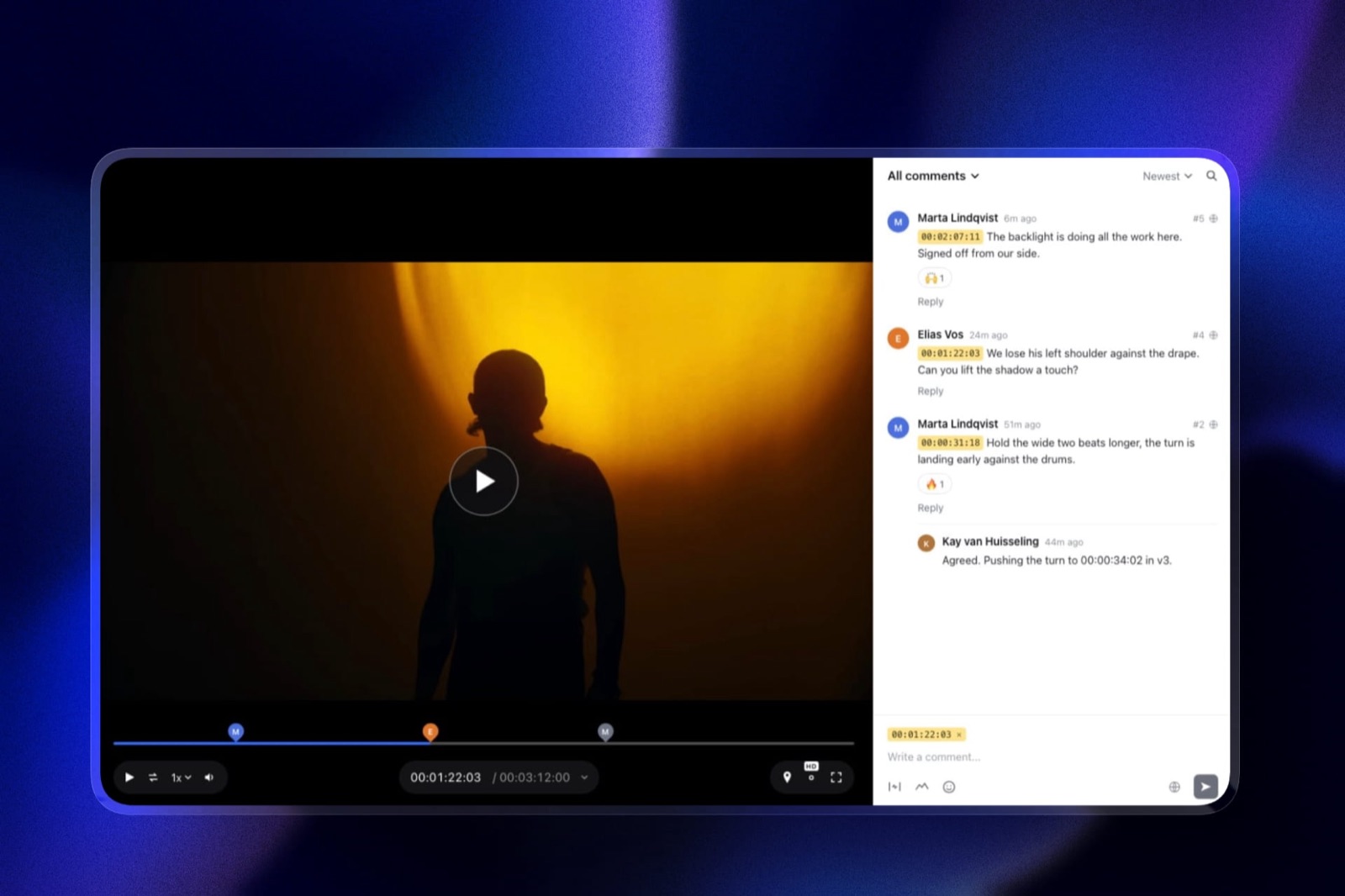
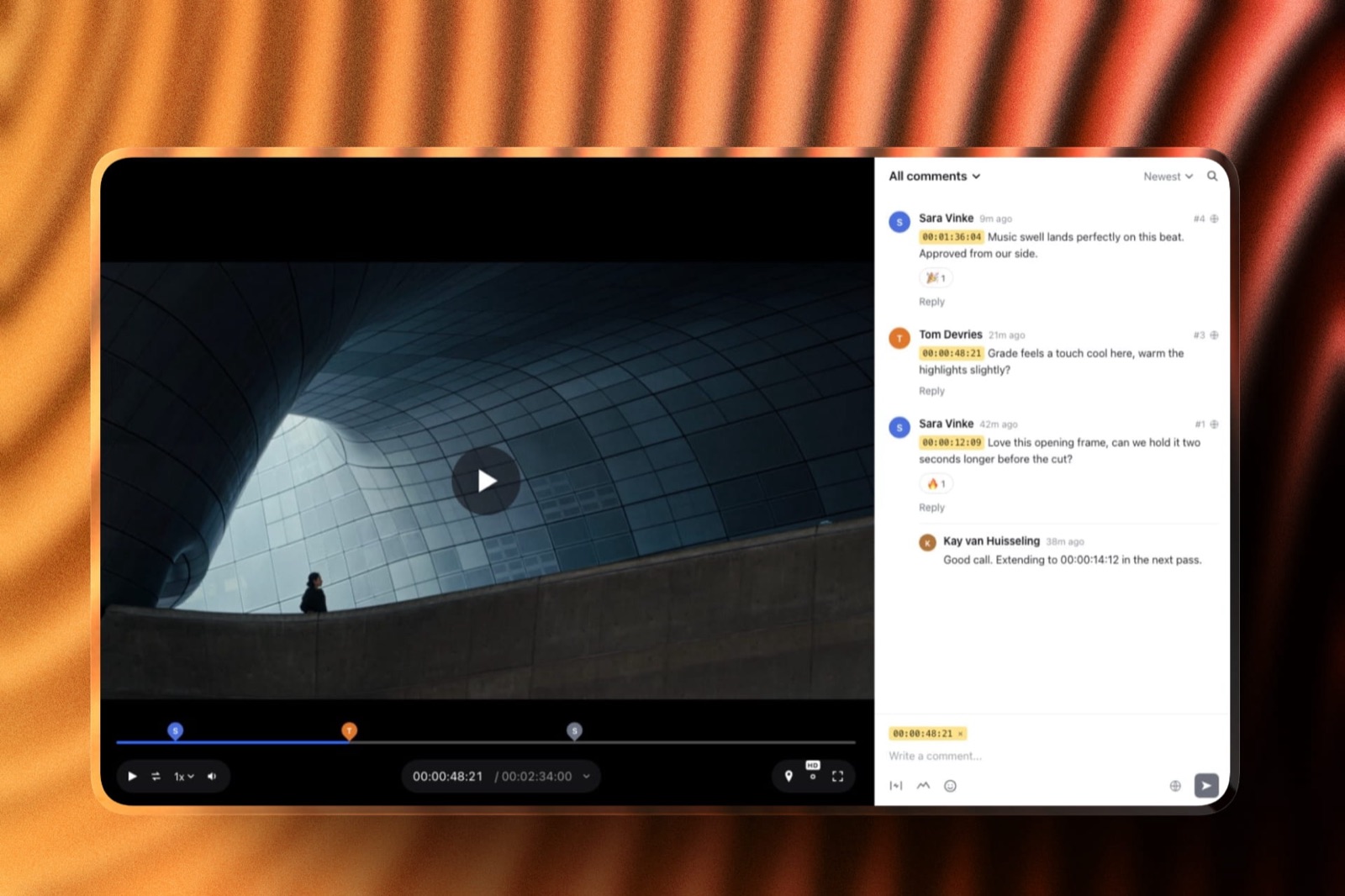
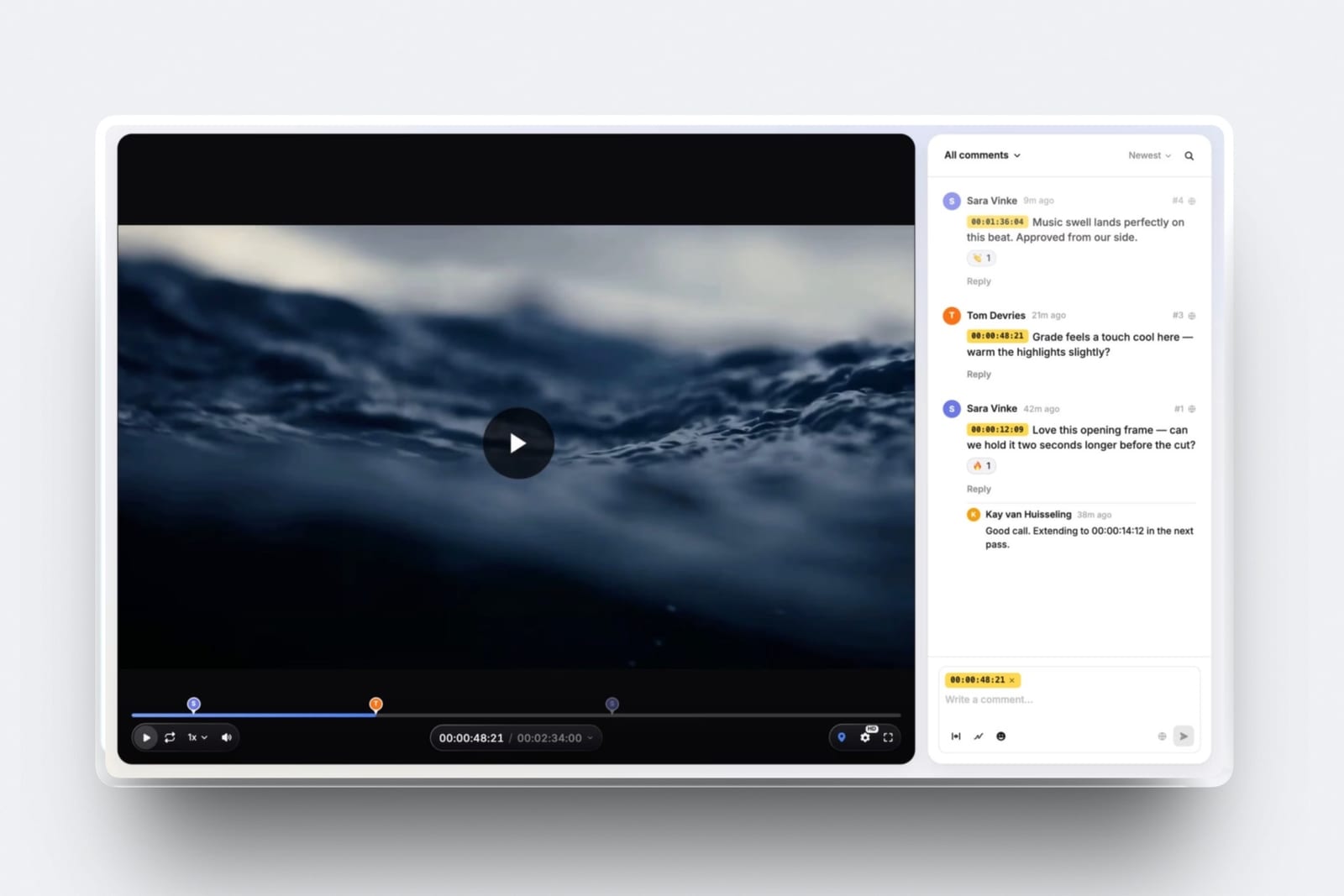
The animation goes to video review, where notes land at the exact frame and the client can draw on the frame to show which curve feels slow.
The real number0 dollars to run all three on the free plan, which includes unlimited decks, galleries and review projects with PDF export of the deck. Starter at 9 dollars a month adds your own domain, custom fonts on the review page and removes the Framekit byline and badge.
The standout detailthe client sees one visual identity from pitch to handover, because the deck, the gallery and the review page all carry your logo and type, and the case study you publish afterwards sits on the same site.
The honest gotchaa gallery note is text attached to a pick, not a pin on a coordinate, so "move this 4px left" needs words rather than a click. There is no side-by-side layout comparison, no live web review, no print handling, and decks take no client comments and have no link password.
Skip it ifyour clients review in groups with deadlines, or pinned markup on static files is most of your feedback. Filestage covers the first and ReviewStudio's free tier covers the second better than we do.
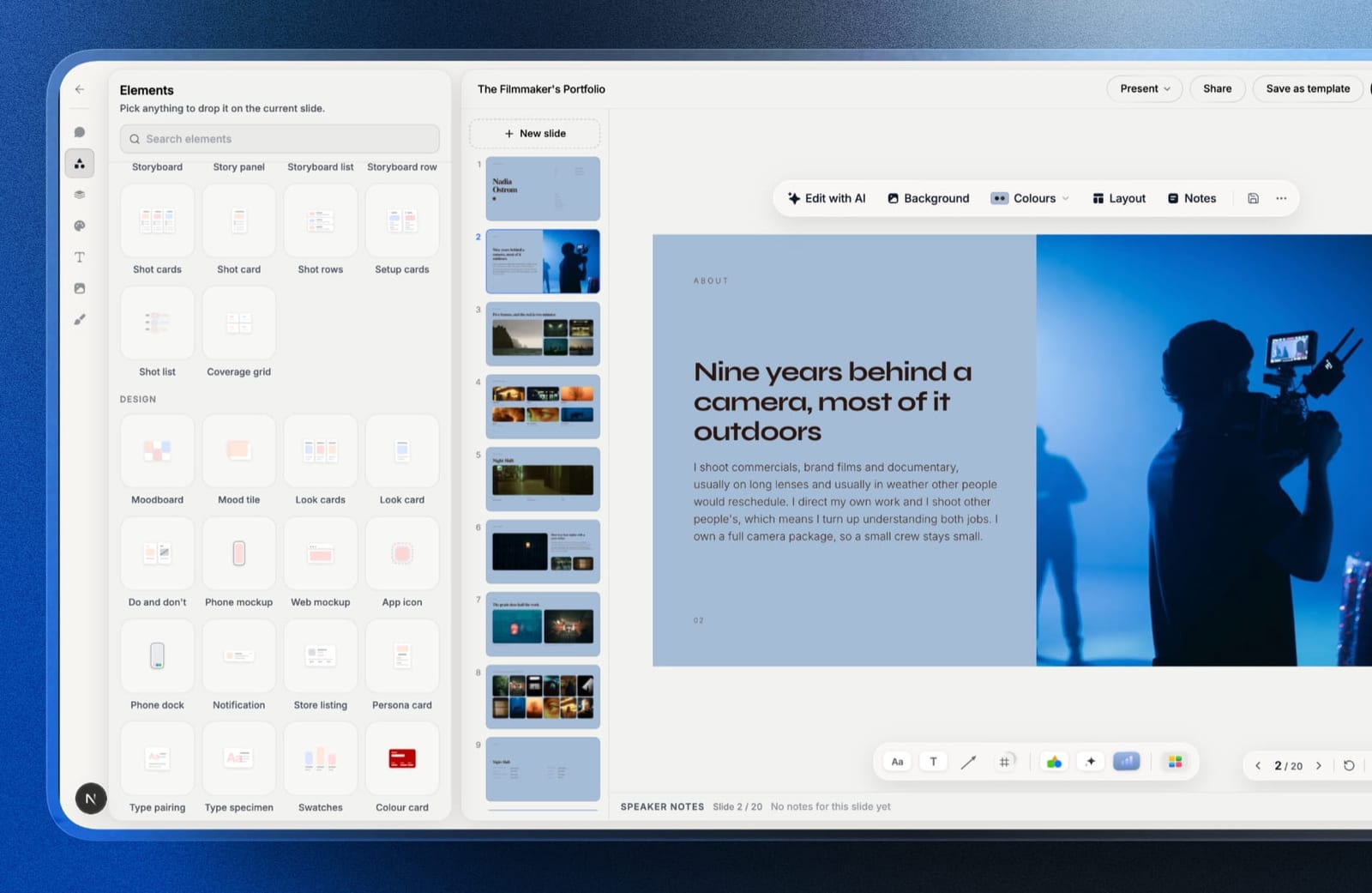
Verdict: the best fit for a designer who works alone and wants the pitch, the motion notes and the handover in one account on their own brand, and the wrong buy for a studio whose feedback is mostly pins on layouts.
4. ReviewStudio: Best Free Coverage
Unlimited users and unlimited guests on a free 5GB tier across all file formats, with versioning, compare mode, present mode and approval management.
Pro is 12 dollars per user annually with 25GB per user, and Advanced at 20 dollars adds colour separation and comment privacy with a five-user minimum.
The standout detailpresent mode on the free tier, where one person drives while others watch, is closer to how a design presentation actually runs than asynchronous commenting is. Most studios still walk a client through work rather than sending it cold.
Verdict: the best way to cover three of the four deliverable types at no cost, and the tool to start with before committing to anything expensive.
5. Ziflow: Widest File Support
Ziflow supports a wider range of formats than anything else in this comparison, which matters for studios whose output crosses into packaging: Standard is 199 dollars a month with 15 users and 1TB, covering over 1,200 file types with workflow stages priced explicitly by tier.
Verdict: the same price as Filestage with five more users and better handling of press-bound files. The free tier keeps review history only 60 days, so it cannot serve as a project record.
6. Approval Studio: Cheapest With Print Tooling
Lite is 60 dollars a month for 5 users and 5GB, and Pro at 160 dollars adds a spellchecker, on-screen ruler and barcode scanner alongside colour separation and 1000% zoom, with video review included.
Verdict: the best value for a studio whose work reaches a printing press, at a third of Ziflow's price once you account for the Pro tier the inspection tools require.
7. PageProof: Best Approval Record
PageProof is the only tool here that removes seat arithmetic entirely from a design review: Team is 249 dollars a month with unlimited reviewers, unlimited proofs and unlimited versions of any file type, with automated workflows and reminders included on every tier.
Verdict: the choice when a design sign-off might be questioned later, with no seat arithmetic at any scale. Expensive for a studio that has never had an approval disputed.
8. Frame.io: Best for the Motion Piece
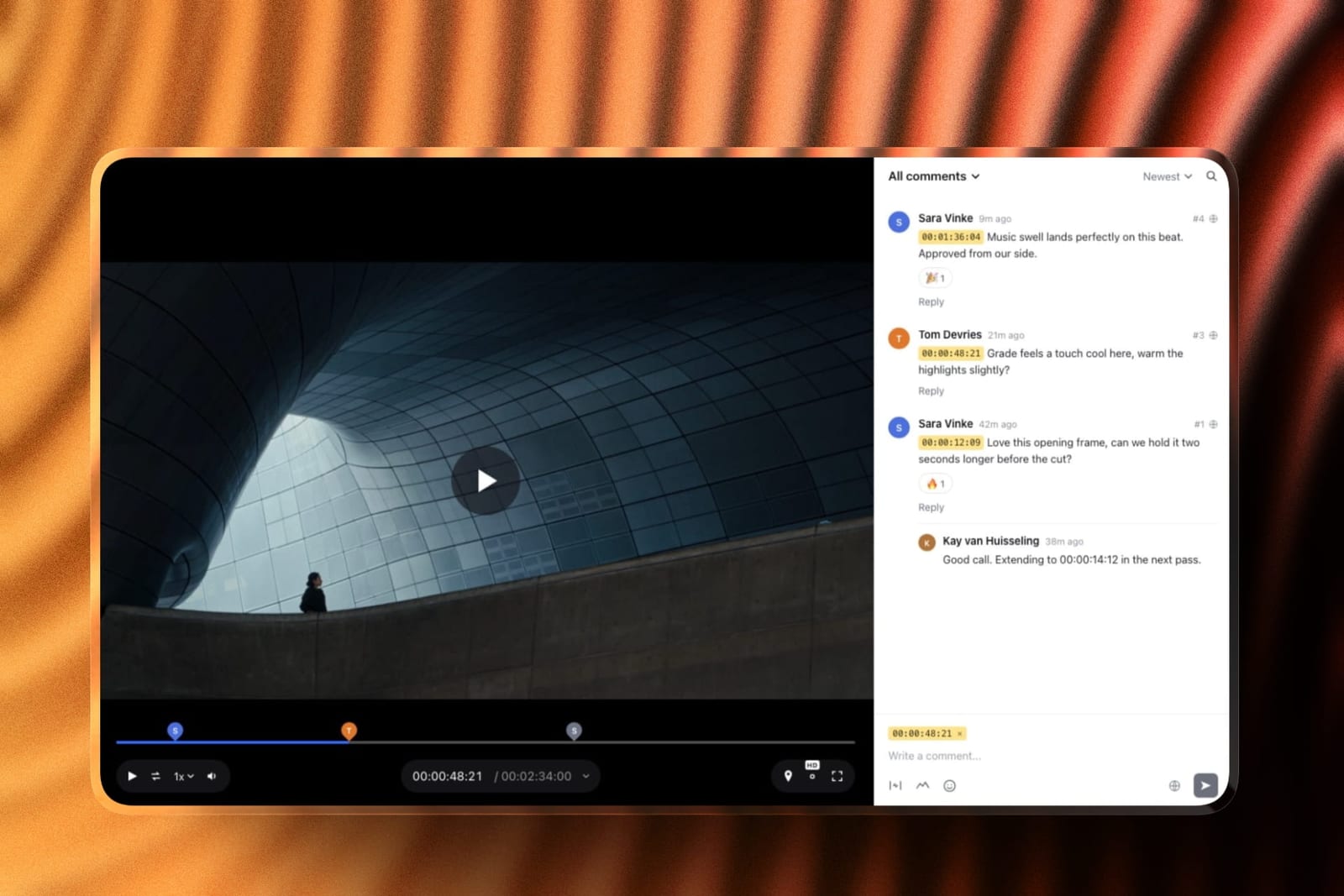
Pro is 15 dollars per member per month with 2TB, with frame-accurate range comments, drawn annotation, version stacks and document markup for stills and PDFs.
Verdict: the strongest handling of the motion deliverable by a distance, and document markup covers static work adequately rather than well. A specialist to pair with, not a design platform.
9. Krock.io: Cheapest Multi-Format
Pro is 10 dollars per user per month with unlimited team size and from 2TB, reviewing video, image, audio and PDF with unlimited reviewers on every plan and a storyboard tool.
Verdict: four media types at a fraction of the platform prices, without workflow routing or live web review. Strong value for a small studio.
10. GoVisually: Print and Packaging First
Lite is 16 dollars per user with 15 active projects, and Pro at 33 dollars per user with a three-user minimum adds video, with a compliance suite from 499 dollars a month.
The gotchaLite supports no video or GIF at all, so a designer shipping a motion piece needs Pro.
Verdict: for designers working on regulated packaging and labels specifically. Overspecialised for a general studio.
11. Wipster: Video With Some Stills
Wipster is a video tool that reaches sideways into stills rather than a design platform: Light is 9.95 dollars a month with 50GB for one person, with pinpoint annotation, Premiere Pro and After Effects extensions, and image annotation alongside the video review.
Verdict: a motion tool with a modest stills capability, and the After Effects extension is genuinely useful for designers who animate their own identities.
The Deliverable Nobody Reviews Properly
In one linelive web pages are the fastest-growing part of a designer's output and ten of these eleven tools cannot review one, which is where most late-stage change requests come from.
The workaround is universal and it fails in a specific way.
The page gets screenshotted for the formal review, the client approves the screenshots, and then the real page reaches staging and generates a fresh round of comments about things a screenshot could never have shown: a hover state, a sticky header, a form error, how it reflows on a phone.
That second round is unbudgeted, it arrives late, and it is treated as scope creep by the studio and as an obvious oversight by the client. Both are half right. The review process genuinely never asked the client to look at those things.
MarkUp.io at 948 dollars a year is the only tool here that closes it, which for most studios means a second subscription rather than a replacement. That is a less satisfying conclusion than a single winner and it is the accurate one.
The test you can runlook at the last three web projects you delivered and count the change requests that arrived after the page went to staging. If that number is not close to zero, the screenshot review is the cause.
Which Feedback Tool Fits Your Studio? A Decision Tree
Work through these in order and stop at the first yes, since the mix of what you actually deliver decides this far more than any feature table.
- Do you ship live web pages? MarkUp.io at 79 dollars a month, almost certainly alongside something else.
- Do clients review in groups with deadlines you have to chase? Filestage at 199 dollars a month, or Ziflow at the same price with more users.
- Does your work reach a printing press? Approval Studio Pro at 160 dollars a month, or GoVisually if regulatory claims need checking.
- Is the motion piece the part generating the most rounds? Frame.io at 15 dollars per member for range comments.
- Are you a solo designer or a pair? ReviewStudio's free tier, or Krock.io at 10 dollars per user if you need more storage.
- Might a sign-off be disputed? PageProof at 249 dollars flat.
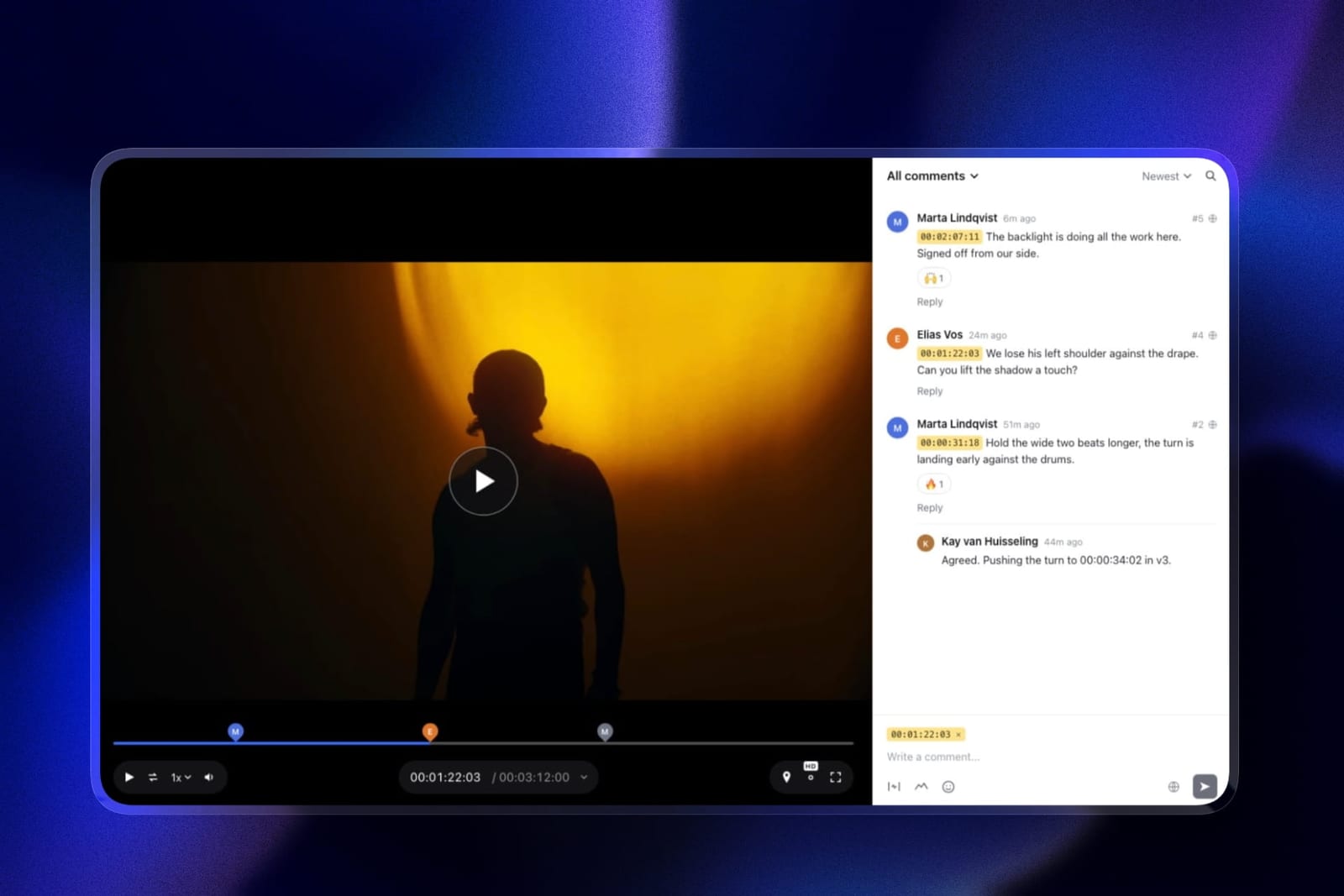
- Are you a solo designer who presents a deck, reviews a motion piece and hands over finals? Framekit, free to start, with the portfolio site in the same account. Our website builders for graphic designers guide covers the site half.
Frequently Asked Questions
What is the best client feedback tool for designers in 2026?
Filestage is the best all-round client feedback tool for designers in 2026, at 199 dollars a month with all file types on every tier including free, plus reviewer groups, due dates and unlimited external reviewers.
MarkUp.io at 79 dollars a month is the only tool that reviews a live web page, ReviewStudio's free tier covers static work, video and approvals with unlimited users, and Framekit is the free pick for a solo designer.
Which tool lets clients comment on a live website?
MarkUp.io, and it is the only one in this comparison. Pro is 79 dollars a month with unlimited users and 500GB, supporting over 30 file types including live URLs.
Every other tool requires you to flatten a page into a screenshot first, which cannot show hover states, responsive breakpoints, scroll behaviour or validation messages.
Why do web projects always get extra rounds after staging?
Because the formal review used screenshots. A static image cannot surface a hover state, a sticky header, a form error or how a layout reflows on a phone, so the client never had the chance to comment on them.
When the real page appears, those notes arrive as a fresh round that the studio sees as scope creep and the client sees as an obvious oversight.
Is there a free client feedback tool for designers?
ReviewStudio's free tier is the strongest, with unlimited users and unlimited guests on 5GB across all file formats, including versioning, compare mode, present mode and approval management.
Filestage's free tier supports all file types but limits you to 1 active project and 5 new files a month, and Ziflow's free tier retains review history for only 60 days.
Do designers need timecoded video review?
Increasingly yes, since most brand projects now include a motion deliverable.
The proofing platforms handle it adequately with pinned comments, while Frame.io and Dropbox Replay are the only tools here offering range-based comments, which matter because motion notes about easing and timing cover a span of frames rather than a single instant.
Can Framekit collect design feedback?
Partly. Framekit takes frame-accurate notes and drawings on motion work through video review, and on stills its client galleries let a client pick favourites into named lists with a typed note on each.
It has no pinned markup on a coordinate, no layout comparison, no live web review and no print handling, so it ranks third here for solo designers only.
How much should a design studio spend on feedback tooling?
Between nothing and about 2,400 dollars a year, and the spread is about coordination rather than capability.
ReviewStudio free covers three deliverable types for a small studio, Krock.io is 120 dollars per user a year, MarkUp.io is 948 with unlimited users, and Filestage and Ziflow are 2,388.
Buy the expensive tier only if chasing stakeholders is currently costing you time.
Should I use one tool or two?
Two, if you ship live web pages, because no single tool in this comparison covers static work, live pages and motion well. The common working combination is a generalist such as Filestage or ReviewStudio for files, plus MarkUp.io for pages.
If your output is static and print only, one tool is genuinely enough.
Which tool is best for print design?
Approval Studio, at 160 dollars a month on Pro for colour separation, a barcode scanner, an on-screen ruler, a spellchecker and 1000% zoom, which is roughly a third less than Ziflow for comparable or deeper inspection.
GoVisually is the alternative when regulatory claim checking is part of the job, from 499 dollars a month for its compliance suite.
Do clients need accounts to leave design feedback?
No on every tool in this comparison. Filestage, Ziflow, PageProof, ReviewStudio and MarkUp.io all support external reviewers by link without consuming a paid seat.
This matters more than most feature comparisons suggest, because a client asked to create an account will frequently reply by email instead, which puts the feedback back outside your process.
What is the difference between design proofing and video review?
Design proofing is format-agnostic and approval-led, built to move many file types through a defined process with a record. Video review is timeline-led, built around timestamped feedback on moving images.
Tools from the proofing tradition handle a motion deliverable adequately without range comments, and video-first tools generally cannot review a print file or a live page at all.
Final Verdict
Filestage is the best client feedback tool for designers in 2026 for studios whose clients review in groups, because all file types on every tier plus reviewer groups and automated deadline reminders removes the chasing that costs studios unpaid hours.
Ziflow is the same price with more users and better press handling.
The more useful finding is that the fastest-growing part of a designer's output, the live web page, is reviewable in exactly one tool here. MarkUp.io at 948 dollars a year with unlimited users is the missing piece for most studios rather than a replacement for anything.
Where Framekit loses. Framekit is not a markup tool for static design.
It does not pin notes to a coordinate, compare layout versions, review a live page or inspect print files, so a studio whose feedback is mostly pins on layouts is a better fit for Filestage or ReviewStudio.
We rank third only for the solo designer who wants the pitch deck, the motion notes and the handover gallery in one account.
Before buying anything, count the change requests on your last three web projects that arrived only after the page reached staging. That number tells you whether you have a tooling problem or a process one.
Related readingthe best creative proofing tools, client approval software compared, the best video annotation tools, and website builders for graphic designers.
Prices were read at each vendor's published pricing page in August 2026 and tested against one brand project containing a logo suite, page layouts, a live landing page and a motion piece, because a single-format test cannot show where a designer's process actually breaks.
Feedback arrives after the pitch, and the pitch document itself is compared across ten tools in our best client proposal software guide.